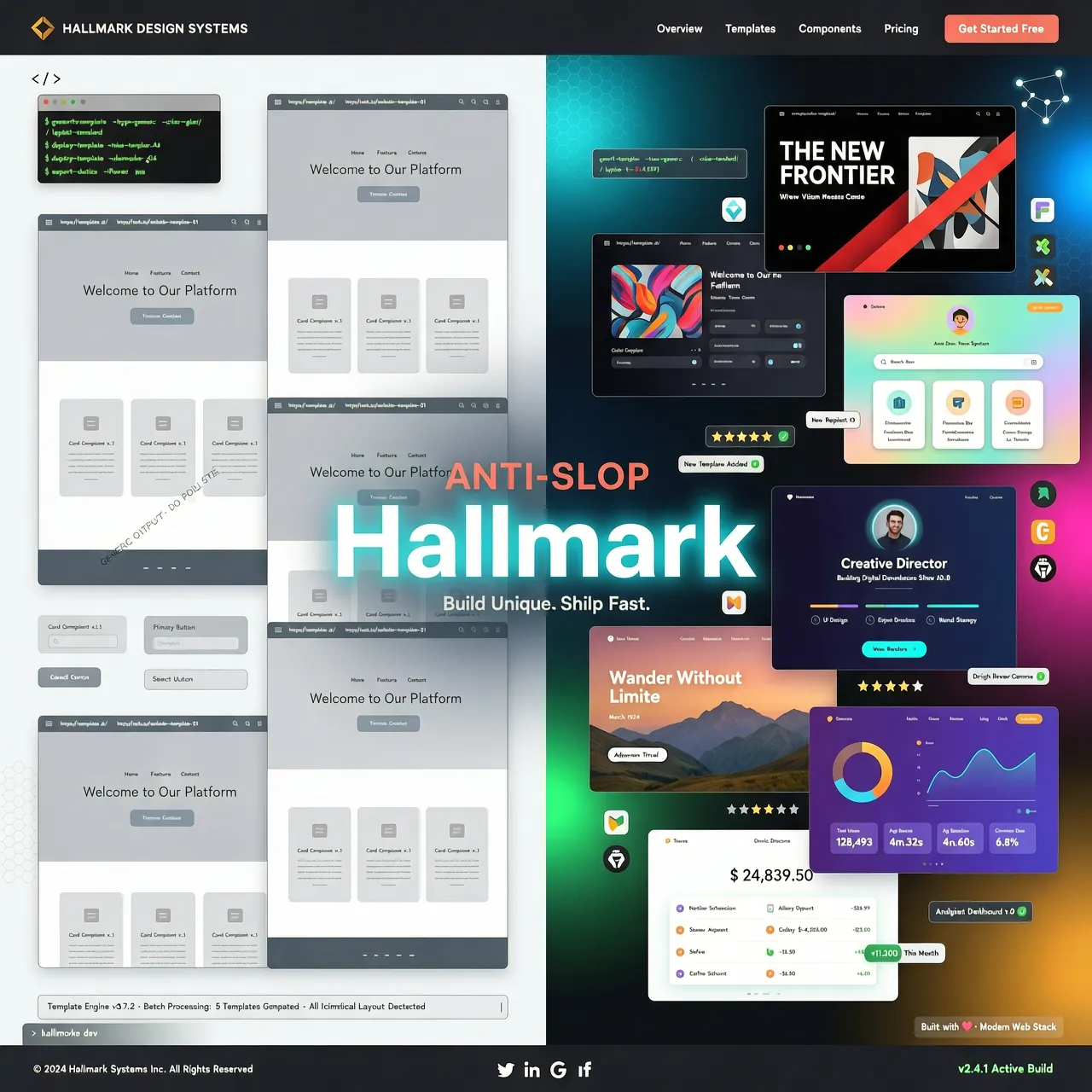
Im Juli 2026 ist ein Open-Source-Projekt namens Nutlope/hallmark auf GitHub Trending regelrecht explodiert – an einem einzigen Tag +3.181 Sterne, schnell über 10.000+ Stars. Es ist kein neues KI-Modell, kein neues Framework, sondern ein Design-Skill gegen KI-Slop.
Wenn du es auch leid bist, dass KI-generierte Webseiten alle gleich aussehen – Hallmark ist genau das, was du brauchst.
Was ist Hallmark?
Hallmark ist ein quelloffenes Design-Skill gegen den „KI-Geschmack", speziell für KI-Programmier-Tools wie Claude Code, Cursor und Codex entwickelt. Es wurde vom Together AI-Team entwickelt und unter der MIT-Lizenz veröffentlicht.
Warum sehen KI-generierte Designs immer gleich aus?
Alle großen Sprachmodelle wurden mit denselben Internetdaten trainiert und konvergieren standardmäßig zum „Verteilungszentrum" (on-distribution defaults). Das führt dazu:
- Jede Landing Page: Hero + dreispaltige Features + CTA
- Farbschema immer: Farbverlauf + weiße Karten
- Schriftart immer: Inter / sans-serif
- Layout praktisch identisch
Dieses Phänomen nennt man "AI slop" – KI-generierte Inhalte, die aussehen wie aus derselben Form gegossen.
Wie löst Hallmark das Problem?
Hallmarks Kernmechanismus ist clever:
| Mechanismus | Erklärung |
|---|---|
| 21 Makrostrukturen | Wählt bei jedem Mal zufällig aus 21 Layouts – strukturelle Vielfalt garantiert |
| 20+ Themes | Von Distil, Cold Snap, Bubble, Garden bis Riso – komplett verschiedene Stile |
| 57 Slop-Erkennungstore | Erkennt nach der Generierung automatisch 57 typische KI-Design-Anti-Pattern |
| Pre-Launch-Selbstprüfung | 审查 sich vor der Ausgabe – bei Nichterfüllung wird die Ausgabe verweigert |
Das Ergebnis: Zwei mit Hallmark generierte Seiten sehen aus wie zwei völlig verschiedene Websites, nicht wie dieselbe Vorlage in anderer Farbe.
Hallmark installieren
Methode 1: Über npx (empfohlen)
Der einfachste Weg ist der Befehl npx skills add:
npx skills add nutlope/hallmark
Dieser Befehl lädt die Hallmark-Skill-Dateien automatisch in dein KI-Tool-Konfigurationsverzeichnis. Bei Updates einfach erneut ausführen.
Methode 2: Manuelle Installation
Wenn du es lieber selbst verwaltest, lade einfach die SKILL.md und den references/-Ordner herunter und platziere sie im entsprechenden Verzeichnis:
Claude Code:
mkdir -p ~/.claude/skills/hallmark/
# SKILL.md und references/ dort ablegen
Cursor:
# Im Projekt-Stammverzeichnis erstellen
mkdir -p .cursor/rules/
# Inhalt von SKILL.md (ohne Frontmatter) in .cursor/rules/hallmark.mdc
Codex:
# Persönlich (global)
mkdir -p ~/.codex/skills/hallmark/

# Projektbezogen (nur aktuelles Projekt)
mkdir -p .codex/skills/hallmark/
Die vier Kernbefehle von Hallmark
Hallmark bietet vier leistungsstarke Befehle, die den kompletten Workflow von der Neuerstellung bis zur Refaktorierung abdecken:
1. hallmark (Standardbefehl)
Der am häufigsten genutzte Befehl – zum Erstellen neuer UIs von null.
hallmark
Er tut Folgendes: - Wählt eine Makrostruktur für dein Projekt - Wendet einen Regelsatz an - Führt 57 Slop-Tests durch - Prüft sich selbst vor der Ausgabe
✅ Ergebnis: Jede neue Seite hat einen einzigartigen „Design-Fingerabdruck", nichts gleicht dem anderen
2. hallmark audit <target>
Zum Bewerten bestehenden Codes, um KI-Slop-Anti-Pattern zu erkennen.
hallmark audit src/components/LandingPage.jsx
Er tut Folgendes: - Analysiert die Ziel-Datei oder das Ziel-Verzeichnis - Vergibt eine Punktzahl und listet alle gefundenen KI-Design-Anti-Pattern auf - Erstellt eine Reparatur-Vorschlagsliste - Ändert keinen Code – rein diagnostisch
✅ Ergebnis: Schnelles Identifizieren, was refaktoriert werden muss – kein blindes Neuschreiben
3. hallmark redesign <target>
Zum Refaktorieren bestehender Seiten – Inhalt bleibt, Aussehen wechselt komplett.
hallmark redesign src/pages/Home.jsx
Er tut Folgendes: - Wirft die bestehende Struktur weg - Behält Texte, Informationsarchitektur und Markenelemente - Baut die Seite komplett neu mit neuem Design-Fingerabdruck - Stellt sicher, dass das neue Design den Hallmark-Anti-Slop-Standards entspricht
✅ Ergebnis: Einmal refaktorieren, komplett neues Aussehen – bei erhaltener Geschäftslogik
4. hallmark study <screenshot | URL>
Zum Lernen von gutem Design – Extrahieren der Design-DNA.
hallmark study https://example.com/design-inspiration
Er tut Folgendes:
- Analysiert den Screenshot oder die Web-URL
- Extrahiert Makrostruktur, Schriftarten-Paarungen, Farb-Anker und andere Kernelemente
- Verweigert pixelgenaues Kopieren und Bezahl-Vorlagen
- Optional: Generiert eine übertragbare design.md-Datei zur Zusammenarbeit mit anderen KI-Tools
✅ Ergebnis: Meisterdesign wird zu einem wiederverwendbaren Design-System
Praxis-Demo: Eine Landing Page von null aufbauen
Erstellen wir mit Hallmark eine Landing Page für ein modernes SaaS-Produkt:
- Claude Code starten, Hallmark-Skill aktivieren
- Prompt eingeben:
text Baue mit hallmark eine Landing Page für ein SaaS-Produkt namens "Hyperlane" – eine Dev-Infrastructure-Monitoring-Plattform für Ingenieure, mit Fokus auf Echtzeit und Zuverlässigkeit. - Ausgabe beobachten: - Hallmark hat automatisch das „Hyperlane"-Theme gewählt (aus den offiziellen Beispielen) - Einzigartiges Grid-Layout und Farbschema - Speziell auf Ingenieure zugeschnittene Texte und visuelle Elemente - Generierte HTML/CSS-Dateien mit Kommentaren zur verwendeten Makrostruktur
Das ist die Magie von Hallmark – keine generischen Vorlagen mehr, sondern maßgeschneidertes Design für jedes einzelne Produkt.
Die Design-Philosophie hinter Hallmark
Hallmark basiert auf einer tiefgründigen Design-Philosophie:
- Keine Vorlagen: Kein „Standard-Theme", jedes Mal neu erschaffen
- Vielfalt leben: 21 Makrostrukturen sorgen dafür, dass sich nichts wiederholt
- Qualität zuerst: 57 Erkennungstore sind strenger als menschliche Designer
- Nachvollziehbar: Jede generierte HTML-Datei trägt CSS-Kommentare mit dem Design-Fingerabdruck
- Kombinierbar: Die generierte
design.mdkann in andere KI-Tools importiert werden – eine Design-Pipeline
Fazit
Hallmark ist kein simples CSS-Framework, sondern ein KI-Agent für Design-Denken. Er bringt KI-Tools bei, wie ein menschlicher Designer zu denken: Kontext verstehen, Marken respektieren, Einzigartigkeit anstreben, Mittelmaß vermeiden.
In einer Zeit, in der KI-Design-Tools nur so aus dem Boden sprießen, bietet Hallmark einen völlig anderen Ansatz: Nicht schneller mehr generieren, sondern weniger – aber besser.
🚀 Jetzt loslegen: 1. Besuche die Hallmark-Website für alle Beispiele 2. Gib Nutlope/hallmark auf GitHub einen Stern 3. Führe
npx skills add nutlope/hallmarkaus und starte deine Anti-KI-Slop-Design-Reise
Dieser Artikel basiert auf Hallmark v2.1.0. Für die neueste Version bitte das GitHub-Repository besuchen.