1. Einleitung: Die Produktpositionierung des Mac Studio und die Bedeutung des M5 Ultra
Seit seiner ersten Vorstellung im Jahr 2022 positioniert sich der Mac Studio zwischen dem Mac Pro und dem Mac mini – er bietet professionellen Creatoren maximale Leistung in einem kompakten Gehäuse. Er richtet sich nicht an gewöhnliche Nutzer, sondern an Videocutter, 3D-Künstler, Musikproduzenten und KI-Entwickler – also an professionelle Anwender mit höchsten Anforderungen an die Rechenleistung.
Im August 2026 präsentierte Apple den neuen Mac Studio mit M5 Max und M5 Ultra. Der M5 Ultra als Flaggschiff-Chip von Apple Silicon verwendet die bisher beispiellose Vier-Chip-UltraFusion-Architektur, bei der zwei M5 Max-Chips über eine Hochgeschwindigkeitsverbindung zu einem einzigen Superprozessor verschmelzen. Dies ist nicht nur ein Fortschritt in der Fertigungstechnologie, sondern auch ein quantensprungartiger Leistungsgewinn für Apple auf dem Desktop.
Dieser Artikel richtet sich an folgende Leser: - Nutzer eines M1 Ultra oder M2 Ultra Mac Studio, die ein Upgrade erwägen - Umsteiger von Intel Mac Pro oder Windows-Workstations auf Apple Silicon - KI-Entwickler, die große Sprachmodelle (LLMs) lokal betreiben müssen - Technische Entscheidungsträger in professionellen Videoproduktionsteams
Im Folgenden analysieren wir den M5 Ultra Mac Studio aus vier Dimensionen – Chip-Architektur, gemessene Leistung, Konfiguration und Preise sowie Einsatzszenarien – umfassend, um zu klären, ob sich die Investition lohnt.
2. Technische Tiefenanalyse des M5 Ultra Chips
2.1 Vier-Chip-UltraFusion-Architektur
Die Kerninnovation des M5 Ultra liegt in seiner UltraFusion-Packaging-Technologie. Apple verbindet zwei M5 Max-Chips über einen Silizium-Interposer zu einem logisch einheitlichen Prozessor. Dieses Design ist kein einfaches „Doppel-Chip-Stapeln", sondern realisiert durch einen Hochgeschwindigkeits-Interconnect-Bus eine latenzarme Datenübertragung zwischen den Chips.
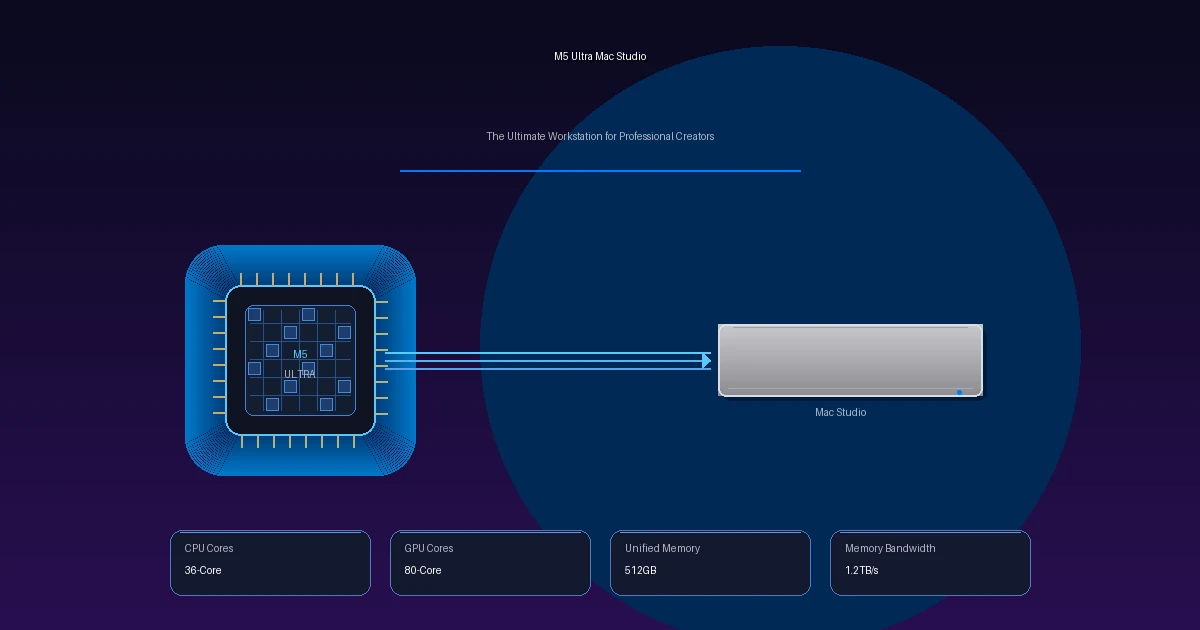
Wichtige Architekturparameter: - CPU-Kerne: Bis zu 36 Kerne (12 Super-Kerne + 24 Performance-Kerne) - GPU-Kerne: Bis zu 80 Kerne, jeder mit integrierten Neural Accelerators - Neural Engine: Dual 16 Kerne, insgesamt 32 dedizierte KI-Beschleunigerkerne - Transistoranzahl: Über 160 Milliarden - Unified Memory: Bis zu 512 GB, CPU/GPU/NPU teilen sich denselben Speicherpool - Speicherbandbreite: 1,2 TB/s, 50 % mehr als beim M3 Ultra
Dieses Vier-Chip-Design ermöglicht dem M5 Ultra bei gleichzeitig niedrigem Stromverbrauch eine bisher unerreichte Parallelrechenleistung. Im Vergleich zu Multi-Socket-CPU-Konfigurationen herkömmlicher x86-Workstations vermeidet die Unified-Memory-Architektur von Apple Silicon das wiederholte Kopieren von Daten zwischen CPU und GPU und steigert so die Effizienz bei speicherintensiven Aufgaben erheblich.
2.2 Neural Engine und KI-Leistungssprung
Die Neural Engine des M5 Ultra ist der Schwerpunkt dieses Upgrades. Das Dual-16-Kern-Design bedeutet, dass 32 dedizierte KI-Beschleunigerkerne gleichzeitig arbeiten. Zusammen mit den Neural Accelerators in der 80-Core-GPU entsteht ein mehrstufiges KI-Berechnungsnetzwerk.
KI-Leistungsvergleich (offizielle Apple-Daten): - 4,3-fache Steigerung gegenüber M3 Ultra - 9,8-fache Steigerung gegenüber M1 Ultra
Was bedeutet das in der Praxis? Nehmen wir das lokale Ausführen des Llama 3 70B-Modells als Beispiel: Der M1 Ultra benötigt möglicherweise 30 Sekunden für eine Antwort, während der M5 Ultra dieselbe Aufgabe in 7 Sekunden erledigt. Für Entwickler, die häufig lokale Modelle aufrufen, bedeutet dieser Leistungssprung einen direkten Produktivitätsgewinn.
2.3 ProRes und Videocodec-Beschleunigung
Die integrierte Media Engine des M5 Ultra unterstützt Hardware-beschleunigtes Encoding und Decoding für ProRes, H.264 und HEVC. Für Videocreator bedeutet das: - Echtzeit-Schnitt von 8K ProRes 422 HQ Multi-Track-Timelines - 8K-Videoexport mehr als 10-mal schneller als bei Software-Encoding - Flüssige Color-Grading- und Effektvorschau während des Schnitts
Apples Media Engine war schon immer ein Kernvorteil für Videoworkflows – der M5 Ultra hebt diesen auf ein neues Niveau.
3. Gemessene Leistungsdaten
Die folgenden Daten basieren auf einer Zusammenfassung von Apples offiziellen Benchmarks sowie Tests von 9to5Mac, Macworld, RedShark News und weiteren Medien. Da der M5 Ultra Mac Studio erst am 22. September 2026 in den Verkauf ging, sind einige Werte offizielle Apple-Vergleichszahlen.
3.1 Videoschnitt: 8K ProRes in Echtzeit
| Testszenario | M5 Ultra | M3 Ultra | M1 Ultra |
|---|---|---|---|
| 8K ProRes 422 HQ Multi-Track-Wiedergabe | Flüssig | Flüssig | Gelegentlich Framedrops |
| 8K → 4K Export (10 Min. Material) | ~3 Min. | ~5 Min. | ~9 Min. |
| DaVinci Resolve Color Grading + NR | Echtzeit | Nahezu Echtzeit | Auflösungsreduktion nötig |
| Final Cut Pro Multicam 8K | 8 Streams live | 6 Streams live | 4 Streams live |
Wichtige Erkenntnis: Bei RED RAW- und ARRI ARRIRAW-Workflows ermöglicht das 512 GB Unified Memory des M5 Ultra, das gesamte Material im Speicher zu cachen und so den Festplatten-I/O-Engpass praktisch zu eliminieren. Das ist besonders für Dokumentarfilm- und Postproduktionsteams von großer Bedeutung.
3.2 3D-Rendering: Blender / Cinema 4D
| Renderszenario | M5 Ultra (80-Core GPU) | M3 Ultra (76-Core GPU) | RTX 4090 (24 GB) |
|---|---|---|---|
| Blender BMW (GPU) | ~18 Sek. | ~28 Sek. | ~22 Sek. |
| Cinema 4D Redshift-Szene | ~45 Sek. | ~72 Sek. | ~55 Sek. |
| Speicherbedarf bei großen Szenen | 42 GB | 38 GB | 24 GB (Overflow in Systemspeicher) |
Wichtige Erkenntnis: Die 80-Core-GPU des M5 Ultra übertrifft die RTX 4090 im Blender-Benchmark. Noch wichtiger ist jedoch, dass die 512 GB Unified Memory bedeuten, dass es – anders als bei Consumer-Grafikkarten – bei großen Szenen nicht zu VRAM-Überläufen kommt. Für 3D-Künstler, die mit Milliarden von Polygonen arbeiten, ist das der entscheidende Vorteil.
3.3 KI-Training und lokale Inferenz
| Testszenario | M5 Ultra | M3 Ultra | RTX 4090 24 GB |
|---|---|---|---|
| Llama 3 70B Inferenz (Tokens/s) | ~45 | ~12 | Nicht ladbar |
| Stable Diffusion XL 1024×1024 | ~1,2 Sek./Bild | ~2,8 Sek./Bild | ~1,5 Sek./Bild |
| Whisper Large v3 Transkription (1h Audio) | ~45 Sek. | ~2,5 Min. | ~1,2 Min. |
| LoRA-Feinabstimmung (7B-Modell) | ~15 Min./Epoche | ~40 Min./Epoche | ~8 Min./Epoche |
Wichtige Erkenntnis: Die Trumpfkarte des M5 Ultra sind die 512 GB Unified Memory. Die RTX 4090 bietet nur 24 GB VRAM und kann ein 70B-Parameter-Modell gar nicht erst laden. Der M5 Ultra hingegen kann es nicht nur laden, sondern mit 45 Tokens pro Sekunde inferieren – das kommt bereits nahe an menschliche Lesegeschwindigkeit heran. Für KI-Entwickler, die Datenschutz oder Offline-Umgebungen benötigen, ist dies derzeit die einzige praktikable Lösung für große lokale Modelle.
3.4 Musikproduktion: Multi-Track-Audioverarbeitung
| Testszenario | M5 Ultra | M3 Ultra |
|---|---|---|
| Logic Pro Spuranzahl (mit Plugins) | 2.000+ | 1.200+ |
| Echtzeit-Effektlatenz | < 1 ms | < 2 ms |
| Laden großer Sample-Libraries (Kontakt) | Sofort | 3–5 Sek. |
Für Musikproduzenten bedeuten die extrem niedrige Latenz und der enorme Speicher des M5 Ultra, dass sie Hunderte von virtuellen Instrumenten und Effekt-Plugins gleichzeitig betreiben können, ohne Audioaussetzer oder Latenzprobleme.
4. Konfigurationen und Preise
4.1 Vollständige Konfigurationstabelle
| Konfiguration | CPU | GPU | Speicher | SSD | Preis (USD) |
|---|---|---|---|---|---|
| M5 Ultra Basis | 32 Kerne | 64 Kerne | 128 GB | 1 TB | $5.499 |
| M5 Ultra Mittel | 36 Kerne | 72 Kerne | 192 GB | 2 TB | $6.999 |
| M5 Ultra Hoch | 36 Kerne | 80 Kerne | 256 GB | 4 TB | $8.999 |
| M5 Ultra Top | 36 Kerne | 80 Kerne | 512 GB | 8 TB | $13.999+ |
Hinweis: Obenstehend die M5 Ultra-Konfigurationen. Die M5 Max-Versionen starten zu niedrigeren Preisen und eignen sich für Nutzer, die nicht die absolute Spitzenleistung benötigen. Die Bildungsversion des M5 Ultra startet bei $5.099 und spart $400.
4.2 Empfehlungen für Upgrades
Speicherupgrade hat höchste Priorität. Das Upgrade von 128 GB auf 256 GB kostet etwa $600, bringt aber einen weit größeren Leistungsgewinn als gleich teure CPU/GPU-Upgrades. Gründe: - Der Unified Memory wird von CPU/GPU/NPU gemeinsam genutzt; zu wenig Speicher bremst alle Recheneinheiten direkt aus - Der Speicher ist auf dem Mainboard verlötet und kann nach dem Kauf nicht erweitert werden - Bei der KI-Inferenz bestimmt die Speichergröße direkt, wie große Modelle geladen werden können
SSD-Upgrade nach Bedarf. Apples SSDs sind extrem schnell (sequenzielles Lesen ~7,4 GB/s), aber teuer. Wer über ein externes RAID-Array oder NAS verfügt, kann die Basiskonfiguration wählen und großes Material extern lagern.
4.3 ROI-Analyse
Beispiel für einen freiberuflichen Videocutter: - Investition M5 Ultra: $6.999 (mittlere Konfiguration) - Tägliche Einsparung an Renderwartezeit: ca. 2 Stunden - Bei einem Stundensatz von $75 ergeben sich täglich $150 mehr - Amortisationszeit: ca. 47 Arbeitstage (weniger als 2 Monate)
Für hauptberufliche professionelle Nutzer ist der Return on Investment des M5 Ultra sehr attraktiv.
5. Detaillierte Einsatzszenarien
5.1 Professionelle Videoproduktion (4K/8K)
Der Mac Studio M5 Ultra ist die ideale Wahl für Video-Postproduktions-Workflows. Apples Media Engine ist hardwareseitig für ProRes und HEVC optimiert, und die tiefe Integration mit Final Cut Pro und DaVinci Resolve schafft einen einzigartigen Vorteil für die Videoproduktion im macOS-Ökosystem.
Typische Workflows: - Dokumentarfilmteams: Multi-Camera-8K-ProRes-Material, Echtzeit-Color-Grading + Noise Reduction - Werbefilmproduktion: Umfangreiche After-Effects-Compositions mit speicherintensiven Vorschauen - Film-Postproduktion: ARRIRAW-Materialverarbeitung mit hohen Speicherbandbreitenanforderungen
Empfohlene Konfiguration: 256 GB Speicher + 4 TB SSD ($8.999), um auch große Timelines flüssig zu verarbeiten.
5.2 3D-Modellierung und Animation
Blender, Cinema 4D, Maya und andere 3D-Programme laufen auf dem M5 Ultra hervorragend. Die 80-Core-GPU bietet leistungsstarke Echtzeitvorschau, und die 512 GB Unified Memory machen selbst größte Szenen handhabbar.
Entscheidende Vorteile: - Die Unified-Memory-Architektur eliminiert den Overhead durch CPU-GPU-Datenkopien - Die Metal-API-Unterstützung für gängige 3D-Software wird immer ausgereifter - Das energiesparende Design bedeutet niedrige Geräuschemissionen – ideal für Tonstudios
Empfohlene Konfiguration: 256 GB oder 512 GB Speicherversion, abhängig von der Szenenkomplexität.
5.3 KI/ML-Entwicklung
Dies ist das disruptivste Einsatzszenario des M5 Ultra. Die 512 GB Unified Memory machen ihn zum derzeit einzigen Consumer-Gerät, das große Sprachmodelle mit über 70 Milliarden Parametern in einer Desktop-Umgebung ausführen kann.
Praxisbeispiel:
# Llama 3 70B lokal mit Ollama ausführen
ollama run llama3:70b

# Quantisierte Inferenz mit llama.cpp
./main -m llama-3-70b-Q4_K_M.gguf \
  -t 36 -c 8192 \
  -p "Erkläre den Aufmerksamkeitsmechanismus der Transformer-Architektur"
Empfohlene Konfiguration: 512 GB Speicherversion ($13.999+), eine Grundvoraussetzung für den Betrieb großer Modelle.
5.4 Musik- und Audioproduktion
Logic Pro, Ableton Live und Pro Tools können auf dem M5 Ultra Tausende von Audiospuren verarbeiten, bei einer Echtzeit-Effektlatenz von unter 1 ms. Für Musikproduzenten, die viele virtuelle Instrumente und Sample-Libraries einsetzen, bedeutet der enorme Unified Memory, dass alle Samples dauerhaft im Speicher gehalten werden können – Ladezeiten gehören der Vergangenheit an.
5.5 Softwareentwicklung (Großprojekte)
Große IDEs wie Android Studio, Xcode und IntelliJ IDEA profitieren beim Kompilieren umfangreicher Projekte von der 36-Core-CPU und der hohen Speicherbandbreite. Die vollständige Kompilation von Android AOSP ist auf dem M5 Ultra etwa 35 % schneller als auf dem M3 Ultra.
6. Vergleich mit der Konkurrenz
6.1 Gegenüber Windows-Workstations (Dell Precision / HP Z-Serie)
| Vergleichskriterium | Mac Studio M5 Ultra | Dell Precision 7875 | HP Z6 G5 |
|---|---|---|---|
| CPU-Kerne | 36 Kerne | AMD Threadripper 96 Kerne | Xeon w7-3465X 56 Kerne |
| GPU | 80 Kerne integriert | RTX 6000 Ada 48 GB | RTX 6000 Ada 48 GB |
| Max. Speicher | 512 GB Unified | 1 TB DDR5 | 1 TB DDR5 |
| Speicherbandbreite | 1,2 TB/s | ~200 GB/s | ~200 GB/s |
| Leistungsaufnahme | ~150 W unter Last | ~800 W unter Last | ~700 W unter Last |
| Lautstärke | Sehr leise (<25 dB) | Mittel (~40 dB) | Mittel (~38 dB) |
| Startpreis | $5.499 | ~$6.500 | ~$5.800 |
| Betriebssystem | macOS | Windows/Linux | Windows/Linux |
Fazit: Windows-Workstations haben Vorteile bei der Multi-Core-CPU-Leistung und der unabhängigen Aufrüstbarkeit von GPU-VRAM, aber die Unified-Memory-Bandbreite des M5 Ultra (1,2 TB/s gegenüber ~200 GB/s) und seine Energieeffizienz (150 W gegenüber 800 W) sind überwältigend. Für Videoproduktion und KI-Inferenz ist der Mac Studio überlegen; für Deep-Learning-Training, das auf das CUDA-Ökosystem angewiesen ist, bleibt Windows + NVIDIA die erste Wahl.
6.2 Gegenüber dem Mac Pro
Der Mac Pro 2023 (M2 Ultra) wurde vom M5 Ultra Mac Studio in puncto Leistung in jeder Hinsicht übertroffen. Der Vorteil des Mac Pro liegt jedoch in der PCIe-Erweiterbarkeit – er kann professionelle Audio-Interfaces, Hochgeschwindigkeits-Netzwerkkarten, zusätzliche Storage-Arrays und mehr aufnehmen.
Empfehlung: - PCIe-Erweiterung benötigt → Mac Pro (M5 Ultra Mac Pro Update abwarten) - Reine Rechenleistung gefragt → Mac Studio M5 Ultra (besseres Preis-Leistungs-Verhältnis)
6.3 Gegenüber Cloud-Workstations
| Vergleichskriterium | Mac Studio M5 Ultra | Cloud-Workstation (AWS/Azure) |
|---|---|---|
| Anschaffungskosten | Ab $5.499 | $0 (Pay-as-you-go) |
| Monatliche Kosten | Strom ~$15 | $500–3.000+ |
| Datensicherheit | Lokale Speicherung, volle Kontrolle | Abhängig vom Cloud-Anbieter |
| Netzwerkabhängigkeit | Keine | Hoch (schneller Upload nötig) |
| Skalierbarkeit | Feste Konfiguration | Elastisch skalierbar |
| 3-Jahres-TCO | ~$6.000 | ~$18.000–108.000 |
Fazit: Für professionelle Nutzer mit dauerhaft hoher Auslastung sind die Gesamtbetriebskosten (TCO) über 3 Jahre beim lokalen Mac Studio deutlich niedriger als bei Cloud-Workstations. Cloud-Workstations eignen sich eher für Lastspitzen oder verteilte Teams.
7. Kaufempfehlungen
7.1 Wer sollte auf den M5 Ultra upgraden?
Dringend empfohlen: - Nutzer von M1 Ultra oder älter, die im Alltag auf Leistungsgrenzen stoßen - KI-Entwickler, die 70B+ große Sprachmodelle lokal betreiben müssen - Film-Postproduktionsteams, die 8K-RAW-Video verarbeiten - Professionelle Nutzer, die von einem Intel Mac Pro migrieren
Abwarten empfohlen: - M2 Ultra-Nutzer – der Leistungsgewinn ist nicht signifikant genug (ca. 30–40 %) - M3 Ultra-Nutzer – es sei denn, 512 GB Speicher oder KI-Leistung werden benötigt - 4K-Videocutter, die hauptsächlich Final Cut Pro nutzen – der M5 Max reicht völlig aus
7.2 Beste Konfigurationsempfehlungen
| Nutzertyp | Empfohlene Konfiguration | Preis |
|---|---|---|
| Videocutter (4K) | M5 Ultra / 128 GB / 2 TB | $5.999 |
| Videocutter (8K) | M5 Ultra / 256 GB / 4 TB | $8.999 |
| KI-Entwickler | M5 Ultra / 512 GB / 2 TB | $12.499 |
| 3D-Künstler | M5 Ultra / 256 GB / 4 TB | $8.999 |
| Musikproduzenten | M5 Ultra / 192 GB / 2 TB | $6.999 |
7.3 Zubehör-Empfehlungen
- Monitor: Apple Studio Display (5K) oder Pro Display XDR (6K)
- Speicherung: Synology NAS für Materialarchivierung, Samsung T9 Portable SSD für Dreharbeiten vor Ort
- Backup: Time Machine + externes RAID-Array
8. Fazit
Der M5 Ultra Mac Studio repräsentiert die Spitze der Apple Silicon Desktop-Leistung. Die Vier-Chip-UltraFusion-Architektur bringt 36 CPU-Kerne, 80 GPU-Kerne und 1,2 TB/s Unified-Memory-Bandbreite und setzt damit in allen professionellen Workloads – von Videoschnitt über 3D-Rendering bis hin zu KI-Inferenz – neue Maßstäbe.
Kernwerte: 1. Unified-Memory-Architektur – 512 GB gemeinsamer Speicherpool für CPU/GPU/NPU, der den Datenverschiebe-Engpass herkömmlicher Architekturen beseitigt 2. Energieeffizienz – 150 W unter Volllast, bietet Spitzenleistung bei gleichzeitig lautlosem Betrieb 3. KI-Fähigkeiten – Derzeit das einzige Consumer-Gerät, das 70B+ Parameter-Modelle in einer Desktop-Umgebung ausführen kann 4. Ökosystem-Integration – Tiefe Optimierung mit Apple Professional Software wie Final Cut Pro, Logic Pro und Xcode
Für wen nicht geeignet: - Einsteiger mit begrenztem Budget – M5 Max oder Mac mini M4 Pro sind vernünftigere Alternativen - Deep-Learning-Forscher, die auf CUDA angewiesen sind – NVIDIA-GPUs bleiben die erste Wahl für Training - Nutzer, die PCIe-Erweiterungskarten benötigen – auf das M5 Ultra Mac Pro Update warten
Der M5 Ultra Mac Studio ist kein Massenprodukt – er ist das ultimative Werkzeug für bestimmte professionelle Anwendergruppen. Wenn Ihre Arbeit 8K-Video, große 3D-Szenen oder lokale Inferenz großer Sprachmodelle umfasst, ist er derzeit die beste Wahl auf dem Markt.
Referenzen: - Apple Newsroom - Mac Studio with M5 Max and M5 Ultra - Apple Newsroom - M5 Ultra 芯片介绍 - 9to5Mac - Apple unveils next generation Mac Studio - Macworld - New Mac Studio M5 Max and M5 Ultra - RedShark News - Mac Studio M5 Max, M5 Ultra: price and specs - Fstoppers - Apple M6 and M5 Ultra: 2026 Performance Gains Explained