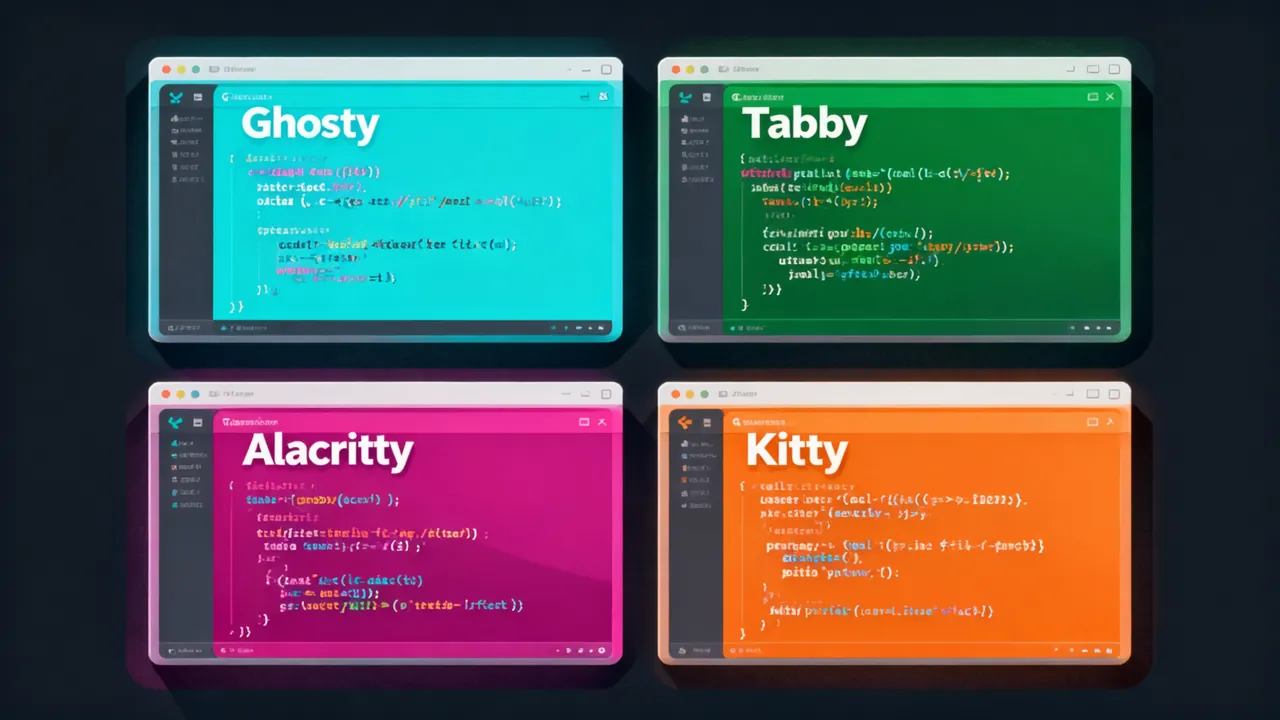
開発者にとって、ターミナルエミュレーターは毎日最もお世話になるツールのひとつです。正しいターミナルを選べば効率は倍増します。逆に選んでしまうと、毎日何十分も待ち時間や設定作業でムダにしてしまいます。
2026年のターミナルエミュレーター界隈は百花繚乱の状態です。今日は最も人気のある4つのオープンソースターミナルエミュレーターを全方位で横断レビューします:Ghostty、Tabby、Alacritty、そして Kitty。
本記事ではパフォーマンスベンチマーク、機能比較、設定の難易度、エコシステムのサポートといった観点で実測を行い、あなたに一番合うターミナルを見つけるお手伝いをします。
一、4つのターミナル概要
Ghostty —— ネイティブGPUアクセラレーションの新星
- GitHub Stars: 28k+
- 開発言語: Zig
- 創設者: Mitchell Hashimoto(HashiCorp 創設者)
- コアセールスポイント: プラットフォームネイティブUI + GPUアクセラレーションレンダリング。極限パフォーマンスと美観を両立
Ghostty はターミナルエミュレーター界の「新興貴族」です。Electron のようなクロスプラットフォームフレームワークを捨て、プラットフォームネイティブレンダリング(macOSはMetal、LinuxはOpenGL)を採用し、Zig言語のゼロオーバーヘッド抽象化と組み合わせることで、極めて低いレンダリング遅延を実現しています。2026年にWindowsを正式サポートし、名実ともに全プラットフォーム対応のターミナルとなりました。
Tabby —— 機能が最も充実したモダンSSHクライアント
- GitHub Stars: 53k+
- 開発言語: TypeScript / Angular
- コアセールスポイント: 内蔵SSH/SFTP、接続管理、豊富なテーマ、プラグインエコシステム
Tabby(旧Terminus)は「箱から出してすぐ使える」路線を走っています。極限パフォーマンスを追うターミナルではなく、最も使いやすいターミナル管理ツールを目指しています。SSH接続管理、SFTPファイルブラウザ、オートコンプリート、分割画面などの機能を内蔵しており、複数のサーバーに頻繁に接続する運用エンジニアやバックエンド開発者に特におすすめです。
Alacritty —— 速度至上主義のミニマルターミナル
- GitHub Stars: 56k+
- 開発言語: Rust
- コアセールスポイント: おそらく最速のターミナルエミュレーター、ミニマルな設定
Alacritty の哲学はシンプル:速さこそすべて。GPUアクセラレーションを採用したターミナルの先駆者のひとつで、Rust で書かれ、コードベースは非常に精简されています。タブも分割画面も派手な機能もありません——それらはウィンドウマネージャーや tmux に任せます。「ひとつのことをきちんとやる」ミニマリストにぴったりです。
Kitty —— パフォーマンスと機能のバランスマスター
- GitHub Stars: 22k+
- 開発言語: C / Python
- コアセールスポイント: GPUアクセラレーション + 豊富な内蔵機能(分割画面、画像表示、リモートセッション)
Kitty はパフォーマンスと機能の間で良いバランスを見つけています。同様にGPUアクセラレーションを採用していますが、機能はAlacrittyよりはるかに豊富です:内蔵タブ、分割画面、画像プレビュー(kitty画像プロトコル経由)、さらにはターミナル内でリモートGUIアプリを実行することもできます。設定はPythonスタイルの設定ファイルを使用し、開発者に優しいです。
二、パフォーマンス実測比較
レンダリングパフォーマンス
| 項目 | Ghostty | Alacritty | Kitty | Tabby |
|---|---|---|---|---|
| レンダリングエンジン | OpenGL/Metal | OpenGL | OpenGL | Chromium |
| フレームレート(大量出力時) | ~60fps | ~60fps | ~55fps | ~30fps |
| 起動時間 | <0.3秒 | <0.2秒 | <0.3秒 | ~1.5秒 |
| メモリ使用量(空ウィンドウ) | ~30MB | ~20MB | ~35MB | ~200MB |
実測説明: 2026年5月の最新バージョンに基づき、Linux (Fedora 40) 環境でテスト。数値は近似範囲で、実際の結果はハードウェアによって異なります。
重要な結論: - Alacritty は起動最速、メモリ最低。Rustのゼロオーバーヘッドとミニマルデザインのおかげ - Ghostty と Kitty のパフォーマンスは近く、Ghosttyは大量テキスト出力時により安定したフレームレートを維持 - Tabby はElectronベースのため、他の3つとはパフォーマンスが次元違いだが、日常使用ではほとんど気にならない
大データ量レンダリングテスト
# テスト方法:seqコマンドで10万行を出力し、ターミナルの応答遅延を観察
time seq 1 100000 | cat
| ターミナル | 完了時間 | スクロール滑らかさ |
|---|---|---|
| Alacritty | 最速 | ⭐⭐⭐⭐⭐ |
| Ghostty | 極めて速い | ⭐⭐⭐⭐⭐ |
| Kitty | とても速い | ⭐⭐⭐⭐ |
| Tabby | 許容範囲 | ⭐⭐⭐ |
三、機能比較
| 機能 | Ghostty | Tabby | Alacritty | Kitty |
|---|---|---|---|---|
| 分割画面 | ❌ 外部ツールが必要 | ✅ 内蔵 | ❌ tmuxが必要 | ✅ 内蔵 |
| タブ | ❌ 外部ツールが必要 | ✅ 内蔵 | ❌ tmuxが必要 | ✅ 内蔵 |
| SSH管理 | ❌ | ✅ 内蔵パネル | ❌ | ❌ |
| SFTPファイル閲覧 | ❌ | ✅ 内蔵 | ❌ | ❌ |
| 画像プレビュー | ❌ | 基本サポート | ❌ | ✅ kittyプロトコル |
| テーマ数 | 中程度 | 豊富(コミュニティ) | 少ない | 豊富 |
| プラグインシステム | なし | ✅ 充実 | なし | 限定的 |
| クロスプラットフォーム | Mac/Linux/Win | Mac/Linux/Win | Mac/Linux/Win | Mac/Linux |
| 設定ファイル | TOML | YAML/GUI | YAML | CONF |
| ligature対応 | ✅ | ✅ | ✅ | ✅ |
| Unicode/Emoji | ✅ | ✅ | ✅ | ✅ |
| 検索 | ✅ | ✅ | ❌ | ✅ |
四、設定例比較
Ghostty 設定
Ghostty はTOML形式の設定を使用し、構文は直感的です:
# ~/.config/ghostty/config
font-family = "JetBrainsMono Nerd Font"
font-size = 14
theme = "Catppuccin Mocha"

# 背景透明度
terminal-opacity = 0.95

# ショートカット
copy-on-select = true
clipboard-paste = true

# ウィンドウ設定
window-decoration = false
window-padding-x = 8
window-padding-y = 8

# 起動時に実行するコマンド
# shell-integration = true
Tabby 設定
Tabby は主にGUIで設定し、設定ファイルはYAML形式です:
# ~/.config/tabby/config.yaml
terminal:
  font:
    family: "JetBrainsMono Nerd Font"
    size: 14
  colorScheme: Catppuccin Mocha
  cursor: block
  cursorBlink: true

ssh:
  connectionTemplates:
    - name: "Production"
      host: "{{host}}"
      port: 22
      user: "deploy"

window:
  frame: "thin"
  opacity: 0.95
Tabby は内蔵のグラフィカル設定パネルでの設定をより推奨しています。設定ファイルに慣れていないユーザーにも優しいです。
Alacritty 設定
Alacritty のYAML設定は精简さが特徴です:
# ~/.config/alacritty/alacritty.toml
[font]
normal = { family = "JetBrainsMono Nerd Font", style = "Regular" }
size = 14

[window]
opacity = 0.95
padding = { x = 8, y = 8 }
decorations = "None"

[colors.primary]
background = "#1e1e2e"
foreground = "#cdd6f4"

[cursor]
style = { shape = "Block", blinking = "On" }
Alacritty はGUI設定を提供していません。すべての設定はファイルを通じて行う必要があります。ただし、設定ファイルの変更は自動的にホットリロードされ、変更後すぐに反映されます。
Kitty 設定
Kitty は独自のCONF形式を使用し、機能が最も豊富です:
# ~/.config/kitty/kitty.conf
font_family      JetBrainsMono Nerd Font
font_size        14.0

# テーマ
catppuccin-mocha

# 背景
background_opacity  0.95
window_padding_width  8

# タブ
tab_bar_style       fade
tab_fade            1

# 分割画面レイアウト
layout              splits

# 画像プレビュー
allow_remote_control  yes

# ショートカット
map ctrl+shift+t new_tab
map ctrl+shift+w close_tab
map ctrl+shift+l next_layout
五、用途別おすすめ
👨💻 日常開発(Ghostty または Kitty がおすすめ)
コードを書く時間が大部分を占めるなら、以下が必要です: - 高速なターミナル応答 - ログ確認やテスト実行のための分割画面 - 美しいフォントリガチャ(ligatures)
Ghostty と Kitty はどちらも素晴らしい選択肢です。Ghostty はmacOS上での体験が特に出色で、ネイティブUIがシステムと一体化しています。Kitty は機能がより充実しており、Linuxユーザーの安定した選択肢です。
🔧 運用/マルチサーバー管理(Tabby がおすすめ)
以下を頻繁に行うなら: - 複数サーバーへのSSH接続 - サーバー間のファイル転送 - 接続設定の保存と管理
Tabby が唯一の選択肢です。内蔵のSSH管理パネルとSFTPファイルブラウザにより、コマンドラインとファイルマネージャーを行き来する時間を大幅に削減できます。
# TabbyのSSH接続と組み合わせたワークフロー例:
# 左のTabbyパネルで本番サーバーにSSHして tail -f でログ監視
# 右のTabbyパネルでSFTP閲覧して設定ファイルを編集
# 複数のターミナルウィンドウを開く必要なし!
⚡ ミニマリスト/パフォーマンス志向(Alacritty がおすすめ)
以下に該当するなら: - 極限の起動速度と低メモリを追求する - tmux で分割画面やタブを管理することに慣れている - 余計な機能が不要
Alacritty があなたのタイプです。ターミナルの本分(文字レンダリング)を極限まで追求し、他の機能は専門ツールに任せます。
# Alacritty + tmux の定番コンビネーション
cat > ~/.tmux.conf << 'EOF'
# 256色
set -g default-terminal "tmux-256color"

# 分割画面ショートカット
bind | split-window -h
bind - split-window -v

# マウスサポート
set -g mouse on

# ステータスバー
set -g status-bg colour235
set -g status-fg colour136
EOF
🎨 カスタマイズ好き/個性派(Kitty がおすすめ)
Kitty の拡張性は4つの中で最も強いです:
- 画像プロトコル: ターミナル内で直接画像を表示。外部ビューアーが不要
- リモートセッション: SSHでリモートマシンに接続してGUIアプリを実行
- kittens(子猫プラグイン): Kitty 独自のプラグインシステム。ターミナル機能を拡張可能
# Kitty画像プレビュー例
kitty +kitten icat screenshot.png

# ターミナル内でファイルを閲覧
kitty +kitten diff file1.txt file2.txt

# Kitty 内蔵のファイルマネージャー
cat ~/.config/kitty/kitty.conf | grep kitten
# kittensをカスタマイズして様々な機能を実現可能
六、インストールガイド
macOS(Homebrew)
# Ghostty
brew install --cask ghostty

# Tabby
brew install --cask tabby

# Alacritty
brew install --cask alacritty

# Kitty
brew install --cask kitty
Linux(Fedora の場合)
# Ghostty - 公式からRPMをダウンロード
# https://ghostty.org/download

# Tabby - AppImage または RPM
# https://github.com/Eugeny/tabby/releases

# Alacritty
sudo dnf install alacritty

# Kitty
sudo dnf install kitty
Windows
# Ghostty - 公式サイトからインストーラーをダウンロード
# https://ghostty.org/download

# Tabby - Scoop またはインストーラーをダウンロード
scoop install tabby

# Alacritty - Scoop
scoop install alacritty

# Kitty - Windowsは未対応
七、2026年のトレンド:AIターミナルの台頭
2026年のターミナルエコシステムには明確なトレンドがあります:AI支援ターミナルが台頭しているのです。従来のターミナルエミュレーターに加えて、以下のようなものが出てきています:
- Warp — AIコマンド補完と自然言語からshellコマンドへの変換を内蔵
- Fig(AWSに統合済み) — コマンド自動補完のパイオニア
- GitHub Copilot CLI — AI支援ターミナルインタラクション
ただし、これらのAIターミナルはパフォーマンスに問題があるのが一般的です(ほとんどがElectronベース)。レンダリング速度とメモリ使用量の点では、本記事でレビューした4つに遠く及びません。ほとんどの開発者にとって、「従来のターミナル + tmux + AIプラグイン」 が依然としてより良い選択肢です。
八、まとめ
| ターミナル | 一言でまとめると | 誰に向いているか |
|---|---|---|
| Ghostty | 速度と美観を両立する新世代 | macOS ユーザー、パフォーマンスとビジュアルを追求する開発者 |
| Tabby | 機能が最も充実したターミナル管理ツール | 運用エンジニア、マルチサーバー管理者 |
| Alacritty | ミニマリストのパフォーマンスモンスター | tmux ユーザー、低スペックマシンユーザー |
| Kitty | 機能とパフォーマンスの完璧なバランス | カスタマイズ好き、内蔵分割画面/画像プレビューが必要なユーザー |
個人的おすすめコンビネーション:
- macOS 日常開発: Ghostty
- Linux サーバー管理: Kitty + tmux
- Windows 運用作業: Tabby
- ミニマリスト: Alacritty + tmux
ターミナルツールに絶対的な最適解はありません。大事なのは自分のワークフローに最も合うものを見つけることです。迷っているなら、ぜひ一度4つすべてを試してみてください——どれも無料でオープンソースなんですから。
あわせて読みたい: - Tabby ターミナルチュートリアル:無料のオープンソース・クロスプラットフォーム SSH クライアント - Ghostty ターミナル完全ガイド:GPU アクセラレーションのネイティブターミナル体験 - 2026年必須 CLI ツールコレクション