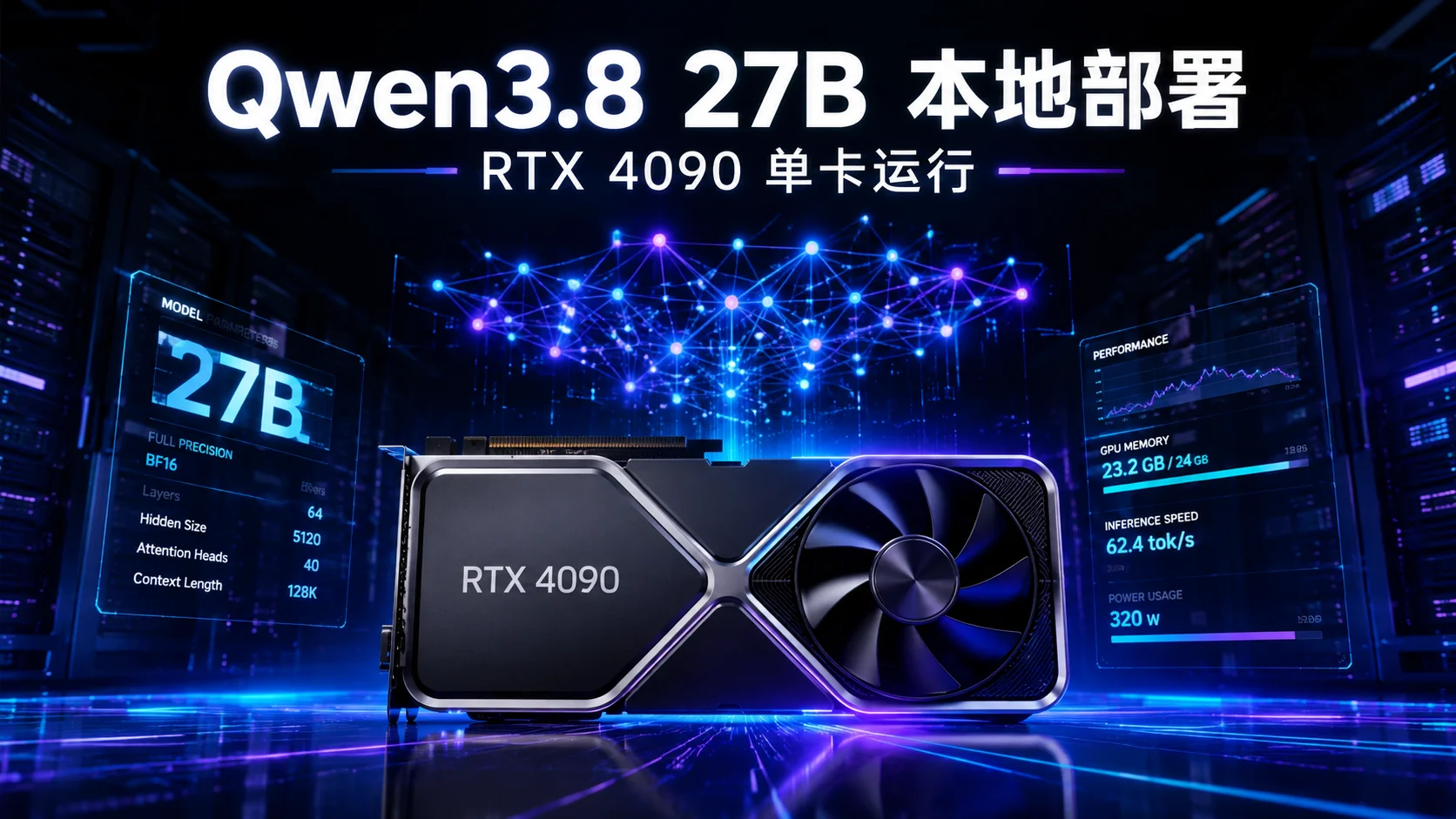
Qwen3.8 27B Complete Deployment Guide: 6 Solutions + Hardware Requirements + Performance Comparison
TL;DR: Qwen3.8-27B is a dense architecture vision-language model released by Alibaba Tongyi Qianwen in August 2026. With 27B parameters, it matches models 10-15 times larger. It supports 262K context, native image/video understanding, and flexible thinking control (thinking budget), currently the strongest open-source model for desktop-level. This guide covers 6 mainstream deployment solutions with complete commands, from 8GB VRAM laptops to A100 clusters, helping you choose the right solution and get it running in one go.
I. Qwen3.8-27B Model Overview
On August 14, 2026, the Alibaba Tongyi Qianwen team officially open-sourced Qwen3.8-27B. This model received over 1,400 points of热度 on Hacker News, and its download volume on Hugging Face surpassed one million in the first week. Why does a 27B-parameter model attract such great attention? The answer lies in its quality— in multiple authoritative evaluations, Qwen3.8-27B's performance has surpassed models with parameters 10-15 times its size, truly achieving the positioning of "desktop-level strongest open-source model."
For developers, the significance of Qwen3.8-27B is: you no longer need expensive A100 clusters to obtain GPT-4-level inference capabilities. A single RTX 4090, a Mac with 24GB memory, or even a 12GB RTX 3060 can run this model.
1.1 Core Architecture
Qwen3.8-27B is built on the Qwen3.5 architecture, a Dense (dense) Transformer model—each token activates all 27B parameters (in contrast to MoE sparse activation). It adopts a hybrid attention mechanism (Hybrid Full-Attention + Linear-Attention), maintaining long-context processing capability while reducing inference VRAM usage. Additionally, Qwen3.8-27B is a native multimodal model, capable of not only processing text but also directly understanding image and video content. Key features:
| Feature | Parameter |
|---|---|
| Parameter Count | 27.8B (Dense) |
| Architecture | Hybrid Full-Attention + Linear-Attention |
| Context Length | 262,144 tokens (official plan 1M) |
| Multimodal | Native vision-language (image + video) |
| Thinking Mode | Flexible thinking budget control |
| License | Apache 2.0 |
| Thinking Mode | Supports thinking / non-thinking switching |
1.2 Performance Benchmarks
In mainstream benchmarks such as MMLU-Pro, GPQA, LiveCodeBench, SWE-Bench, Qwen3.8-27B shows impressive performance. Below are comparisons on several key dimensions:
Coding Ability: On LiveCodeBench, Qwen3.8-27B's score surpasses most 70B+ parameter models, even approaching GPT-4o level on some programming tasks. This means you can obtain near-commercial-API code generation capability using consumer-grade hardware.
Agent Tasks: On SWE-Bench Verified (software engineering benchmark), Qwen3.8-27B significantly leads same-sized models. It can understand complex code library structures, locate bugs, generate fix patches, and achieves a success rate much higher than Qwen3.5-27B.
Multilingual Understanding: Chinese, English, and code understanding are all at the same level SOTA. Especially in Chinese scenarios, Qwen3.8-27B's understanding of idioms, colloquialisms, and professional terms is clearly superior to same-level English models.
Long-Context Processing: A context length of 262K tokens means you can input an entire book, complete code library, or dialogue history lasting several hours at once, and the model can process it effectively.
Comparison with Closed-Source Models: On some tasks, Qwen3.8-27B has approached GPT-4o-mini level, while the cost is only a one-time hardware investment. For privacy-sensitive or offline-run scenarios, this is an extremely attractive option.
1.3 Dense vs MoE: Why Choose Dense?
| Dimension | Dense (Qwen3.8-27B) | MoE (e.g., Qwen3.5-MoE-A3B) |
|---|---|---|
| Inference Quality | Higher (full parameters participate) | Slightly lower (sparse activation) |
| VRAM Demand | Fixed ~27B parameters | Total parameters large but activated few |
| Inference Speed | Slower (larger computation) | Faster (only activates few experts) |
| Applicable Scenarios | Complex reasoning, code, Agent | Real-time dialogue, lightweight tasks |
Dense models have obvious advantages in complex reasoning and code generation. Qwen3.8-27B leverages this to achieve breakthroughs in Agent tasks and multi-step reasoning.
II. Hardware Requirements Quick Reference
The core bottleneck for deploying Qwen3.8-27B is VRAM (video memory). Different quantization precisions lead to huge differences in hardware requirements. Before choosing hardware, you need to clarify your usage scenario: pursuing extreme speed for production service, or budget-limited personal experiment?
Quantization Technology Introduction: Quantization converts model weights from high precision (e.g., BF16 16-bit floating point) to low precision (e.g., INT4 4-bit integer). This significantly reduces VRAM occupancy and inference latency, but introduces some quality loss. Common quantization formats include: - GGUF: llama.cpp native format, supports multiple quantization levels (Q2 to Q8), suitable for CPU/GPU mixed inference - AWQ: Activation-aware Weight Quantization, preserves weights important to activation values, quality loss smaller - GPTQ: Post-training quantization compression, requires calibration dataset - FP8: 8-bit floating point, NVIDIA Ada/Hopper architecture native support, quality loss extremely small
Different quantization precisions lead to huge differences in hardware requirements:
| Quantization Precision | Model Size | Minimum VRAM | Recommended Hardware | Applicable Scheme |
|---|---|---|---|---|
| BF16 (full precision) | ~54 GB | 80 GB | A100 80GB / H100 | vLLM, SGLang |
| FP8 | ~27 GB | 48 GB | A6000 / RTX 6000 Ada | vLLM, TensorRT-LLM |
| INT8 / AWQ 8-bit | ~27 GB | 30 GB | RTX 4090 (24GB) + offload | vLLM, llama.cpp |
| INT4 / AWQ 4-bit | ~14 GB | 17-19 GB | RTX 4090 / RTX 5080 | vLLM, Ollama, llama.cpp |
| Q4_K_M (GGUF) | ~17 GB | 17-19 GB | RTX 4090 / Mac 24GB | llama.cpp, Ollama |
| Q3 / IQ3 (GGUF) | ~12 GB | 12-14 GB | RTX 3060 12GB / RTX 4070 | llama.cpp |
| Q2 / IQ2 (GGUF) | ~10 GB | 10-12 GB | RTX 3060 (severe loss) | llama.cpp |
Three-Tier Recommended Configurations: - Minimum Configuration: 16GB RAM + 8GB VRAM (GGUF Q3_K_S, CPU offload, speed slower) - Recommended Configuration: 32GB RAM + RTX 4090 24GB (AWQ 4-bit or Q4_K_M GGUF) - High-Performance Configuration: 64GB RAM + A100 80GB (BF16 full precision, maximum throughput)
III. Solution One: llama.cpp (CPU/GPU Mixed Inference)
llama.cpp is currently the most flexible local inference engine, developed and maintained by ggerganov. It uses pure C/C++ implementation, supports GGUF quantization format, and can run on CPU, GPU, or hybrid mode. Advantages of llama.cpp: - Cross-platform: Supports Windows, Linux, macOS, even Raspberry Pi - Hardware Adaptive: Automatically detects available hardware, intelligently allocates computing tasks - Rich Quantization: Supports Q2_K to Q8_0 and other multiple quantization levels - Zero Dependencies: No Python environment needed, runs directly after compilation
For large models like Qwen3.8-27B, llama.cpp's CPU/GPU mixed inference capability is particularly important—when VRAM is insufficient, part of the computation layers can be offloaded to CPU, although speed decreases, but at least it can run.
3.1 Installing llama.cpp
# Clone and compile (CUDA support)
git clone https://github.com/ggml-org/llama.cpp.git
cd llama.cpp
cmake -B build -DGGML_CUDA=ON
cmake --build build --config Release -j$(nproc)

# macOS users (Metal automatically enabled)
cmake -B build
cmake --build build --config Release -j$(sysctl -n hw.ncpu)
3.2 Downloading GGUF Quantized Model
# Recommended: community quantization version by Unsloth
# Q4_K_M (best quality/size balance, ~17GB)
huggingface-cli download unsloth/Qwen3.8-27B-GGUF \
  Qwen3.8-27B-Q4_K_M.gguf --local-dir ./models

# Low VRAM: Q3_K_S (~12GB, suitable for 12GB GPU)
huggingface-cli download unsloth/Qwen3.8-27B-GGUF \
  Qwen3.8-27B-Q3_K_S.gguf --local-dir ./models
3.3 Starting Inference Service
# GPU full load (RTX 4090 + Q4_K_M)
./build/bin/llama-server \
  -m ./models/Qwen3.8-27B-Q4_K_M.gguf \
  --host 0.0.0.0 --port 8080 \
  -ngl 99 \
  --ctx-size 8192

# CPU/GPU mixed (when VRAM insufficient, part layers on CPU)
./build/bin/llama-server \
  -m ./models/Qwen3.8-27B-Q4_K_M.gguf \
  --host 0.0.0.0 --port 8080 \
  -ngl 20 \
  -c 4096

# Interactive chat mode
./build/bin/llama-cli \
  -m ./models/Qwen3.8-27B-Q4_K_M.gguf \
  -ngl 99 -c 8192 \
  --conversation
Key Parameter Explanation:
- -ngl 99: Offload all layers to GPU (the larger the number, the more layers on GPU)
- -c 8192: Context length, longer consumes more VRAM
- --ctx-size: Equivalent to -c
3.4 Calling API
llama.cpp server is compatible with OpenAI API format:
curl http://localhost:8080/v1/chat/completions \
  -H "Content-Type: application/json" \
  -d '{
    "model": "qwen3.8-27b",
    "messages": [{"role": "user", "content": "Write a quicksort in Python"}],
    "temperature": 0.7
  }'
IV. Solution Two: Ollama (One-Click Deployment)
Ollama is currently the simplest large model deployment solution. It uses llama.cpp underneath as the inference engine, but encapsulates model management, API service, Modelfile configuration, etc., allowing users to run models quickly without understanding underlying details. Ollama's design philosophy is similar to Docker—through simple commands to pull, run, and manage models.
Ollama is especially suitable for the following scenarios: - Quick Experience: Want to try newly released models immediately - Personal Development: Run a local AI assistant on your own machine - Prototype Validation: Quickly validate ideas without complex configuration
4.1 Installing Ollama
# Linux one-click install
curl -fsSL https://ollama.com/install.sh | sh

# macOS
brew install ollama
4.2 Pulling and Running Model
# Direct run (auto-download Q4 quantized version)
ollama run qwen3.8:27b

# Specify quantization version
ollama run qwen3.8:27b-q4_K_M

# Pull only, no run
ollama pull qwen3.8:27b
4.3 API Calls
# Ollama native API
curl http://localhost:11434/api/chat -d '{
  "model": "qwen3.8:27b",
  "messages": [{"role": "user", "content": "Explain the basic principles of quantum computing"}],
  "stream": false
}'

# OpenAI-compatible API
curl http://localhost:11434/v1/chat/completions \
  -H "Content-Type: application/json" \
  -d '{
    "model": "qwen3.8:27b",
    "messages": [{"role": "user", "content": "Hello"}]
  }'
4.4 Custom Modelfile
# Modelfile
FROM qwen3.8:27b
PARAMETER temperature 0.7
PARAMETER num_ctx 8192
SYSTEM "You are a professional programming assistant, skilled in Python, Rust, and system design."
ollama create my-qwen -f Modelfile
ollama run my-qwen
V. Solution Three: vLLM (High-Performance Inference Service)
vLLM is a high-performance inference framework developed by UC Berkeley's research team. Its core innovation is PagedAttention technology—drawing from virtual memory paging in operating systems, it splits KV Cache into fixed-size blocks, allocates and recycles on demand, thereby boosting VRAM utilization to nearly 100%.
For production environments, vLLM is currently the most popular choice. It provides OpenAI-compatible API interface, supports continuous batching, tensor parallelism, and deeply integrates with mainstream cloud platforms and container orchestration tools. If you need to provide external API service, vLLM is almost the first choice.
5.1 Installing vLLM
pip install vllm

# Or using Docker
docker run --gpus all \
  -v ~/.cache/huggingface:/root/.cache/huggingface \
  -p 8000:8000 \
  vllm/vllm-openai:latest
5.2 Starting Service
# Full precision (requires A100 80GB)
vllm serve Qwen/Qwen3.8-27B \
  --host 0.0.0.0 --port 8000 \
  --dtype bfloat16

# AWQ 4-bit quantization (recommended for RTX 4090)
vllm serve Qwen/Qwen3.8-27B-AWQ \
  --host 0.0.0.0 --port 8000 \
  --quantization awq \
  --max-model-len 8192 \
  --gpu-memory-utilization 0.9

# FP8 quantization (A6000 / RTX 6000 Ada)
vllm serve Qwen/Qwen3.8-27B-FP8 \
  --host 0.0.0.0 --port 8000 \
  --quantization fp8
5.3 Python Client
from openai import OpenAI

client = OpenAI(base_url="http://localhost:8000/v1", api_key="empty")

response = client.chat.completions.create(
    model="Qwen/Qwen3.8-27B",
    messages=[
        {"role": "user", "content": "Write a Redis cache decorator"}
    ],
    temperature=0.7,
    max_tokens=2048,
)
print(response.choices[0].message.content)
5.4 Performance Tuning
# Enable Flash Attention (accelerate 30%+)
vllm serve Qwen/Qwen3.8-27B-AWQ \
  --enable-flash-attn \
  --max-model-len 16384 \
  --tensor-parallel-size 2  # Tensor parallelism on 2 GPUs
VI. Solution Four: Transformers (Python Integration)
Hugging Face Transformers is the most direct way to integrate Python, suitable for quick validation and prototype development. Transformers library provides a unified API interface, allowing you to load and use almost any open-source model with just a few lines of code.
For researchers and developers, Transformers' advantages lie in: - Complete Ecosystem: Deep integration with Hugging Face Hub, model download, version management, sharing completed in one stop - High Flexibility: Can finely control each layer and every parameter of the model - Easy Debugging: Python-native environment, can use pdb, print, etc., for debugging - Strong Extensibility: Can easily integrate into existing Python machine learning pipelines
Transformers' disadvantage is slower inference speed, unsuitable for high-concurrency production environments. But as a starting point for prototype validation and research, it is the best choice.
6.1 Installing Dependencies
pip install transformers torch accelerate
6.2 Basic Usage
from transformers import AutoProcessor, AutoModelForMultimodalLM
import torch

model_id = "Qwen/Qwen3.8-27B"
processor = AutoProcessor.from_pretrained(model_id)
model = AutoModelForMultimodalLM.from_pretrained(
    model_id,
    torch_dtype=torch.bfloat16,
    device_map="auto",
)

messages = [
    {
        "role": "user",
        "content": [
            {"type": "text", "text": "What's wrong with this code?"},
            {"type": "image", "url": "https://example.com/screenshot.png"},
        ]
    }
]

inputs = processor.apply_chat_template(
    messages,
    add_generation_prompt=True,
    tokenize=True,
    return_dict=True,
    return_tensors="pt",
).to(model.device)

outputs = model.generate(**inputs, max_new_tokens=1024)
print(processor.decode(
    outputs[0][inputs["input_ids"].shape[-1]:],
    skip_special_tokens=True
))
6.3 Using Pipeline to Simplify Calls
from transformers import pipeline

pipe = pipeline("image-text-to-text", model="Qwen/Qwen3.8-27B")
result = pipe(text=[{
    "role": "user",
    "content": [
        {"type": "text", "text": "Describe this picture"},
        {"type": "image", "url": "https://example.com/photo.webp"},
    ]
}])
print(result[0]["generated_text"])
6.4 Quantized Loading (Saving VRAM)
from transformers import AutoModelForMultimodalLM, BitsAndBytesConfig

# 4-bit quantized loading (~14GB VRAM)
quant_config = BitsAndBytesConfig(
    load_in_4bit=True,
    bnb_4bit_quant_type="nf4",
    bnb_4bit_compute_dtype=torch.bfloat16,
)

model = AutoModelForMultimodalLM.from_pretrained(
    "Qwen/Qwen3.8-27B",
    quantization_config=quant_config,
    device_map="auto",
)
VII. Solution Five: SGLang (High-Throughput Inference)
SGLang (SGLang: Structured Generation Language) is a high-performance inference framework developed by the LMSYS team, focusing on structured generation and high-concurrency scenarios. Its core innovation is RadixAttention—a prefix caching technology based on radix trees (Radix Tree) that can automatically identify and reuse computation results of the same prefix. In scenarios where system prompts (system prompt) are fixed, throughput can increase several times.
SGLang is particularly suitable for the following scenarios: - High-Concurrent API Service: Need to handle large volumes of requests simultaneously in production environments - Structured Output: Need to generate specific format outputs such as JSON, XML - Multi-turn Dialogue: System prompt fixed, only user input changes - Agent Workflows: Need to frequently call tools and generate structured instructions
7.1 Installing SGLang
pip install sglang

# With CUDA support
pip install "sglang[all]"
7.2 Starting Service
python3 -m sglang.launch_server \
    --model-path Qwen/Qwen3.8-27B \
    --host 0.0.0.0 \
    --port 30000 \
    --tp 1  # Tensor parallelism GPU count

# Quantized version
python3 -m sglang.launch_server \
    --model-path Qwen/Qwen3.8-27B-AWQ \
    --quantization awq \
    --host 0.0.0.0 \
    --port 30000
7.3 Calling API
curl -X POST "http://localhost:30000/v1/chat/completions" \
  -H "Content-Type: application/json" \
  --data '{
    "model": "Qwen/Qwen3.8-27B",
    "messages": [
      {
        "role": "user",
        "content": "Implement a thread-safe LRU cache in Rust"
      }
    ],
    "temperature": 0.7,
    "max_tokens": 2048
  }'
7.4 Python SDK
import sglang as sgl

@sgl.function
def code_review(s, code):
    s += sgl.user(f"Review this code and suggest improvements:\n{code}")
    s += sgl.assistant(sgl.gen("review", max_tokens=1024))

result = code_review.run(code="def sort(arr): return arr")
print(result["review"])
VIII. Solution Six: TensorRT-LLM (NVIDIA Extreme Optimization)
TensorRT-LLM is NVIDIA's officially released large language model inference optimization engine, built on TensorRT deep learning inference optimizer, deeply optimized for NVIDIA GPU hardware characteristics. TensorRT-LLM's core advantages lie in:
- Kernel Fusion: Merge multiple compute operations into a single CUDA kernel, reducing VRAM access overhead
- Precision Calibration: Automatically perform INT8/FP8 quantization calibration, maintaining precision while significantly boosting speed
- In-flight Batching: Perform dynamic batching at request level, maximizing GPU utilization
- Multi-GPU Support: Native support for tensor parallelism and pipeline parallelism
TensorRT-LLM deployment process is relatively complex—requires converting model to TensorRT engine format, which may take tens of minutes. But once built, inference performance is the highest among all solutions. It is especially suitable for the following scenarios: - Existing NVIDIA GPU cluster, pursuing extreme performance - Need lowest inference latency for online services (e.g., real-time chatbots) - Production environment requires stable, thoroughly validated inference stack
8.1 Environment Preparation
# Install TensorRT-LLM
pip install tensorrt-llm --extra-index-url https://pypi.nvidia.com

# Or using Docker
docker pull nvcr.io/nvidia/trt-llm:latest
8.2 Building Engine
# Convert model to TensorRT engine
trtllm-build \
  --checkpoint_dir /path/to/qwen3.8-27b-checkpoint \
  --output_dir /path/to/engine \
  --max_batch_size 8 \
  --max_input_len 4096 \
  --max_output_len 2048 \
  --gemm_plugin auto
8.3 Starting Inference
# Single GPU inference
trtllm-exec \
  --engine_dir /path/to/engine \
  --input_text "Explain Transformer's self-attention mechanism"

# Start API service
tritonserver --model-repository=/path/to/model_repo
8.4 Applicable Scenarios
TensorRT-LLM is suitable for the following scenarios: - Existing NVIDIA GPU cluster, pursuing extreme performance - Need lowest inference latency for online services - Production environment requires stable, thoroughly validated inference stack
IX. Horizontal Comparison of 6 Solutions
After the detailed introduction above, let's do a comprehensive horizontal comparison. When choosing a deployment solution, you can't just look at a single dimension—deployment difficulty, inference speed, throughput, hardware support, API compatibility all need to be considered together.
| Dimension | llama.cpp | Ollama | vLLM | Transformers | SGLang | TensorRT-LLM |
|---|---|---|---|---|---|---|
| Deployment Difficulty | ★★☆ | ★☆☆ | ★★★ | ★★☆ | ★★★ | ★★★★ |
| Inference Speed | ★★★ | ★★★ | ★★★★ | ★★☆ | ★★★★ | ★★★★★ |
| Throughput | ★★☆ | ★★☆ | ★★★★★ | ★★ | ★★★★★ | ★★★★★ |
| CPU Support | ✅ | ✅ | ❌ | ✅ (slow) | ❌ | ❌ |
| Multimodal | ✅ | ✅ | ✅ | ✅ | ✅ | Partial |
| OpenAI API | ✅ | ✅ | ✅ | ❌ | ✅ | ✅ (Triton) |
| Quantization Support | GGUF full series | GGUF | AWQ/FP8 | GPTQ/AWQ/BNB | AWQ/FP8 | INT4/INT8/FP8 |
| Applicable Scenarios | Personal/Edge | Quick Start | Production Service | Prototype Development | High Concurrency | Extreme Performance |
Selection Recommendations: - Individual Developers/Learning: Ollama (most worry-free) or llama.cpp (most flexible) - Team Production Service: vLLM (good ecosystem, complete documentation) or SGLang (high-concurrency scenarios) - Enterprise Deployment: TensorRT-LLM (NVIDIA ecosystem extreme optimization) - Quick Prototype Validation: Transformers (least code, most intuitive)
A Practical Combination Strategy: Many teams use multiple solutions simultaneously—use Transformers for quick validation during development, use vLLM for stress testing during testing, use TensorRT-LLM or SGLang for extreme performance in production, and use Ollama or llama.cpp for daily debugging in developers' local environments.
X. Performance Benchmark Reference
Below is community-tested data (RTX 4090 24GB, for reference only). Actual performance is affected by many factors, including GPU model, driver version, CUDA version, context length, generated tokens, etc. It is recommended to conduct your own benchmarks before deployment.
Test conditions: Single RTX 4090 24GB, CUDA 12.4, Ubuntu 22.04, context length 2048 tokens, generate 512 tokens.
| Quantization Scheme | VRAM Usage | First Token Latency | Generation Speed (tok/s) | Quality Loss |
|---|---|---|---|---|
| BF16 | OOM | - | - | Lossless |
| FP8 | ~27GB | ~0.8s | ~35 | Extremely Small |
| AWQ 4-bit | ~15GB | ~0.5s | ~55 | Minimal |
| GGUF Q4_K_M | ~17GB | ~0.6s | ~45 | Minimal |
| GGUF Q3_K_S | ~12GB | ~0.8s | ~38 | Perceptible |
| GGUF Q2_K | ~10GB | ~1.2s | ~28 | Obvious |
Note: Data based on community tests, actual performance affected by hardware, drivers, context length, etc.
XI. Common Troubleshooting
During actual deployment, you may encounter various problems. Below are some of the most common errors and their solutions:
11.1 Out of Memory (OOM)
Symptoms: Program crashes, error CUDA out of memory or RuntimeError: CUDA error: out of memory.
Cause: The total VRAM occupied by model weights, KV Cache, and activations exceeds the GPU's available VRAM.
Solutions:
# Solution 1: Lower quantization precision (recommended)
# Downgrade from Q4_K_M to Q3_K_S, VRAM usage reduced by ~30%
./build/bin/llama-server \
  -m ./models/Qwen3.8-27B-Q3_K_S.gguf \
  -ngl 99

# Solution 2: Reduce GPU layers (CPU offload)
# Offload some computation layers to CPU, trading speed for VRAM
./build/bin/llama-server \
  -m ./models/Qwen3.8-27B-Q4_K_M.gguf \
  -ngl 15  # Only load 15 layers to GPU, rest on CPU

# Solution 3: Shorten context length
# KV Cache size is proportional to context length
vllm serve Qwen/Qwen3.8-27B-AWQ \
  --max-model-len 4096  # Instead of 16384

# Solution 4: Enable 4-bit quantization (Transformers)
from transformers import BitsAndBytesConfig
quant_config = BitsAndBytesConfig(load_in_4bit=True)
model = AutoModelForCausalLM.from_pretrained(
    "Qwen/Qwen3.8-27B",
    quantization_config=quant_config
)
Diagnostic Tool: Use nvidia-smi to monitor VRAM usage in real-time:
watch -n 1 nvidia-smi
11.2 Slow Model Download
Symptoms: Downloading models from Hugging Face is extremely slow, frequently timing out and interrupting.
Cause: Unstable network access to Hugging Face from mainland China, especially for large model files (tens of GB).
Solutions:
# Solution 1: Use Hugging Face mirror site
export HF_ENDPOINT=https://hf-mirror.com
huggingface-cli download Qwen/Qwen3.8-27B

# Solution 2: Use ModelScope (faster speed in China)
pip install modelscope
modelscope download Qwen/Qwen3.8-27B

# Solution 3: Resume interrupted downloads (huggingface-cli supports by default)
# If download is interrupted, just run the same command again to resume
huggingface-cli download unsloth/Qwen3.8-27B-GGUF \
  Qwen3.8-27B-Q4_K_M.gguf --local-dir ./models
11.3 Garbled Chinese Output
Symptoms: Garbled characters, repeated characters, or meaningless symbols appear in model output.
Cause: Usually tokenizer version mismatch or corrupted GGUF file.
Solutions:
# Ensure tokenizer loads correctly
# llama.cpp: Use latest GGUF file version, ensure llama.cpp is also latest
cd llama.cpp && git pull && cmake --build build --config Release -j$(nproc)

# vLLM: Ensure transformers >= 4.44.0 (Qwen3.8 needs new tokenizer)
pip install --upgrade transformers

# Verify tokenizer is working
python3 -c "
from transformers import AutoTokenizer
tok = AutoTokenizer.from_pretrained('Qwen/Qwen3.8-27B')
print(tok.encode('Hello World'))
print(tok.decode(tok.encode('Hello World')))
"
11.4 Inference Speed Too Slow
Symptoms: Generation speed below expected (e.g., below 10 tok/s), or first token latency exceeds 3 seconds.
Troubleshooting Steps:
- Check if GPU acceleration is enabled: Run
nvidia-smito confirm GPU utilization and VRAM usage. If GPU utilization is 0%, the model may be running on CPU. - Check quantization scheme: Low-precision quantization like Q2_K saves VRAM, but decoding efficiency may not be as good as Q4_K_M.
- Enable Flash Attention: vLLM uses
--enable-flash-attn, llama.cpp uses-faparameter. - Reduce context length: The longer the context, the larger the KV Cache, the slower the inference.
- Use more efficient quantization: AWQ > GPTQ > GGUF Q4 (on GPU).
- Check batch size: vLLM/SGLang's continuous batching can significantly improve throughput.
11.5 Multimodal Features Not Working
Symptoms: After passing an image, the model only returns text description, or reports error unable to process image.
Cause: Qwen3.8-27B is a native multimodal model, requires using the correct model class (AutoModelForMultimodalLM) rather than pure text model class (AutoModelForCausalLM). Additionally, GGUF format multimodal support is not yet fully implemented in some inference engines.
Solutions:
# Ensure using AutoModelForMultimodalLM (not AutoModelForCausalLM)
from transformers import AutoProcessor, AutoModelForMultimodalLM

# Image URL must be accessible public address
# Local images use base64 encoding
import base64
with open("image.png", "rb") as f:
    b64 = base64.b64encode(f.read()).decode()
# Then use data:image/png;base64,{b64} in content

# Video input requires frame extraction first
# Qwen3.8-27B supports video understanding, but needs to split video into frame sequences first
Note: llama.cpp's multimodal support requires using a specialized llava branch or latest version, and requires additional vision encoder files. If you primarily need multimodal functionality, recommend prioritizing Transformers or vLLM.
XII. Summary
Qwen3.8-27B is currently the strongest 27B-parameter model in the open-source community. Dense architecture guarantees complex reasoning quality, 262K context and multimodal capabilities make it capable of handling almost all common tasks.
Why is Qwen3.8-27B worth paying attention to?
First, it's a true "desktop-level" large model. Before Qwen3.8-27B, to obtain GPT-4-level inference capabilities, you needed to use 70B or even larger models, requiring multiple A100s or H100s. Now, a consumer-grade RTX 4090 can run a 27B model with excellent performance, greatly lowering the barrier to local deployment.
Second, Qwen3.8-27B's multimodal capabilities broaden its application scenarios. It can not only process text but also understand image and video content, meaning you can use it to build visual question-answering systems, image description generators, video content analysis tools, etc.
Third, Qwen3.8-27B's Agent capabilities make it an ideal choice for building automated workflows. It can understand complex instructions, call tools, handle multi-step tasks, which is very useful when building AI assistants, code review tools, and automated testing systems.
Deployment Recommendations Summary:
For most developers, I recommend starting with Ollama—it's the simplest and can be running in minutes. When you need better performance or more flexible control, then switch to llama.cpp or vLLM. If you're building production-grade services, vLLM is the most reliable choice; if you're pursuing extreme performance and have an NVIDIA GPU cluster, TensorRT-LLM is the best solution.
Quick Decision Guide:
| Your Situation | Recommended Solution |
|---|---|
| Have RTX 4090, want quick experience | Ollama one-click deployment |
| Need production-grade API service | vLLM + AWQ 4-bit |
| Only have 12GB VRAM | llama.cpp + GGUF Q3_K_S |
| Need highest concurrency | SGLang + FP8 |
| Doing research/prototype development | Transformers + 4-bit |
| NVIDIA cluster pursuing extreme | TensorRT-LLM |
Whether you want to try it on a laptop or provide stable API service in production, Qwen3.8-27B has suitable deployment solutions. Choose the right quantization, choose the right framework, and even a 27B model can run with surprising speed.
Final Advice: Don't pursue perfect configuration from the start. First run it with Ollama, get a feel for the model's capabilities, then choose appropriate quantization schemes and inference frameworks based on actual needs. Remember, the best deployment solution is the one you actually use.
The power of the open-source community is infinite. From llama.cpp to vLLM, from Unsloth's quantized versions to various community tutorials, countless developers contribute behind each tool. Qwen3.8-27B's success also benefits from this ecosystem's support.
If you encounter any problems in practice, feel free to leave a comment and discuss. You can also refer to Qwen Official Documentation and llama.cpp Project for more information. Good luck with your deployment!
Further Reading: After deploying Qwen3.8 27B, you may also want to learn how to integrate it into actual workflows—Composio AI Agent Framework Practice can help you connect local models to 250+ external tools; if you're more interested in AI note scenarios, Open Notebook Open Source Guide shows how to build a private knowledge assistant with local models; for Mac users, OMLX: Mac AI Acceleration Framework can make Apple Silicon run large models faster.
FAQ
Q1: What's the minimum configuration needed for Qwen3.8-27B?
The minimum configuration is 16GB RAM + 8GB VRAM (e.g., RTX 3060 12GB), using llama.cpp to load GGUF Q3_K_S quantized version, with CPU offload it can run, but generation speed is slower (about 20-30 tok/s). Recommended RTX 4090 + 32GB RAM for smooth experience.
Q2: What's the difference between Qwen3.8-27B and Qwen3.5-27B?
Qwen3.8 is based on Qwen3.5 architecture, with significant improvements in coding, Agent tasks, long-range reasoning, and professional domain knowledge. Qwen3.8 also adds native vision-language capabilities (image/video understanding) and flexible thinking control (thinking budget).
Q3: Which is better, Ollama or llama.cpp?
Ollama uses llama.cpp underneath, inference performance is the same. Ollama's advantage is simpler model management and API wrapping; llama.cpp's advantage is more flexible parameter tuning and supports more quantization formats. Beginners choose Ollama, advanced users choose llama.cpp.
Q4: How to choose between vLLM and SGLang?
Both are high-performance inference frameworks. vLLM has more mature ecosystem, more complete documentation, larger community; SGLang has slightly better throughput in high-concurrency scenarios and supports RadixAttention prefix caching. For first production deployment, recommend vLLM.
Q5: Does Qwen3.8-27B support function calling and Agent?
Yes. Qwen3.8-27B performs outstandingly on Agent tasks, supports tool use / function calling. You can pass tool definitions through the tool role in chat template, and the model will automatically generate tool call JSON. Combined with evaluations like SWE-Bench, its Agent capabilities lead among same-level models.