X79 Motherboard Big Reveal: Why Such Huge Price Differences? In-depth Comparison of ASUS, EVGA and Other Brands!
title: X79 Motherboard Big Reveal: Why Such Huge Price Differences? In-depth Comparison of ASUS, EVGA and Other Brands! date: 2024-12-22 slug: x79 categories: - Hardware tags: - x79 - Motherboard - Hardware description: X79 motherboard price differences deep analysis. ASUS, EVGA and other brand comparisons, revealing chipset authenticity, power design, expansion interfaces and other key factors, second-hand purchase pit avoidance guide. cover: https://res.makeronsite.com/dashen-tech.com/x79-cover.webp
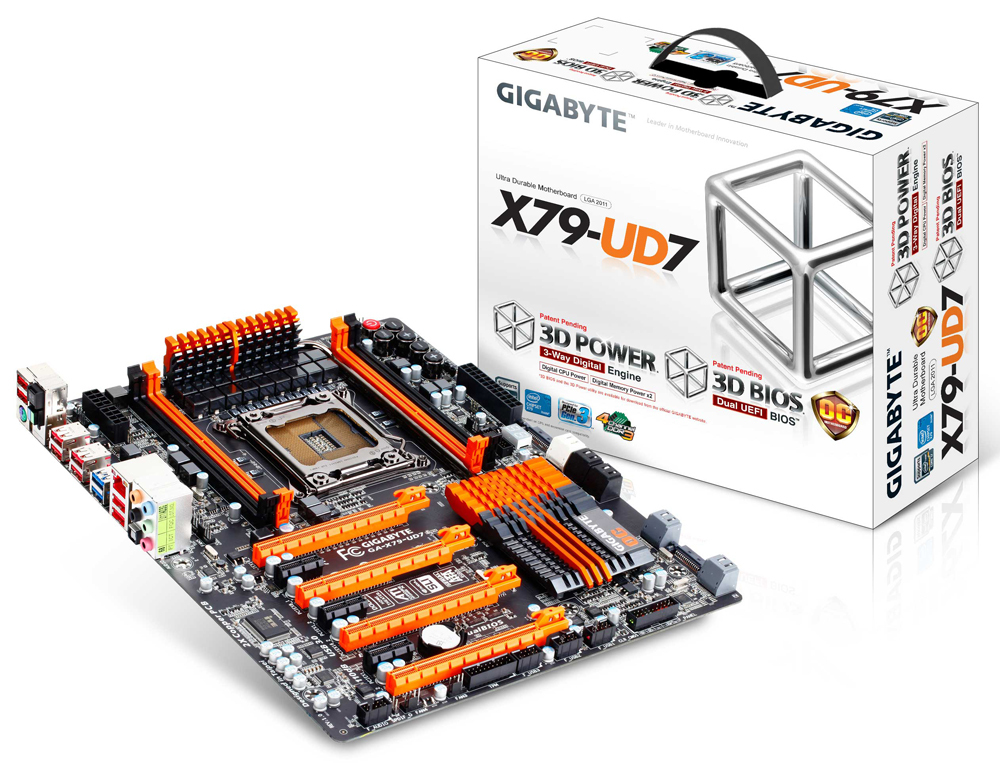
Hello everyone! Today we're talking about a problem that confuses many computer enthusiasts: X79 motherboards. This once high-end platform is still active in the second-hand market, but prices vary greatly. From a few hundred yuan to several thousand yuan, what exactly causes such big differences? Today we'll analyze it in depth and compare several classic models so you won't be confused anymore!
X79 Motherboards: Not Just Size Differences
Many friends may wonder, don't X79 motherboards all look similar? Is the price difference just because of size? Of course not! As one Chinese video blogger said, "You get what you pay for", the quality and performance differences of X79 motherboards are mainly reflected in the following aspects:
- Chipset Authenticity:
- Some cheap X79 motherboards may not be genuine X79 chipsets at all. They might be modified from low-end chipsets like H61 or H81, disguised as X79. This practice leads to significant declines in compatibility and stability.
- Truly high-end X79 motherboards use native X79 chipsets to ensure performance and compatibility.
- Power Design:
- Low-end X79 motherboards may falsely label the number of power phases. On the surface it looks like 7-phase power supply, but in reality it might just have an inductor stuck on without real power supply capability.
- High-end X79 motherboards use real, high-quality power supply designs to ensure stable CPU operation, especially during overclocking.
- Expansion Interfaces:
- Cheap X79 motherboards may have very few expansion interfaces, such as only one M.2 interface, or even no SATA 3.0 interfaces.
- High-end X79 motherboards provide rich expansion interfaces, including multiple M.2 interfaces (supporting dual protocols) and multiple SATA 3.0 interfaces to meet users' needs for high-speed storage.
Classic Model Comparison: ASUS vs. EVGA
In the X79 motherboard field, ASUS and EVGA are two brands you can't avoid. Let's compare their representative works:
-
ASUS Sabertooth X79:
- Features: Known for its cooling design. Fans are equipped on both VRM and southbridge heatsinks, and there are heat pipes connected between VRM heatsinks. This is very important for the LGA2011 platform, as this platform tends to heat up under high load.
- Interfaces: Equipped with 7 fan interfaces, 8 SATA interfaces (4x 6Gbps), 6 USB 3.0 interfaces and 2 eSATA 6Gbps interfaces.
- Positioning: Although it has overclocking capability, it leans more towards workstation users. It lacks some buttons and switches that extreme overclocking players need, such as power and restart buttons on the motherboard.
- Advantages: Strong cooling, comprehensive features, high stability.
- Disadvantages: Lacks some extreme overclocking features.
-
EVGA X79 Dark:
- Features: Unique design, dedicated to multi-GPU and extreme overclocking players. Has 8 memory slots, 2 Intel network cards, 10 SATA interfaces (6x 6Gbps).
- Interfaces: Has unique PCIe layout that can support 3 triple-slot graphics cards or 5 single-slot graphics cards.
- Design: Uses E-ATX specification, the 24pin power interface on the motherboard is 90-degree angled, suitable for use with large cases.
- Positioning: Targets high-end gaming and extreme overclocking users.
- Advantages: Unique multi-GPU layout, powerful overclocking potential.
- Disadvantages: Frequent BIOS issues, even unable to properly implement Intel Turbo Boost at launch, XMP function also has defects leading to overclocking failures.
Importance of BIOS: Details That Cannot Be Ignored
From the example of EVGA X79 Dark, we can see that BIOS is crucial for motherboard performance. An unstable BIOS can cause various problems, including CPU unable to properly turbo boost, memory unable to work at correct frequencies, and even inability to overclock. Therefore, when choosing a motherboard, be sure to pay attention to the stability and maturity of its BIOS.
Summary and Recommendations
In summary, choosing an X79 motherboard is not just about looking at parameters, but comprehensively considering your needs and budget.
- If you pursue stability and reliability, and mainly use it for workstation applications, then ASUS Sabertooth X79 would be a good choice.
- If you're an extreme overclocking player and not afraid of tinkering, you can try EVGA X79 Dark, but be prepared to deal with BIOS issues.
- The most important point, don't covet cheap prices and buy unknown second-hand X79 motherboards. Be sure to choose official channels, and carefully identify the authenticity of the motherboard to avoid buying counterfeit products.