なぜ自作 AI 自動化プラットフォームが必要なのか?
2026年、AI は開発のあらゆるコーナーに浸透しています。しかし、大多数の人が AI を使う方法は依然として「ChatGPT のページを開く → コピペ → 手動で操作する」です。このパターンは本質的に非効率です。
本当に効率的な AI の使い方は自動化ワークフローです。AI にログを自動監視させ、メールを自動分類させ、コンテンツの要約を自動生成させる。そしてこの目標を実現するために、毎月何百ドルも Zapier のサブスクに使う必要はありません。
Zapier の痛点:高い、データが国外に流出、モデルが固定
| 比較項目 | Zapier / Make | n8n(セルフデプロイ) |
|---|---|---|
| 月額料金 | $19.99 から、AI 機能は追加で $20+ | 完全無料 |
| データプライバシー | 第三者サーバーを経由 | データはローカルネットワークから出ない |
| モデル選択 | OpenAI / Anthropic のみ | 任意のモデル、オープンソースのローカルモデルも含む |
| 統合数 | 6000+(ただし大部分は有料版に制限) | 1500+、すべて利用可能 |
| ワークフロー上限 | プランに応じて課金、呼び出し回数に制限 | 無制限 |
n8n のメリット:オープンソース、1500+ 統合、AI ネイティブ
n8n は Fair-Code ライセンス のワークフロー自動化プラットフォームで、GitHub で 50,000+ スター を獲得し、ByteByteGo から2026年のトップ AI オープンソースプロジェクトに選ばれています。
核心的な売りは以下の通りです:
- AI-Native:AI ノードを内蔵(OpenAI、Anthropic、Ollama、LangChain)、追加設定不要
- 1500+ 統合:GitHub、Slack、Feishu、DingTalk、Google Sheets、PostgreSQL、Redis……ほぼすべての主流サービスをカバー
- ビジュアルキャンバス:ドラッグ&ドロップでノードを編集、カスタム JavaScript/Python コードもサポート
- セルフデプロイ:Docker コマンド1行で実行可能、データを完全に掌握
- 9000+ ワークフローテンプレート:公式コミュニティから大量のインポート可能なワークフローを提供
n8n とは?2026年になぜ人気なのか?
「セルフデプロイ版 Zapier」から AI ワークフロープラットフォームへ
n8n は当初「オープンソース版 Zapier」と呼ばれていましたが、2026年にはAI ワークフロープラットフォームに進化しました。その核心的な能力は以下の通りです:
- ビジュアルワークフローオーケストレーション:ノードをドラッグ&ドロップで接続し、コードを書かずに複雑なフローを構築可能
- AI Agent ノード:「思考-行動-観察」サイクルをサポートし、AI が次のステップを自律的に決定
- LangChain ネイティブ統合:RAG、マルチエージェント対話、ツール呼び出しなどの高度なモードを構築
- Human-in-the-loop:重要なノードに人手の承認を追加し、AI の操作をコントロール可能に
- MCP サポート:Model Context Protocol に接続し、AI の感知能力を拡張
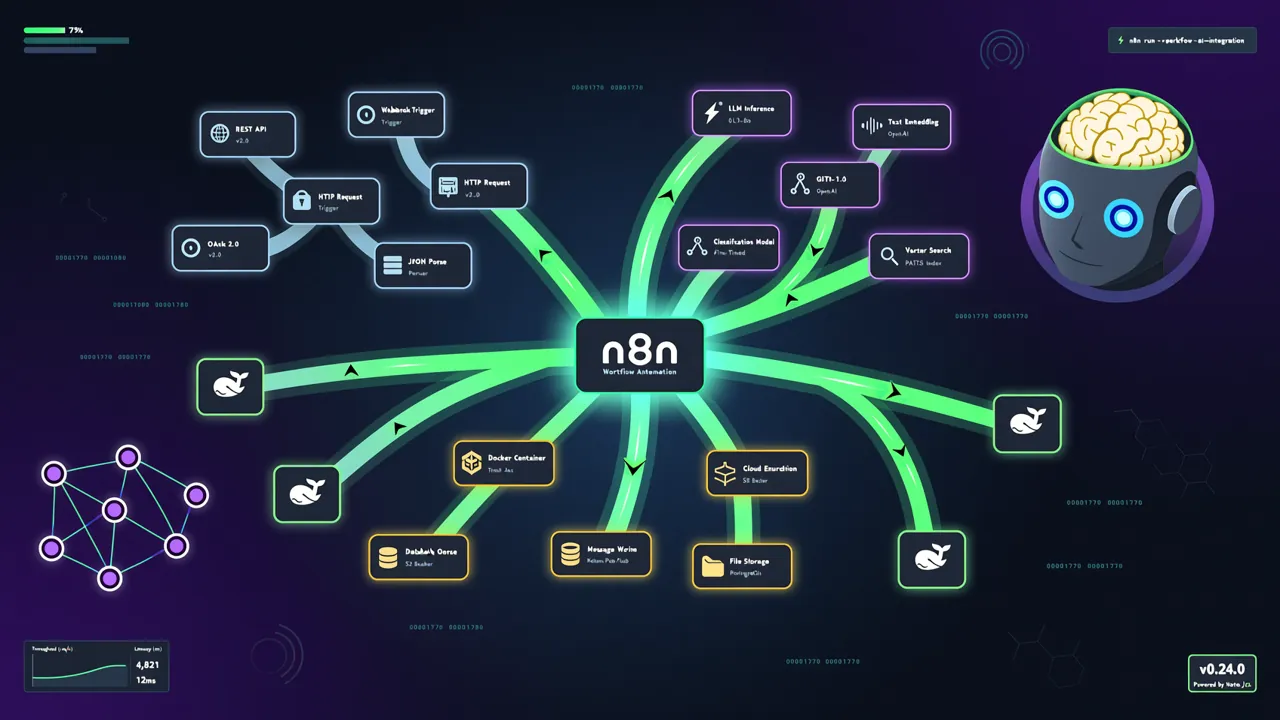
核心アーキテクチャと機能のハイライト
┌─────────────────────────────────────┐
│         n8n ワークフローエンジン    │
│  ┌─────────┐  ┌─────────┐          │
│  │ トリガー │→ │ 処理ノード │→ ... → │  ┌──────┐
│  │(Cron/Webhook) │ (AI/コード/API) │    │ 出力  │
│  └─────────┘  └─────────┘        │  └──────┘
│                                     │
│  ┌───────────── 内蔵 AI ノード ──────┐│
│  │ Ollama │ OpenAI │ Claude │ Gemini││
│  │ LangChain エージェント │ ベクトル検索 │ ...││
│  └─────────────────────────────────┘│
└─────────────────────────────────────┘
Fair-Code ライセンス意味着什么?
n8n は Sustainable Use License(持続可能な使用ライセンス)を採用しており、Fair-Code に属します:
- ✅ ソースコード閲覧可能、セルフデプロイ可能
- ✅ 個人および小規模チームは無料で利用
- ❌ SaaS 製品として直接販売することは不可
- ✅ 企業は Enterprise License を購入して追加機能を取得可能
個人開発者および中小チームにとって、完全に無料です。
環境構築:Docker + n8n
ワンクリックで n8n デプロイ
最も速い方法は Docker のワンラインコマンドを使うことです:
# 永続化データボリュームを作成
docker volume create n8n_data

# n8n を起動
docker run -it --rm --name n8n \
  -p 5678:5678 \
  -v n8n_data:/home/node/.n8n \
  docker.n8n.io/n8nio/n8n
起動後、http://localhost:5678 にアクセスすると n8n のウェルカムページが表示されます。初回アクセス時はユーザーアカウントの作成が必要です(これはローカルに保存され、ネット接続は不要です)。
Docker Compose 構成(推奨)
本番環境では Docker Compose を使用し、Ollama と一緒にデプロイすることを推奨します:
# docker-compose.yml
version: "3.8"

services:
  n8n:
    image: n8nio/n8n:latest
    restart: always
    ports:
      - "5678:5678"
    environment:
      - N8N_HOST=localhost
      - N8N_PORT=5678
      - N8N_PROTOCOL=http
      - WEBHOOK_URL=http://localhost:5678
      - EXECUTIONS_DATA_PRUNE=true
      - EXECUTIONS_DATA_MAX_AGE=168
    volumes:
      - n8n_data:/home/node/.n8n
    extra_hosts:
      - "host.docker.internal:host-gateway"

volumes:
  n8n_data:
起動:
docker compose up -d
初回アクセスと初期化
- ブラウザで
http://localhost:5678にアクセス - ローカル管理者アカウントを作成(ユーザー名、パスワード、ローカルのみ保存)
- メインインターフェースに入ると、空のワークスペースが表示されます
- 左側の「Workflows」→「New」をクリックして最初のワークフローを作成
ローカル AI 接続:n8n + Ollama
n8n の AI 能力の最も強力な点はローカルモデルをサポートしていることです。Ollama を通じて、n8n ワークフローから直接ローカルで動作しているオープンソース大規模モデルを呼び出すことができ、データは完全にローカルネットワーク内に留まります。
Ollama のインストール
まだ Ollama をインストールしていない場合、コマンド1行で完了します:
curl -fsSL https://ollama.com/install.sh | sh
インストール完了後、実用的なモデルを取得します:
# Meta の Llama 3 を取得(8B パラメータ、約 4.7GB)
ollama pull llama3

# または阿里通義千問 2.5 を取得(中国語に強い)
ollama pull qwen2.5

# 動作確認
ollama list
💡 すでに Ollama をデプロイ済みの場合、詳細は以前の記事 Ollama ローカルデプロイ LLM 完全ガイド をご覧ください。
n8n から Ollama への接続設定
重要なテクニック:n8n は Docker コンテナ内で実行され、Ollama はホストマシン上で実行されているため、host.docker.internal を使用してホストにアクセスする必要があります。
n8n エディタで Ollama ノードを追加します:
- キャンバスに Ollama ノードをドラッグ&ドロップ
- ノードをクリック →「Create New Credential」
- 接続パラメータを設定:
- Base URL:
http://host.docker.internal:11434- その他はデフォルトのまま - 「Test」をクリックして接続を確認
接続が成功すると、利用可能なモデルのリストが表示されます。
適切なモデルの選択
| モデル | サイズ | 中国語能力 | 推奨シーン |
|---|---|---|---|
| Llama 3 (8B) | ~4.7GB | 中程度 | 一般的なタスク、英語コンテンツ |
| Qwen 2.5 (7B) | ~4.5GB | 優秀 | 中国語コンテンツ処理 |
| DeepSeek-V3(蒸留版) | 可変 | 優秀 | コード分析、技術 QA |
| Mistral (7B) | ~4.2GB | 一般的 | 軽量タスク、高速応答 |
実戦1:毎日のシステムログ分析レポート
これは完全に自動化されたシナリオです。毎朝9時、n8n が自動的にシステムログを読み取り、Ollama で異常を分析し、Feishu/DingTalk に要約を送信します。
ワークフロー設計
Cron(毎日 9:00)→ シェルコマンド実行(ログ読み取り)→ Ollama(異常分析)→ Feishu 通知
ノード設定
ステップ1:Cron トリガー
「Schedule Trigger」ノードを追加: - Trigger Times:「Every Day」を選択 - Hour:9 - Minute:0
ステップ2:ログ読み取り(Execute Command ノード)
「Execute Command」ノードを追加し、直近1時間のシステムログを読み取ります:
# システムログの最後200行を読み取る
journalctl -u nginx --since "1 hour ago" --no-pager 2>&1 | tail -200
注意:ホストマシンのログを読み取る必要がある場合、docker-compose でホストのログディレクトリをコンテナにマウントするか、SSH ノードを使用してリモートで実行する必要があります。
ステップ3:Ollama 分析ノード
「Ollama」ノードを追加:
- Model:
qwen2.5(中国語分析能力がより強い) - Prompt:
あなたはシステム運用の専門家です。以下のシステムログを分析し、エラー、警告、異常を見つけてください。
以下のフォーマットで出力してください:

## 異常概要
- 深刻なエラー:X 件
- 警告:X 件
- 情報:X 件

## 重要な問題
1. [問題の説明] — 推奨アクション
2. [問題の説明] — 推奨アクション

中国語で回答してください。
ステップ4:通知送信
チームが使用しているツールに応じて、対応するノードを選択します:
- Feishu:「Feishu」ノードを使用、Webhook URL を設定
- DingTalk:「DingTalk」ノードを使用
- Slack:「Slack」ノードを使用
- メール:「Email」ノードを使用(SMTP)
動作イメージ
ワークフローの実行が完了すると、Feishu/DingTalk に以下のようなメッセージが届きます:
📊 システムログ分析レポート — 2026-07-30 09:00

## 異常概要
- 深刻なエラー:2 件
- 警告:5 件
- 情報:120 件

## 重要な問題
1. ❌ Nginx 502 Bad Gateway(2回)— バックエンドサービスが正常か確認を推奨
2. ⚠️ ディスク使用率が 80% を超過 — ログファイルのクリーンアップを推奨

Powered by n8n + Ollama Qwen 2.5
これで、毎朝5秒かけて通知をチラ見するだけで、サーバーの状態を完全に把握できます。
実戦2:AI メール智能分類と自動処理
毎日数十通のメールを受け取り、手動で分類するのは時間の無駄です。n8n で AI メール管家を構築し、メールの重要度を自動的に判断して対応する操作を実行します。
ワークフロー設計
IMAP ポーリング(新着メール)→ メール内容読み取り → Ollama 分類 → 条件分岐
→ 緊急 → Slack 通知 + フラグ付け
→ 通常 → 自動返信テンプレート
→ スパム → 直接破棄
ノード設定
ステップ1:IMAP トリガー
「Email Trigger (IMAP)」ノードを追加:
- Credentials:メールの IMAP 設定を入力(163、QQ、Gmail などすべて対応)
- Check Interval:5分ごとにチェック
- Folder:INBOX
ステップ2:Ollama 分類ノード
Ollama ノードを追加し、メール内容を読み取って分類します:
- Model:
qwen2.5 - Prompt:
あなたはメール分類アシスタントです。以下のメール内容を分析し、カテゴリと優先度を判断してください。
1行の JSON のみを出力し、他の内容は含めないでください:

{
  "category": "緊急/通常/スパム/マーケティング/通知",
  "priority": 1-5,
  "summary": "一言で要約",
  "suggested_action": "返信/通知/無視"
}

---
メール件名:{{ $json.subject }}
メール内容:{{ $json.text }}
送信者:{{ $json.from }}
ステップ3:条件分岐
「IF」ノードを追加し、Ollama の出力に応じて分岐します:
- 条件:
{{ $json.output.category === "緊急" }}→ 緊急処理ブランチ - デフォルト → 通常/スパム処理ブランチ
ステップ4:緊急通知
緊急ブランチを Slack または Feishu ノードに接続し、アラートを送信:
🚨 緊急メール:{{ $json.output.summary }}
送信者:{{ $json.from }}
至急処理してください!
効果
設定が完了すれば、もう毎日メールボックスをチェックする必要はありません。重要なメールは瞬時に IM に通知され、スパムメールは自動フィルタリングされ、通常のメールには「受信しました。できるだけ早く処理します」と自動返信されます。このフローにより、メール処理時間が1日30分から5分に短縮されました。
実戦3:RSS コンテンツ集約 + AI 要約生成
もしあなたが技術コンテンツクリエイターで、毎日複数の情報源を追跡する必要があるなら、このワークフローが RSS を自動取得し、中国語の要約を生成し、スプレッドシートに出力してくれます。
ワークフロー設計
RSS Feed トリガー → HTML 抽出(本文)→ Ollama 要約 → 中国語翻訳 → Google Sheets に書き込み
ノード設定
ステップ1:RSS Feed トリガー
「RSS Feed Trigger」ノードを追加:
- URL:注視している RSS アドレスを入力、例:Hacker News (https://hnrss.org/frontpage)
- Poll Interval:1時間ごと
ステップ2:HTML 抽出
「HTML Extract」ノードを追加し、記事の本文を抽出:
- Selector:article または main または body
- Return Values:text(プレーンテキスト形式)
ステップ3:Ollama 要約ノード
Ollama ノードを追加:
- Model:
qwen2.5 - Prompt:
以下の記事の核心内容を3〜5文で要約してください。要件:
1. 技術的詳細の正確性を維持
2. 重要なデータポイントと結論を際立たせる
3. 中国語で出力

記事タイトル:{{ $json.title }}
記事内容:{{ $json.extractedText }}
ステップ4:Google Sheets に書き込み
「Google Sheets」ノードを追加: - Operation:Append - Sheet ID:あなたの Google Sheets ID - Columns:日付、タイトル、要約、元記事リンク
効果
実行するたびに、Google Sheets に行が自動的に追加されます:
| 日付 | タイトル | AI 要約 | リンク |
|---|---|---|---|
| 2026-07-30 | n8n v2.5 リリース | n8n が v2.5 をリリース、MCP ノードサポートと高速化された AI Agent 実行エンジンを追加... | [リンク] |
このワークフローは技術週報のメンテナンスや業界インテリジェンス監視に特に適しており、1週間後にスプレッドシートを開くだけで重要な情報をすべて確認できます。
n8n vs 他のプラットフォーム比較
| 機能 | n8n(セルフデプロイ) | Zapier | Dify | Coze |
|---|---|---|---|---|
| セルフデプロイ | ✅ 完全セルフデプロイ | ❌ SaaS のみ | ✅ セルフデプロイ | ❌ SaaS のみ |
| オープンソースライセンス | Fair-Code | クローズドソース | Apache 2.0 | クローズドソース |
| AI ノード | ネイティブ + LangChain | 限定的 | ネイティブ | ネイティブ |
| ローカルモデル | ✅ Ollama ネイティブサポート | ❌ | ✅ Ollama サポート | ❌ |
| 統合数 | 1500+ | 6000+(有料制限) | 限定的 | 限定的 |
| 価格 | 無料 | $19.99+/月 | コミュニティ版無料 | 無料(制限あり) |
| ワークフローの複雑さ | 高(ネスト、ループ、分岐可能) | 中 | 高 | 中 |
| データプライバシー | 完全ローカル | クラウド | セルフデプロイでローカル可能 | クラウド |
選択のアドバイス:
- 大量の SaaS 統合が必要 + データのクラウド化を気にしない → Zapier
- 純粋な AI アプリ開発、複雑なワークフローオーケストレーションは不要 → Dify
- ユーザー向けに AI Bot を素早く構築 → Coze
- カスタムワークフロー + ローカル AI + データプライバシーが必要 → n8n(この記事で推奨)
発展編:国内で利用可能なモデル接続
n8n は Ollama だけでなく、HTTP Request ノードを通じて国内の各大規模モデル API にも接続できます。
通義千問 API
- 阿里云百錬プラットフォームで API Key を取得
- 「HTTP Request」ノードを追加:
- Method:POST
- URL:
https://dashscope.aliyuncs.com/compatible-mode/v1/chat/completions- Authentication:Bearer Token(API Key を入力) - Body:
{
  "model": "qwen-max",
  "messages": [{"role": "user", "content": "あなたのプロンプト"}]
}
DeepSeek API
- DeepSeek プラットフォームで API Key を取得
- 同様に HTTP Request ノードを使用:
- URL:
https://api.deepseek.com/chat/completions- 設定方法は通義千問と同様
火山エンジン(豆包)
- 火山エンジン方舟プラットフォームで API Key を取得
- HTTP Request ノードを設定して豆包モデルを呼び出し
これらの API は通常無料枠を提供しており、OpenAI の API を直接呼び出すよりも大幅にコストが低くなります。
まとめ
n8n は2026年最もマスターすべき AI 自動化ツールの1つです。「自作 AI ワークフロー」のハードルを最低限まで下げました。Docker コマンド1行で実行でき、ドラッグ&ドロップで複雑な AI 自動化フローを構築できます。
クイックレビュー
- インストール:
docker run -p 5678:5678 docker.n8n.io/n8nio/n8n - AI 接続:Ollama ノードを通じてローカルモデルに接続、データはローカルネットワークから出ない
- 実戦シナリオ:ログ分析、メール分類、コンテンツ集約——再利用可能な3つのワークフローテンプレート
- 比較優位性:Zapier よりサブスク料金を節約、Dify よりワークフローオーケストレーション能力を追加、データは完全にローカル
次に何をする?
- n8n ワークフローテンプレートライブラリ にアクセスして、さらに多くの既製ワークフローをインポート
- Self-Hosted AI Starter Kit を使用して AI 自動化スタックをフルセットで素早く起動
- コミュニティフォーラム community.n8n.io でディスカッションに参加