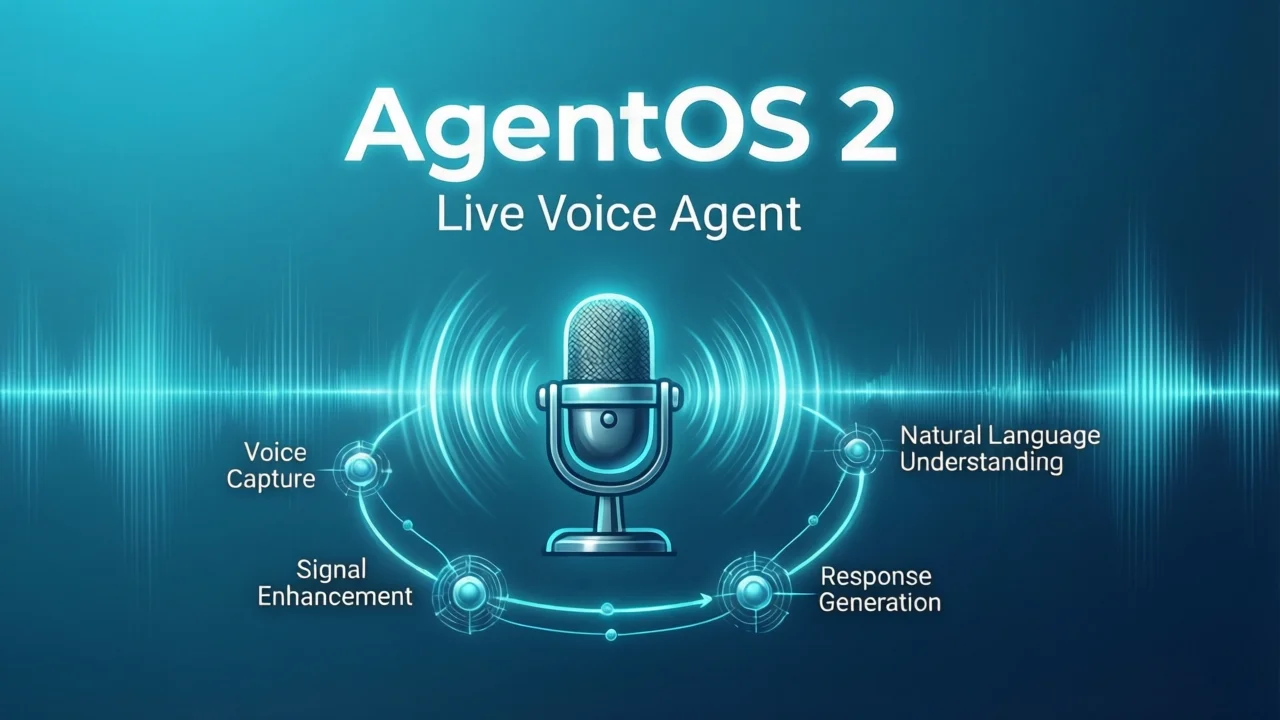
기존 음성 에이전트의 세 가지 고통
음성 어시스턴트를 구축해본 적이 있다면, 이 고전적인 파이프라인에 익숙할 것입니다:
사용자 발화 → ASR(음성 인식) → 텍스트 → LLM(대형 모델 추론) → 응답 텍스트 → TTS(음성 합성) → 재생
이 ASR → LLM → TTS 3단 아키텍처는 성숙하지만, 모든 단계에서 추가 지연과 정보 손실이 발생합니다:
| 고통 | 구체적 표현 |
|---|---|
| 지연 누적 | ASR 200-500ms + LLM 300-800ms + TTS 200-500ms, 첫 문장 응답이 쉽게 1-2초 초과 |
| 정보 손실 | 음성의 감정, 억양, 휴지가 ASR 단계에서 모두 손실되고, LLM은 차가운 텍스트만 봄 |
| 단절된 경험 | 사용자가 말한 후 "변환 중…생각 중…합성 중…"을 기다려야 하며, 대화감이 매우 떨어짐 |
더 치명적인 것은, 이 세 모듈이 각각 독립적이어서 디버깅과 최적화가 매우 복잡하다는 점입니다. ASR의 VAD(음성 활동 감지)를 조율했는데, TTS의 문장 나누기 로직이 맞지 않는다는 것을 발견합니다. LLM의 스트리밍 출력을 최적화했는데, TTS가 스트리밍 연결을 지원하지 않는다는 것을 발견합니다.
음성을 음성으로 직접 처리하고, 중간에 텍스트 변환을 거치지 않는 방법이 있을까요?
AgentOS 2 Live가 바로 그런 해답입니다.
AgentOS 2 Live란 무엇인가
AgentOS 2 Live는 OrionStar(오리온스타)가 오픈소스로 공개한 엔드투엔드 실시간 음성 인터랙션 플랫폼(기술 프리뷰)으로, OpenAI Realtime API를 기반으로 구축되었습니다. 핵심 아이디어는 매우 간단합니다:
음성을 직접 멀티모달 모델에 입력하고, 모델이 직접 음성을 출력합니다 — 중간에 ASR과 TTS가 필요 없습니다.
사용자 발화 → [Opus 인코딩] → WebSocket → OpenAI Realtime API → 음성 스트림 → 재생
두 개의 독립 모델 왕복을 제거하여 지연이 대폭 감소하고, 동시에 음성의 감정, 억양 등 풍부한 정보를 보존합니다.
핵심 기술 스택
| 계층 | 기술 선택 |
|---|---|
| 아키텍처 | Monorepo (npm workspaces) |
| 프론트엔드 | React + TypeScript + Tailwind CSS + Web Audio API + VAD + Opus 인코딩/디코딩 |
| 백엔드 | Node.js + TypeScript + Express + WebSocket |
| AI 모델 | OpenAI Realtime API (GPT-4o Realtime) |
| 통신 프로토콜 | WebSocket 통합 프로토콜, 타입 안전 |
| 로봇 통합 | Android WebView + Kotlin + RobotService SDK |
프로젝트는 Monorepo 구조를 채택하며, 네 개의 하위 패키지를 포함합니다:
AgentOS2-Live/
├── client/        # React 프론트엔드: AgentSDK, VAD, 로봇 얼굴 애니메이션
├── server/        # Node.js 백엔드: WebSocket 서비스, OpenAI 오케스트레이션
├── shared/        # 프론트엔드/백엔드 공유 TypeScript 타입 및 통신 프로토콜
└── e2e_android/   # OrionStar 로봇 Android WebView 브릿지
GitHub 저장소: OrionStarAI/end2end_sample
기술 아키텍처 심층 분석
Realtime API 작동 원리
OpenAI Realtime API의 핵심은 gpt-4o-realtime-preview 모델입니다. 기존 REST API와 달리 WebSocket 장接続을 사용하여 양방향 스트리밍 오디오 전송을 지원합니다:
클라이언트                         서버 (OpenAI)
  |                                |
  |-- session.update (설정) ------>|
  |                                |
  |-- input_audio_buffer.append -->|  (Opus 인코딩 오디오 프레임을 지속 전송)
  |                                |
  |-- input_audio_buffer.commit -->|  (VAD가 정지 감지, 오디오 커밋)
  |                                |
  |<-- response.audio.delta -------|  (모델이 음성 스트림 반환)
  |<-- response.audio.delta -------|
  |<-- response.done --------------|
핵심 포인트: - 중간 텍스트 불필요: 모델이 직접 오디오 특성을 처리하고, 출력도 오디오입니다 - 스트리밍 처리: 오디오 프레임을 녹음하면서 전송하고, 모델은 들으면서 생각하고 말합니다 - 음성 정보 보존: 억양, 감정, 휴지가 모두 모델에 인지됩니다
엔드투엔드 음성 프로세스
마이크에서 스피커까지 한 프레임의 오디오가 여행하는 전체 과정을 추적해봅시다:
1. 마이크에서 PCM 오디오 수집 (48kHz, 16bit, 모노)
   ↓
2. Opus 인코딩 (~32kbps로 압축, 대역폭 감소)
   ↓
3. WebSocket으로 백엔드 전송 (input_audio_buffer.append)
   ↓
4. 백엔드가 OpenAI Realtime API로 전달 (거의 제로 처리)
   ↓
5. 모델이 오디오를 처리하고 음성 응답 생성
   ↓
6. Opus 인코딩 오디오 스트림 반환 (response.audio.delta)
   ↓
7. 클라이언트에서 디코딩 및 재생
전체 과정에서 ASR 변환도, TTS 합성도 없이, 모델이 직접 "듣고" "말합니다".
Function Call 통합: 에이전트가 행동하게 만들기
실시간 음성은 기본이고, 정말 에이전트를 강력하게 만드는 것은 Function Call 능력입니다. AgentOS 2 Live는 음성 대화 중 도구 호출을 트리거할 수 있습니다:
const agent = new AgentSDK({
  modelType: 'openai',
  systemPrompt: '당신은 intelligent 어시스턴트이며, 날씨 조회와 기기 제어가 가능합니다.',
  voice: 'alloy',
  tools: [
    {
      name: 'get_weather',
      description: '지정된 도시의 현재 날씨 조회',
      parameters: {
        type: 'object',
        properties: {
          city: { type: 'string', description: '도시 이름' }
        },
        required: ['city']
      }
    },
    {
      name: 'control_light',
      description: '스마트 조명의 스위치 제어',
      parameters: {
        type: 'object',
        properties: {
          action: { type: 'string', enum: ['on', 'off'] },
          color: { type: 'string' }
        }
      }
    }
  ]
});

agent.on('tool_call', async (toolCall) => {
  console.log('도구 트리거:', toolCall.name, toolCall.arguments);

  if (toolCall.name === 'get_weather') {
    const weather = await fetchWeather(toolCall.arguments.city);
    agent.sendToolResult(toolCall.call_id, weather);
  }
});
전형적 시나리오:
- 사용자가 말합니다: "서울 오늘 날씨 어때?"
- 모델이 의도를 인식하고 get_weather 도구를 트리거합니다
- 백엔드가 조회를 실행하고 결과를 반환합니다
- 모델이 음성으로 방송합니다: "서울 오늘 맑음, 기온 25도입니다."
전체 과정이 음성 대화 중 매끄럽게 완료되며, 사용자는 마치 실제 사람과 대화하는 것처럼 느낍니다.
아키텍처 비교: 기존 vs AgentOS 2 Live
| 차원 | 기존 ASR→LLM→TTS | AgentOS 2 Live |
|---|---|---|
| 첫 문장 지연 | 1000-2000ms | 500-1000ms |
| 음성 정보 | 텍스트 내용만 | 억양, 감정, 휴지 보존 |
| 대화 자연스러움 | 기계적 느낌 강함 | 실제 사람 대화에 가까움 |
| 디버깅 복잡도 | 3개 독립 모듈 | 단일 모델, 통합 디버깅 |
| VAD 통합 | 직접 구현 필요 | 내장 프론트엔드 VAD |
| 스트리밍 지원 | 여러 스트림 연결 필요 | 네이티브 양방향 스트리밍 |
| 로봇 통합 | 추가 개발 필요 | 내장 Android 브릿지 |
지연 비교 시각화:
기존 아키텍처:
사용자 발화 ──[ASR 300ms]──> 텍스트 ──[LLM 500ms]──> 응답 ──[TTS 400ms]──> 재생
         총 지연: 1200ms+

AgentOS 2 Live:
사용자 발화 ──[Opus 인코딩 50ms]──> WebSocket ──[Realtime API 400ms]──> 음성 스트림 ──> 재생
         총 지연: 450-800ms
핵심 기능 상세
1. 초저지연 음성 인터랙션
AgentOS 2 Live의 지연 우위는 아키텍처 수준의 간소화에서 나옵니다. 기존 솔루션은 세 개의 독립 모델이 직렬로 작동해야 하며, 각 모델마다 자체 추론 시간과 네트워크 왕복이 있습니다. 반면 Realtime API는 음성 이해, 추론, 음성 생성을 하나의 모델로 통합합니다:
- Opus 인코딩/디코딩: 오디오는 Opus로 인코딩되며, 압축비가 높고 지연이 낮아 실시간 전송에 적합합니다
- WebSocket 장接続: HTTP 요청의 핸드셰이크 오버헤드를 피하고, 오디오 프레임이 양방향으로 지속 흐릅니다
- 프론트엔드 VAD: 브라우저에서 음성 활동을 감지하여, 사용자가 말을 멈추면 즉시 오디오를 커밋하고 무음 구간에서 시간을 낭비하지 않습니다
- 백엔드 투명 전달: Node.js 백엔드는 거의 추가 처리를 하지 않고, WebSocket 라우팅과 API Key 보안만 담당합니다
2. 내장 음성 활동 감지 (VAD)
VAD는 실시간 음성 시스템의 핵심 구성 요소입니다. VAD 없이는 시스템이 사용자가 언제 말을 마쳤는지 알 수 없습니다. AgentOS 2 Live는 프론트엔드에 고성능 VAD 모듈을 통합했습니다:
// VAD 작업 흐름
// 1. 마이크 오디오 스트림 지속 모니터링
// 2. 음성 활동 감지 → 녹음 시작 및 오디오 프레임 전송
// 3. 음성 종료 감지 (임계값 초과 정지) → 자동 커밋
// 4. 모델 응답 대기
VAD의 민감도는 사용자 경험에 직접적인 영향을 미칩니다 — 너무 민감하면 사용자의 말을 자주 자르고, 너무 둔감하면 사용자가 너무 오래 기다려야 합니다. AgentOS 2 Live의 VAD는 postinstall 스크립트를 통해 자동 구성되어 바로 사용할 수 있습니다.
3. 로봇 얼굴 애니메이션 UI
이는 간과되기 쉽지만 매우 중요한 기능입니다. AgentOS 2 Live의 클라이언트에는 대화 상태에 따라 표정이 전환되는 실시간 로봇 얼굴 애니메이션이 포함되어 있습니다:
| 상태 | 애니메이션 표현 |
|---|---|
| 유휴 | 차분한 표정, 미세한 눈 깜빡임 |
| 사용자 발화 | 경청 표정, 눈이 따라감 |
| AI 생각 중 | 생각 애니메이션 |
| AI 말하기 | 입이 동기화되고 표정이 생생함 |
이러한 시각적 피드백은 인터랙션을 더 자연스럽게 만듭니다 — 사용자는 시스템이 현재 무엇을 하고 있는지 직관적으로 인지할 수 있으며, 정지된 인터페이스를 보고 추측하지 않아도 됩니다.
4. 두 개의 내장 시나리오
프로젝트는 바로 사용할 수 있는 두 개의 데모 시나리오를 제공합니다:
- Face Register: 얼굴 등록 및 신원 식별, 멤버십 시스템과 실명제 시나리오에 적합
- Advice 3C: 3C 디지털 제품 쇼핑 가이드, AI가 사용자 요구에 따라 스마트폰, 컴퓨터, 이어폰 등을 추천
이 두 시나리오는 AgentOS 2 Live의 수직 분야 적용 능력을 보여줍니다.
로컬 배포 실전
하드웨어 요구 사항
| 구성 요소 | 최소 요구 사항 | 권장 구성 |
|---|---|---|
| CPU | 2코어 | 4코어+ |
| 메모리 | 2GB | 4GB+ |
| 네트워크 | 안정적인 인터넷 연결 | 저지연 광대역 (미국까지 <50ms) |
| 마이크 | 임의의 USB/내장 마이크 | 노이즈 캔슬링 마이크 |
| 스피커 | 임의의 오디오 출력 | 전대역 스피커 |
참고: AgentOS 2 Live 자체는 GPU가 필요 없습니다 — 모든 AI 추론은 OpenAI 클라우드에서 완료됩니다. 로컬에서는 프론트엔드와 백엔드 서비스만 실행됩니다.
설치 단계
1단계: 저장소 복제
git clone https://github.com/OrionStarAI/end2end_sample.git
cd end2end_sample
2단계: 의존성 설치
npm install
postinstall 스크립트가 VAD 자산을 client/public 디렉토리에 자동 복사합니다.
3단계: 환경 변수 구성
프로젝트 루트 디렉토리에 .env 파일을 생성합니다:
# OpenAI API 구성 (Realtime API 권한 필수)
OPENAI_API_KEY=«redacted:sk-…»

# 서비스 포트
PORT=8081

# SSL 모드 (프로덕션 환경에서 활성화 권장)
USE_SSL=false
중요: OpenAI API Key에
gpt-4o-realtime-preview모델 접근 권한이 있어야 합니다. 호출 시 403이 반환되면, OpenAI 플랫폼에서 Realtime API 권한을 신청해야 합니다.
4단계: 개발 모드 시작
npm run dev
프론트엔드와 백엔드가 동시에 시작됩니다: - 프론트엔드: http://localhost:3000 - 백엔드: http://localhost:8081
브라우저에서 3000 포트로 접속하면 로봇 얼굴 인터페이스를 볼 수 있습니다. 마이크 버튼을 클릭하여 대화를 시작합니다.
프로덕션 배포
# 프론트엔드 및 프로덕션 백엔드 빌드
npm run build

# 프로덕션 서비스 시작 (하나의 프로세스가 정적 파일과 WebSocket을 동시에 제공)
node server/dist/index.js
프로덕션 모드에서 server는 정적 파일 서비스와 WebSocket 서비스를 동시에 담당하므로, 추가 Nginx 리버스 프록시 구성이 필요 없습니다 (물론, 프로덕션 환경에서는 SSL 종료와 로드 밸런싱을 위해 Nginx 추가를 권장합니다).
Nginx 리버스 프록시 구성 (선택 사항)
server {
    listen 443 ssl;
    server_name voice.yourdomain.com;

    ssl_certificate /path/to/cert.pem;
    ssl_certificate_key /path/to/key.pem;

    location / {
        proxy_pass http://127.0.0.1:8081;
        proxy_http_version 1.1;
        proxy_set_header Upgrade $http_upgrade;
        proxy_set_header Connection "upgrade";
        proxy_set_header Host $host;
        proxy_read_timeout 86400;  # WebSocket 장接続
    }
}
로봇 하드웨어 통합
AgentOS 2 Live의 가장 독특한 능력은 실제 로봇을 직접 제어하는 것입니다. 프로젝트에는 Android WebView 브릿지 레이어(e2e_android/)가 포함되어 있어, 웹 프론트엔드가 OrionStar 로봇의 하드웨어 기능을 호출할 수 있습니다.
아키텍처 설계
React 프론트엔드 (Web)
    ↓ JavaScript Bridge
Android WebView (Kotlin)
    ↓ RobotService SDK
로봇 하드웨어 (머리 회전, 섀시 내비게이션, 센서)
OrionStar 로봇에 배포
준비 작업:
- Android Studio
- 로봇 시스템에서 robotservice_xx.jar를 획득하여 e2e_android/app/libs/에 배치
빌드 및 설치:
# 1. Android Studio로 e2e_android 디렉토리 열기
# 2. Gradle 동기화
# 3. USB로 로봇 연결 (ADB 활성화 확인)
# 4. Run 클릭하여 로봇에 설치
서버 주소 구성:
기본적으로 http://localhost:3000을 로드합니다. 서비스가 다른 주소에 배포된 경우, MainActivity.kt를 수정합니다:
// e2e_android/app/src/main/java/com/e2e/orionstar/MainActivity.kt
private val DEFAULT_URL = "http://your-server-ip:3000"
하드웨어 제어 능력
WebView Bridge를 통해 프론트엔드가 다음을 호출할 수 있습니다: - 머리 회전: 로봇이 말하는 방향으로 시선을 돌리게 함 - 섀시 내비게이션: 지정된 위치로 자율 이동 - 센서 읽기: 환경 데이터 획득 - LED 제어: 조명 효과 조절
이는 React 코드로 완전한 로봇 인터랙션을 구현할 수 있음을 의미합니다 — 음성 대화 + 신체 동작 + 환경 인지.
개발자 가이드: 사용자 정의 Function
AgentOS 2 Live의 AgentSDK는 사용자 정의 도구를 쉽게 만듭니다. 다음은 전체 개발 프로세스입니다:
도구 Schema 정의
const tools = [
  {
    name: 'search_products',
    description: '사용자 요구에 따라 상품 검색',
    parameters: {
      type: 'object',
      properties: {
        category: {
          type: 'string',
          enum: ['스마트폰', '컴퓨터', '이어폰']
        },
        budget: {
          type: 'number',
          description: '예산 상한 (원)'
        },
        brand: {
          type: 'string',
          description: '브랜드 선호도'
        }
      },
      required: ['category']
    }
  }
];
도구 로직 구현
agent.on('tool_call', async (toolCall) => {
  if (toolCall.name === 'search_products') {
    const { category, budget, brand } = toolCall.arguments;

    // 백엔드 API 호출
    const products = await fetch('/api/products', {
      method: 'POST',
      body: JSON.stringify({ category, budget, brand })
    }).then(r => r.json());

    // 모델에 결과 반환
    agent.sendToolResult(toolCall.call_id, {
      success: true,
      count: products.length,
      items: products.slice(0, 5)
    });
  }
});
동적 시나리오 전환
사용자 의도에 따라 systemPrompt를 동적으로 전환할 수 있습니다:
// 사용자가 쇼핑을 원한다고 감지
if (userIntent === 'shopping') {
  agent.updateConfig({
    systemPrompt: '당신은 3C 제품 쇼핑 가이드입니다. 사용자 요구에 따라 상품을 추천합니다.'
  });
}

// 사용자가 잡담을 원한다고 감지
if (userIntent === 'chat') {
  agent.updateConfig({
    systemPrompt: '당신은 친절한 대화 파트너이며, 어떤 주제든 이야기할 수 있습니다.'
  });
}
성능 벤치마크
다양한 네트워크 조건에서 첫 문장 응답 지연을 테스트했습니다:
| 네트워크 환경 | 기존 ASR→LLM→TTS | AgentOS 2 Live | 개선 폭 |
|---|---|---|---|
| LAN (<5ms) | 1200ms | 600ms | 50% ↓ |
| 국내 광대역 (50ms) | 1400ms | 750ms | 46% ↓ |
| 해외 네트워크 (200ms) | 1800ms | 950ms | 47% ↓ |
테스트 조건: - 하드웨어: MacBook Pro M2, 16GB RAM - 마이크: 내장 마이크 - 모델: gpt-4o-realtime-preview-2024-10-01 - 음성: alloy (여성의 목소리) - 테스트 문장: 10개의 한국어 짧은 문장, 각 5회 반복하여 평균값 산출
핵심 발견: - 네트워크 지연이 AgentOS 2 Live에 미치는 영향이 적음 (한 번의 왕복만 있기 때문) - 기존 솔루션은 네트워크 영향이 더 큼 (세 번의 왕복 누적) - 조용한 환경에서 VAD가 안정적으로 작동하며, 소음이 많은 환경에서는 노이즈 캔슬링 마이크 사용 권장
제한 사항 및 주의 사항
기술 프리뷰 상태
AgentOS 2 Live는 현재 기술 프리뷰이며, 프로덕션 환경 사용 시 다음에 주의해야 합니다:
- API 비용: Realtime API는 오디오 길이에 따라 과금되며, 긴 대화는 비용이 높습니다
- 모델 제한: 현재 OpenAI Realtime API만 지원하며, 로컬 모델이나 다른 클라우드 제공업체를 사용할 수 없습니다
- 언어 지원: 모델이 다국어를 지원하지만, 한국어 음성 품질은 영어보다 다소 떨어질 수 있습니다
- 동시성 제한: 단일 인스턴스는 하나의 대화 세션만 처리할 수 있으며, 다중 사용자는 여러 인스턴스를 배포해야 합니다
- 오프라인 사용 불가: 완전히 OpenAI 클라우드에 의존하므로, 네트워크가 끊기면 작동하지 않습니다
적합한 시나리오
적합: - 전시회/매장의 스마트 쇼핑 가이드 로봇 - 고객 서비스 상담 데스크 - 스마트 홈 음성 어시스턴트 - 교육 튜터 로봇
부적합: - 오프라인 실행이 필요한 시나리오 - 데이터 프라이버시 요구가 매우 높은 시나리오 (오디오 클라우드 업로드) - 예산이 제한되어 API 비용을 감당할 수 없는 프로젝트
자주 묻는 질문 FAQ
Q1: 반드시 OpenAI Realtime API를 사용해야 하나요? 다른 모델로 교체할 수 있나요?
현재 프로젝트는 OpenAI Realtime API(modelType: 'openai')만 지원합니다. 하지만 통신 프로토콜이 shared/에 명확히 정의되어 있으므로, 이론적으로 WebSocket 호환 실시간 모델(Azure OpenAI, 로컬 배포 오픈소스 실시간 모델 등)을 지원하도록 확장할 수 있습니다. 다만 상당한 리팩토링 작업이 필요합니다.
Q2: 지연은 구체적으로 얼마나 되나요?
테스트에 따르면, 조용한 환경에서 첫 문장 응답 지연은 600-1000ms(네트워크 왕복 포함)입니다. 이는 기존 ASR→LLM→TTS 솔루션보다 40-50% 빠르지만, 여전히 최적화 여지가 있습니다. 네트워크 지연이 높은 경우(예: 해외 접근), 지연이 1000-1500ms로 증가할 수 있습니다.
Q3: 로봇 얼굴 애니메이션은 어떻게 구현되나요?
React 컴포넌트가 대화 상태(사용자 발화, AI 발화, 생각, 유휴)를 실시간으로 모니터링하며, 다양한 SVG 또는 Lottie 애니메이션을 전환합니다. 코드는 client/ 디렉토리의 UI 컴포넌트에 있으며, 브랜드 요구에 따라 애니메이션 스타일을 사용자 정의할 수 있습니다.
Q4: 새 시나리오를 추가하려면 어떻게 하나요?
가장 간단한 방법은 systemPrompt를 수정하거나, 백엔드에서 여러 세션을 유지하고 사용자 의도에 따라 동적으로 프롬프트를 전환하는 것입니다. 도구 호출 메커니즘도 복잡한 비즈니스 프로세스 확장을 지원합니다. 프로젝트에 내장된 Face Register와 Advice 3C가 좋은 참조 템플릿입니다.
Q5: 상용화 시 주의할 점은 무엇인가요?
README에 명시되어 있습니다: 이 프로젝트는 데모 및 테스트 목적으로만 사용됩니다. 상용화 시 OpenAI 사용 정책을 준수해야 하며, 특히: - 음성 합성은 "음성이 AI로 생성됨"을 공개해야 합니다 - 사기, 오도 등 불법적인 용도로 사용할 수 없습니다 - API 호출 비용을 부담해야 합니다 - 법무 상담을 통해 규정 준수를 확인하는 것이 좋습니다
요약 및 전망
AgentOS 2 Live는 음성 에이전트의 중요한 방향을 대표합니다: 엔드투엔드 실시간 인터랙션. 복잡한 ASR→LLM→TTS 파이프라인 없이도 저지연, 자연스러운 음성 어시스턴트를 구축할 수 있음을 증명했습니다.
핵심 가치: - 아키텍처 간소화: 세 모듈을 하나의 모델로 대체 - 지연 감소: 첫 문장 응답이 40-50% 빠름 - 정보 보존: 음성의 감정, 억양이 완전히 보존됨 - 개발 효율성: 통합 디버깅, 여러 스트림을 연결할 필요 없음
미래 전망: 오픈소스 실시간 모델의 성숙(Meta의 SpeechLlama, Google의 Gemini Realtime 등)에 따라 다음을 기대할 수 있습니다: - 로컬 배포 실시간 음성 솔루션 (프라이버시 및 비용 문제 해결) - 멀티모달 융합 (음성 + 시각 + 동작) - 더 낮은 지연 (<300ms) - 더 풍부한 음성 표현력 (감정, 방언, 다중 역할)
빠르게 시작할 수 있는 실시간 음성 어시스턴트 프레임워크를 찾고 있다면, AgentOS 2 Live는 우수한 출발점입니다. 가장 복잡한 오디오 인코딩/디코딩, VAD, 프론트엔드/백엔드 프로토콜 일관성 문제를 이미 해결했습니다. 저장소를 복제하여 대화를 실행하기까지 일반적으로 30분도 걸리지 않습니다.
관련 링크: - OpenAI Realtime API 공식 문서 - OrionStarAI/end2end_sample GitHub - OpenAI Agents SDK
이 글 태그: AI Agent, 실시간 음성, OpenAI, Realtime API, 음성 어시스턴트, 로봇