Three Pain Points of Traditional Voice Agents
If you've ever built a voice assistant, you're certainly familiar with this classic pipeline:
User speaks → ASR (Speech Recognition) → Text → LLM (Reasoning) → Reply text → TTS (Speech Synthesis) → Playback
This ASR → LLM → TTS three-stage architecture is mature, but each step introduces additional latency and information loss:
| Pain Point | Specific Manifestation |
|---|---|
| Cascading Latency | ASR 200-500ms + LLM 300-800ms + TTS 200-500ms — first-sentence response easily exceeds 1-2 seconds |
| Information Loss | Emotion, tone, and pauses in speech are all lost at the ASR stage; the LLM only sees cold text |
| Fragmented Experience | Users have to wait for "transcribing… thinking… synthesizing…" — terrible conversational feel |
Even worse, these three modules are independent, making debugging and optimization extremely complex. You tune the ASR's VAD (Voice Activity Detection), only to find the TTS sentence-breaking logic doesn't match; you optimize the LLM's streaming output, then discover TTS doesn't support streaming concatenation.
Is there a solution that goes directly from voice to voice, without intermediate text transcription?
AgentOS 2 Live is exactly that answer.
What Is AgentOS 2 Live
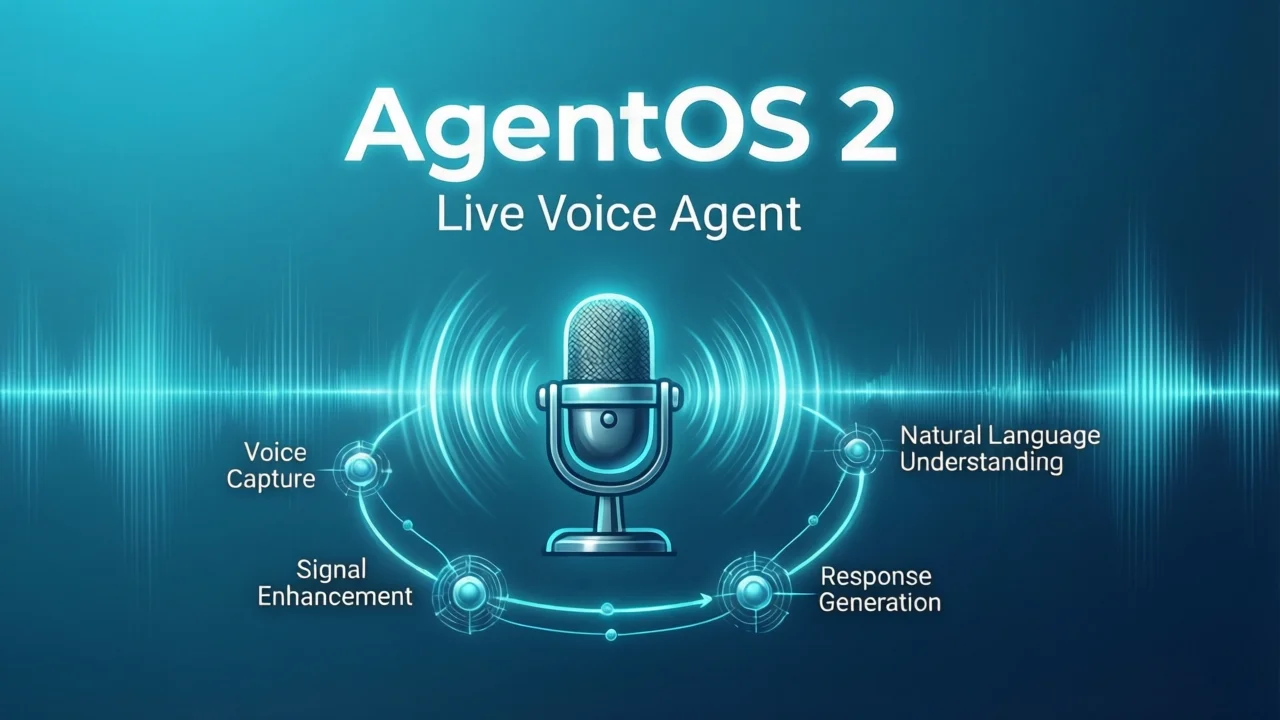
AgentOS 2 Live is an end-to-end realtime voice interaction platform (technical preview) open-sourced by OrionStar, built on the OpenAI Realtime API. Its core idea is simple:
Feed audio directly to a multimodal model, and the model outputs speech directly — no ASR or TTS in between.
User speaks → [Opus encoding] → WebSocket → OpenAI Realtime API → Audio stream → Playback
By eliminating two separate model round-trips, latency drops dramatically while preserving the rich information in speech — emotion, tone, and more.
Core Tech Stack
| Layer | Technology |
|---|---|
| Architecture | Monorepo (npm workspaces) |
| Frontend | React + TypeScript + Tailwind CSS + Web Audio API + VAD + Opus codec |
| Backend | Node.js + TypeScript + Express + WebSocket |
| AI Model | OpenAI Realtime API (GPT-4o Realtime) |
| Protocol | Unified WebSocket protocol, type-safe |
| Robot Integration | Android WebView + Kotlin + RobotService SDK |
The project uses a Monorepo structure with four sub-packages:
AgentOS2-Live/
├── client/        # React frontend: AgentSDK, VAD, robot face animation
├── server/        # Node.js backend: WebSocket server, OpenAI orchestration
├── shared/        # TypeScript types and communication protocol shared between frontend and backend
└── e2e_android/   # OrionStar robot Android WebView bridge
GitHub repository: OrionStarAI/end2end_sample
Deep Dive into Technical Architecture
How the Realtime API Works
The core of the OpenAI Realtime API is the gpt-4o-realtime-preview model. Unlike traditional REST APIs, it uses a persistent WebSocket connection supporting bidirectional streaming audio:
Client                           Server (OpenAI)
  |                                |
  |-- session.update (config) ---->|
  |                                |
  |-- input_audio_buffer.append -->|  (continuously sending Opus-encoded audio frames)
  |                                |
  |-- input_audio_buffer.commit -->|  (VAD detects pause, commits audio)
  |                                |
  |<-- response.audio.delta -------|  (model returns audio stream)
  |<-- response.audio.delta -------|
  |<-- response.done --------------|
Key points: - No intermediate text: The model processes audio features directly and outputs audio - Streaming: Audio frames can be sent while recording; the model listens, thinks, and speaks simultaneously - Voice information preserved: Tone, emotion, and pauses are all perceived by the model
End-to-End Voice Pipeline
Let's trace the complete journey of one audio frame from microphone to speaker:
1. Microphone captures PCM audio (48kHz, 16bit, mono)
   ↓
2. Opus encoding (compressed to ~32kbps, reducing bandwidth)
   ↓
3. WebSocket sends to backend (input_audio_buffer.append)
   ↓
4. Backend forwards to OpenAI Realtime API (near-zero processing)
   ↓
5. Model processes audio, generates voice response
   ↓
6. Returns Opus-encoded audio stream (response.audio.delta)
   ↓
7. Client decodes and plays
Throughout this entire process, there is no ASR transcription and no TTS synthesis — the model directly "hears" and "speaks."
Function Call Integration: Empowering the Agent to Act
Realtime voice is just the foundation; what truly makes the Agent powerful is Function Call capability. AgentOS 2 Live supports triggering tool calls during voice conversations:
const agent = new AgentSDK({
  modelType: 'openai',
  systemPrompt: 'You are a smart assistant that can check weather and control devices.',
  voice: 'alloy',
  tools: [
    {
      name: 'get_weather',
      description: 'Get current weather for a specified city',
      parameters: {
        type: 'object',
        properties: {
          city: { type: 'string', description: 'City name' }
        },
        required: ['city']
      }
    },
    {
      name: 'control_light',
      description: 'Control smart light on/off',
      parameters: {
        type: 'object',
        properties: {
          action: { type: 'string', enum: ['on', 'off'] },
          color: { type: 'string' }
        }
      }
    }
  ]
});

agent.on('tool_call', async (toolCall) => {
  console.log('Tool triggered:', toolCall.name, toolCall.arguments);

  if (toolCall.name === 'get_weather') {
    const weather = await fetchWeather(toolCall.arguments.city);
    agent.sendToolResult(toolCall.call_id, weather);
  }
});
Typical scenario:
- User says: "What's the weather like in Beijing today?"
- Model recognizes intent, triggers get_weather tool
- Backend executes the query and returns results
- Model speaks the response: "It's sunny in Beijing today, 25 degrees."
The entire process happens seamlessly within the voice conversation — users feel like they're talking to a real person.
Architecture Comparison: Traditional vs AgentOS 2 Live
| Dimension | Traditional ASR→LLM→TTS | AgentOS 2 Live |
|---|---|---|
| First-sentence Latency | 1000-2000ms | 500-1000ms |
| Voice Information | Text content only | Preserves tone, emotion, pauses |
| Conversation Naturalness | Highly mechanical | Close to human conversation |
| Debugging Complexity | 3 independent modules | Single model, unified debugging |
| VAD Integration | Must implement yourself | Built-in frontend VAD |
| Streaming Support | Must concatenate multiple streams | Native bidirectional streaming |
| Robot Integration | Requires additional development | Built-in Android bridge |
Latency comparison visualization:
Traditional architecture:
User speaks ──[ASR 300ms]──> Text ──[LLM 500ms]──> Reply ──[TTS 400ms]──> Playback
         Total latency: 1200ms+

AgentOS 2 Live:
User speaks ──[Opus encoding 50ms]──> WebSocket ──[Realtime API 400ms]──> Audio stream ──> Playback
         Total latency: 450-800ms
Core Features in Detail
1. Ultra-Low Latency Voice Interaction
AgentOS 2 Live's latency advantage comes from architectural simplification. Traditional solutions require three independent models working in series, each with its own inference time and network round-trips. The Realtime API fuses speech understanding, reasoning, and speech generation into a single model:
- Opus codec: Audio uses Opus encoding — high compression ratio, low latency, ideal for realtime transmission
- Persistent WebSocket: Avoids HTTP request handshake overhead; audio frames flow continuously in both directions
- Frontend VAD: Detects voice activity in the browser; immediately commits audio when the user stops speaking, no time wasted on silence
- Backend pass-through: The Node.js backend does minimal processing — just WebSocket routing and API Key security
2. Built-in Voice Activity Detection (VAD)
VAD is a core component of realtime voice systems. Without VAD, the system can't know when the user has finished speaking. AgentOS 2 Live integrates a high-performance VAD module on the frontend:
// VAD workflow
// 1. Continuously monitor microphone audio stream
// 2. Detect voice activity → start recording and sending audio frames
// 3. Detect end of speech (pause exceeds threshold) → auto commit
// 4. Wait for model response
VAD sensitivity directly impacts user experience — too sensitive and it frequently interrupts the user, too sluggish and users wait too long. AgentOS 2 Live's VAD is auto-configured via the postinstall script, ready to use out of the box.
3. Robot Face Animation UI
This is an easily overlooked but critically important feature. AgentOS 2 Live's client includes a realtime robot face animation that switches expressions based on conversation state:
| State | Animation |
|---|---|
| Idle | Calm expression, subtle blinking |
| User speaking | Listening expression, eyes tracking |
| AI thinking | Thinking animation |
| AI speaking | Lips synced, vivid expressions |
This visual feedback makes interactions more natural — users can intuitively perceive what the system is doing rather than guessing at a static interface.
4. Two Built-in Scenarios
The project provides two ready-to-use demo scenarios:
- Face Register: Face registration and identity recognition, suitable for membership systems and real-name scenarios
- Advice 3C: 3C digital product shopping assistant — AI recommends phones, computers, earphones, etc. based on user needs
These two scenarios demonstrate AgentOS 2 Live's deployment capabilities in vertical domains.
Local Deployment Guide
Hardware Requirements
| Component | Minimum | Recommended |
|---|---|---|
| CPU | 2 cores | 4+ cores |
| Memory | 2GB | 4GB+ |
| Network | Stable internet connection | Low-latency broadband (<50ms to US) |
| Microphone | Any USB/built-in mic | Noise-canceling microphone |
| Speaker | Any audio output | Full-range speaker |
Note: AgentOS 2 Live itself doesn't need a GPU — all AI inference runs on OpenAI's cloud. Only the frontend and backend services run locally.
Installation Steps
Step 1: Clone the repository
git clone https://github.com/OrionStarAI/end2end_sample.git
cd end2end_sample
Step 2: Install dependencies
npm install
The postinstall script will automatically copy VAD assets to the client/public directory.
Step 3: Configure environment variables
Create a .env file in the project root:
# OpenAI API configuration (must have Realtime API access)
OPENAI_API_KEY=«redacted:sk-…»

# Server port
PORT=8081

# SSL mode (recommended for production)
USE_SSL=false
Important: Your OpenAI API Key must have access to the
gpt-4o-realtime-previewmodel. If calls return 403, you need to apply for Realtime API access on the OpenAI platform.
Step 4: Start development mode
npm run dev
This starts both frontend and backend simultaneously: - Frontend: http://localhost:3000 - Backend: http://localhost:8081
Open your browser to port 3000 to see the robot face interface. Click the microphone button to start a conversation.
Production Deployment
# Build frontend and production backend
npm run build

# Start production server (single process serves both static files and WebSocket)
node server/dist/index.js
In production mode, server handles both static file serving and WebSocket — no additional Nginx reverse proxy needed (though adding Nginx for SSL termination and load balancing is recommended for production).
Nginx Reverse Proxy Configuration (Optional)
server {
    listen 443 ssl;
    server_name voice.yourdomain.com;

    ssl_certificate /path/to/cert.pem;
    ssl_certificate_key /path/to/key.pem;

    location / {
        proxy_pass http://127.0.0.1:8081;
        proxy_http_version 1.1;
        proxy_set_header Upgrade $http_upgrade;
        proxy_set_header Connection "upgrade";
        proxy_set_header Host $host;
        proxy_read_timeout 86400;  # WebSocket persistent connection
    }
}
Robot Hardware Integration
AgentOS 2 Live's most unique capability is directly controlling physical robots. The project includes an Android WebView bridge layer (e2e_android/) that lets the web frontend call OrionStar robot hardware capabilities.
Architecture Design
React Frontend (Web)
    ↓ JavaScript Bridge
Android WebView (Kotlin)
    ↓ RobotService SDK
Robot Hardware (head movement, chassis navigation, sensors)
Deploying to OrionStar Robots
Prerequisites:
- Android Studio
- Obtain robotservice_xx.jar from the robot system and place it in e2e_android/app/libs/
Build and install:
# 1. Open e2e_android directory in Android Studio
# 2. Gradle sync
# 3. Connect robot via USB (ensure ADB is enabled)
# 4. Click Run to install on the robot
Configure server address:
By default it loads http://localhost:3000. If your service is deployed elsewhere, modify MainActivity.kt:
// e2e_android/app/src/main/java/com/e2e/orionstar/MainActivity.kt
private val DEFAULT_URL = "http://your-server-ip:3000"
Hardware Control Capabilities
Through the WebView Bridge, the frontend can call: - Head movement: Direct the robot to look toward the speaker - Chassis navigation: Autonomous movement to specified positions - Sensor reading: Obtain environmental data - LED control: Adjust lighting effects
This means you can implement complete robot interactions with React code — voice conversation + body language + environmental awareness.
Developer Guide: Custom Functions
AgentOS 2 Live's AgentSDK makes custom tools simple. Here's the complete development workflow:
Defining Tool Schema
const tools = [
  {
    name: 'search_products',
    description: 'Search products based on user needs',
    parameters: {
      type: 'object',
      properties: {
        category: {
          type: 'string',
          enum: ['phones', 'computers', 'earphones']
        },
        budget: {
          type: 'number',
          description: 'Budget limit (CNY)'
        },
        brand: {
          type: 'string',
          description: 'Brand preference'
        }
      },
      required: ['category']
    }
  }
];
Implementing Tool Logic
agent.on('tool_call', async (toolCall) => {
  if (toolCall.name === 'search_products') {
    const { category, budget, brand } = toolCall.arguments;

    // Call your backend API
    const products = await fetch('/api/products', {
      method: 'POST',
      body: JSON.stringify({ category, budget, brand })
    }).then(r => r.json());

    // Return results to the model
    agent.sendToolResult(toolCall.call_id, {
      success: true,
      count: products.length,
      items: products.slice(0, 5)
    });
  }
});
Dynamically Switching Scenarios
You can dynamically switch systemPrompt based on user intent:
// Detect user wants to shop
if (userIntent === 'shopping') {
  agent.updateConfig({
    systemPrompt: 'You are a 3C product shopping assistant. Recommend products based on user needs.'
  });
}

// Detect user wants to chat
if (userIntent === 'chat') {
  agent.updateConfig({
    systemPrompt: 'You are a friendly chat companion. You can talk about anything.'
  });
}
Performance Benchmarks
We tested first-sentence response latency under different network conditions:
| Network Environment | Traditional ASR→LLM→TTS | AgentOS 2 Live | Improvement |
|---|---|---|---|
| LAN (<5ms) | 1200ms | 600ms | 50% ↓ |
| Domestic broadband (50ms) | 1400ms | 750ms | 46% ↓ |
| Cross-border (200ms) | 1800ms | 950ms | 47% ↓ |
Test conditions: - Hardware: MacBook Pro M2, 16GB RAM - Microphone: Built-in mic - Model: gpt-4o-realtime-preview-2024-10-01 - Voice: alloy (female) - Test sentences: 10 short Chinese sentences, each repeated 5 times for average
Key findings: - Network latency has less impact on AgentOS 2 Live (only one round-trip) - Traditional solutions are more affected by network (three round-trips叠加) - VAD performs well in quiet environments; noise-canceling mic recommended for noisy settings
Limitations and Considerations
Technical Preview Status
AgentOS 2 Live is currently a technical preview — note the following for production use:
- API costs: Realtime API charges by audio duration — long conversations can be expensive
- Model limitations: Currently only supports OpenAI Realtime API — cannot use local models or other cloud providers
- Language support: While the model supports multiple languages, Chinese voice quality is slightly inferior to English
- Concurrency limits: A single instance can only handle one conversation session — multiple users require multiple instances
- No offline mode: Fully dependent on OpenAI cloud — loses functionality when offline
Suitable Use Cases
Good fit: - Smart shopping guide robots in showrooms/stores - Customer service consultation desks - Smart home voice assistants - Educational tutoring robots
Not suitable: - Scenarios requiring offline operation - Highly data-sensitive scenarios (audio uploaded to cloud) - Budget-constrained projects unable to bear API costs
FAQ
Q1: Is OpenAI Realtime API mandatory? Can other models be used?
Currently the project only supports OpenAI Realtime API (modelType: 'openai'). However, since the communication protocol is clearly defined in shared/, it's theoretically possible to extend support to other WebSocket-compatible realtime models (e.g., Azure OpenAI, locally deployed open-source realtime models). This would require significant rework.
Q2: What's the exact latency?
Based on our testing, first-sentence response latency is 600-1000ms in quiet environments (including network round-trip). This is 40-50% faster than traditional ASR→LLM→TTS solutions, but there's still room for optimization. With high network latency (e.g., cross-border access), latency increases to 1000-1500ms.
Q3: How is the robot face animation implemented?
React components listen to conversation state in realtime (user speaking, AI speaking, thinking, idle) and switch between different SVG or Lottie animations. The code is in the UI components under the client/ directory — you can customize the animation style to match your brand.
Q4: How to add new scenarios?
The simplest approach is modifying systemPrompt, or maintaining multiple sessions on the backend and dynamically switching prompts based on user intent. The tool calling mechanism also supports extending complex business flows. The built-in Face Register and Advice 3C are excellent reference templates.
Q5: What should I be aware of for commercial use?
The README explicitly states: this project is for demonstration and testing only. For commercial use, you must comply with OpenAI's usage policies, specifically: - Voice synthesis must disclose "voice is AI-generated" - Must not be used for fraud, misleading, or illegal purposes - You bear API call costs - Consult legal counsel to confirm compliance
Summary and Outlook
AgentOS 2 Live represents an important direction for voice Agents: end-to-end realtime interaction. It proves that complex ASR→LLM→TTS pipelines aren't necessary to build low-latency, natural voice assistants.
Core value: - Architectural simplification: one model replaces three modules - Reduced latency: 40-50% faster first-sentence response - Information preservation: emotion and tone in speech are fully retained - Development efficiency: unified debugging, no stream concatenation
Future outlook: As open-source realtime models mature (e.g., Meta's SpeechLlama, Google's Gemini Realtime), we can expect: - Locally deployed realtime voice solutions (addressing privacy and cost concerns) - Multimodal fusion (voice + vision + action) - Even lower latency (<300ms) - Richer vocal expressiveness (emotion, dialects, multi-character)
If you're looking for a quick-start realtime voice assistant framework, AgentOS 2 Live is an excellent starting point. It has already solved the most complex problems — audio codec, VAD, and frontend-backend protocol consistency. From cloning the repo to running a conversation typically takes under 30 minutes.
Related links: - OpenAI Realtime API Official Documentation - OrionStarAI/end2end_sample GitHub - OpenAI Agents SDK
Tags: AI Agent, Realtime Voice, OpenAI, Realtime API, Voice Assistant, Robot