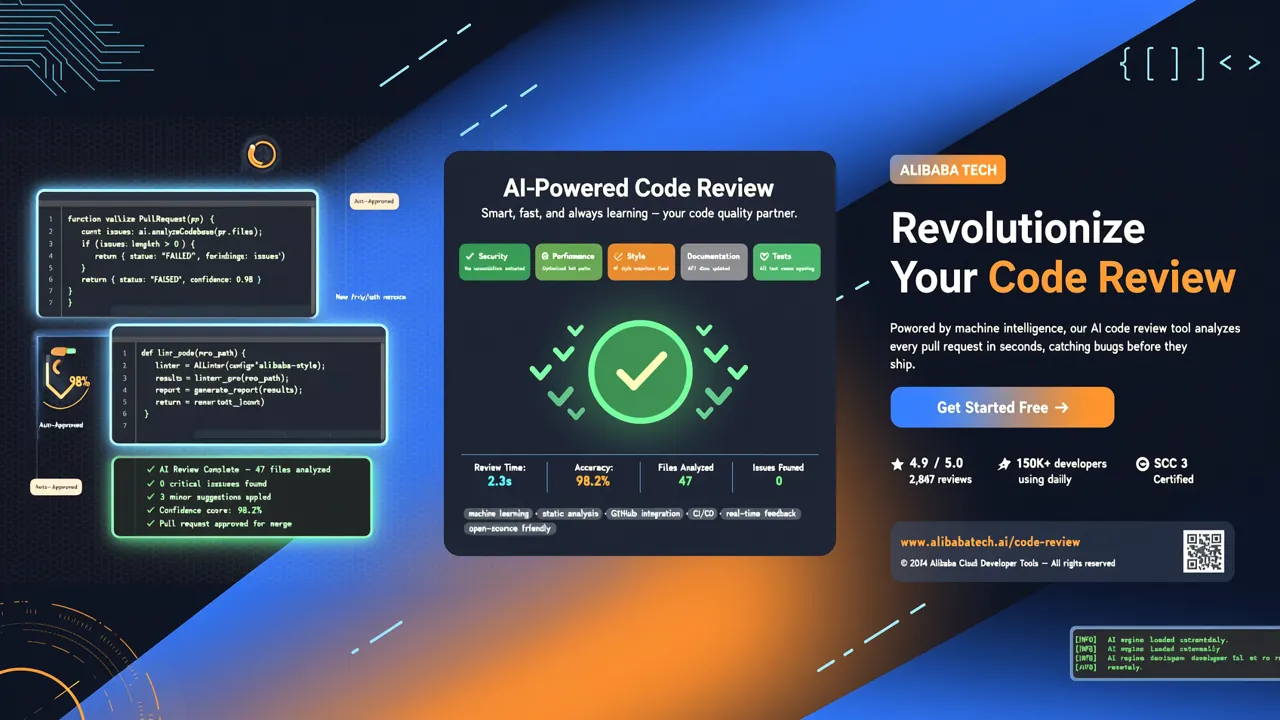
Open Code Review는 GitHub Trending 2026년 8월 첫째 주 상위 15위 안에 진입했고, 일주일 만에 4,700개 이상의 스타를 추가했으며 현재 누적 17,000개 이상의 스타를 기록 중입니다. 이번 주 가장 핫한 오픈소스 프로젝트 중 하나입니다.
1. Open Code Review란 무엇인가?
Open Code Review(약칭 OCR)는 알리바바가 오픈소스로 공개한 AI 기반 코드 리뷰 CLI 도구입니다. 전신은 알리바바 그룹 사내 공식 AI 코드 리뷰 어시스턴트로, 지난 2년간 수만 명의 개발자를 지원하며 수백만 개의 코드 결함을 식별했습니다. 대규모 프로덕션 환경에서 검증된 후 알리바바가 공식 오픈소스로 공개했습니다.
Claude Code, Cursor 같은 범용 AI 코딩 에이전트와 달리, OCR은 한 가지 일에 집중합니다: 바로 코드 리뷰. 그리고 더 잘하고, 더 빠르게, 더 저렴하게 수행합니다.
공식 벤치마크에 따르면 동일한 기반 모델을 사용했을 때, OCR의 리뷰 품질(F1 점수와 Precision)은 범용 에이전트보다 훨씬 뛰어나며, 토큰 소비량은 범용 에이전트의 1/9에 불과하고 리뷰 속도도 더 빠릅니다.
🔗 GitHub: alibaba/open-code-review 🌐 공식 웹사이트: open-codereview.ai 📜 라이선스: Apache-2.0
2. 범용 AI 에이전트는 왜 코드 리뷰를 잘하지 못할까?
Claude Code나 유사한 도구로 코드 리뷰를 해본 적이 있다면, 아마 이런 문제들을 겪었을 것입니다:
- 커버리지 부족 — 변경 파일이 많으면 에이전트가 "게으름"을 피워 일부 파일만 리뷰하고 중요한 변경을 놓칩니다
- 위치 오차 — 보고된 문제 행 번호가 실제 코드 위치와 일치하지 않아 개발자가 직접 찾아야 합니다
- 품질 불안정 — 순수 자연어 기반 Skills는 디버깅이 어렵고, 프롬프트 미세 조정에 따라 리뷰 품질이 크게 변동합니다
근본 원인: 순수 언어 기반 아키텍처는 리뷰 프로세스에 대한 엄격한 제약이 부족합니다.
3. OCR의 하이브리드 아키텍처: 결정론적 엔지니어링 + LLM 에이전트
OCR의 핵심 설계 철학은 "절대 틀리면 안 되는" 부분은 결정론적 엔지니어링에 맡기고, "동적 판단이 필요한" 부분은 에이전트에 맡기는 것입니다:
결정론적 엔지니어링 계층
- 정확한 파일 선택 — 엔지니어링 로직으로 어떤 파일을 리뷰하고 어떤 파일을 필터링할지 결정하여 중요한 변경을 놓치지 않습니다
- 스마트 파일 그룹핑 — 관련 파일을 하나의 리뷰 단위로 묶습니다 (예:
message_en.properties와message_zh.properties를 한 그룹으로). 각 그룹은 독립된 서브 에이전트가 리뷰하므로 자연스럽게 동시 처리가 가능합니다 - 세밀한 규칙 매칭 — 파일 특징에 따라 리뷰 규칙을 매칭해 모델의 집중도를 높이고 정보 노이즈를 제거합니다
- 외부 위치 파악 및 성찰 모듈 — 독립적인 위치 파악과 콘텐츠 성찰 모듈로 AI 피드백의 행 번호 정확도와 콘텐츠 정확도를 체계적으로 향상시킵니다
에이전트 계층
- 시나리오별 프롬프트 — 코드 리뷰에 맞춰 깊이 최적화된 프롬프트 템플릿으로, 효과가 더 좋고 토큰도 더 절약됩니다
- 시나리오별 도구 세트 — 대규모 프로덕션 데이터에서 추출한 전용 도구 세트로, 범용 에이전트 도구보다 안정적이고 신뢰할 수 있습니다
4. 설치
OCR은 여러 설치 방식을 지원하며, 가장 간단한 것은 npm을 통한 전역 설치입니다:
npm install -g @alibaba-group/open-code-review
설치 완료 후 ocr 명령어를 전역에서 사용할 수 있습니다:
ocr --version
기타 설치 방식:
- 설치 스크립트 — Node.js 환경이 없을 때 적합
- GitHub Release 바이너리 — 실행 파일 직접 다운로드
- 소스 컴파일 — 수정이 필요한 기여자에게 적합
자세한 내용은 공식 설치 문서를 참조하세요.
5. 빠르게 시작하기
5.1 LLM 구성
처음 사용 시, 위임 모드를 사용하지 않는 한 LLM을 반드시 구성해야 합니다:
# 내장 모델 제공업체 선택
ocr config provider

# 모델 선택
ocr config model
대화형 UI가 제공업체 선택, API 키 입력, 모델 구성을 안내하고 자동으로 연결 테스트를 수행합니다.
내장 지원 주요 제공업체로는 OpenAI, Anthropic, Google Gemini, 통이치엔원(通义千问) 등이 있습니다. 커스텀 제공업체도 추가할 수 있습니다:
ocr config provider add-custom
5.2 첫 번째 리뷰
프로젝트 디렉토리로 이동한 후 실행합니다:
cd your-project

# 스테이징된 변경, 스테이징되지 않은 변경, 미추적 변경 모두 리뷰
ocr review
OCR은 자동으로 Git diff를 읽어 변경 파일을 LLM에 전달하고, 행 번호 정밀도의 리뷰 의견을 생성합니다.
5.3 두 브랜치 비교
ocr review --from main --to feature-branch
5.4 단일 커밋 리뷰
ocr review --commit abc123
5.5 전체 파일 스캔
Git diff에 의존하지 않고 직접 저장소 전체나 특정 디렉토리를 스캔합니다:
# 저장소 전체 스캔
ocr scan

# 특정 디렉토리 스캔
ocr scan --path src/agent
익숙하지 않은 코드베이스를 감사할 때 매우 유용합니다.
6. 고급 기능
6.1 위임 모드 (Delegation Mode)
OCR은 "위임 모드"를 지원합니다 — AI 코딩 에이전트가 스스로 리뷰를 실행하게 하고, OCR이 파일 선택과 규칙 해석을 담당하므로 LLM을 별도로 구성할 필요가 없습니다:
# 위임 리뷰 미리보기
ocr delegate preview

# 지정 파일에 대해 위임 리뷰 실행
ocr delegate rule src/main.go src/handler.go
이미 Claude Code, Cursor 등의 도구를 사용하는 팀에 특히 실용적입니다.
6.2 내장 보안 규칙
OCR은 미세 조정된 보안 규칙 세트를 내장하고 있어 다음을 자동으로 감지합니다:
| 규칙 유형 | 설명 |
|---|---|
| NPE(Null Pointer Exception) | Java/Kotlin의 잠재적 널 참조 문제 |
| 스레드 안전성 | 동시성 환경의 레이스 컨디션 |
| XSS 공격 | 프론트엔드 크로스 사이트 스크립트 취약점 |
| SQL 인젝션 | 데이터베이스 쿼리의 인젝션 위험 |
이러한 규칙은 프롬프트 힌트에 의존하지 않고 템플릿 엔진 기반 규칙 매칭을 통해 더 안정적이고 예측 가능합니다.
6.3 세션 관리
대규모 리뷰 도중 중단되었을 때 복구할 수 있습니다:
# 모든 세션 나열
ocr session list

# 중단된 리뷰 복구
ocr review --from main --to feature-branch --resume <session-id>
6.4 CI/CD 통합
OCR은 CI 파이프라인에 바로 통합하기 적합합니다. GitHub Actions에서:
name: Code Review
on:
  pull_request:
    branches: [main]

jobs:
  review:
    runs-on: ubuntu-latest
    steps:
      - uses: actions/checkout@v4
        with:
          fetch-depth: 0
      - name: Install OCR
        run: npm install -g @alibaba-group/open-code-review
      - name: Run Review
        run: ocr review --from main --to HEAD
        env:
          OPENAI_API_KEY: ${{ secrets.OPENAI_API_KEY }}
6.5 멀티 모델 비교
다른 모델로 전환해 리뷰 결과를 비교할 수 있습니다:
# GPT-4로 전환
ocr config model gpt-4

# 리뷰
ocr review

# Claude로 전환
ocr config model claude-sonnet-4-20250514

# 다시 리뷰, 결과 비교
ocr review
7. 성능 및 비용
다음은 공식 벤치마크의 핵심 데이터 비교입니다:
| 지표 | OCR | Claude Code (동일 모델) | 장점 |
|---|---|---|---|
| F1 점수 | 더 높음 | 더 낮음 | 종합 품질 더 우수 |
| Precision | 더 높음 | 더 낮음 | 오보 더 적음 |
| Recall | 더 낮음 | 더 높음 | 의도적 절충, 노이즈 우선 감소 |
| 평균 소요 시간 | 더 짧음 | 더 김 | CI 지연 더 낮음 |
| 토큰 소비 | ~1/9 | 기준 | 비용 89% 절약 |
OCR의 Recall이 범용 에이전트보다 약간 낮지만, 이는 의도적인 설계 절충입니다: 개발자가 수많은 오보에 지치게 만드는 것보다, 보고된 모든 문제가 실제 결함임을 보장하는 것이 낫습니다.
8. 다른 코드 리뷰 도구와의 비교
| 도구 | 유형 | AI 기능 | 비용 | 적용場景 |
|---|---|---|---|---|
| Open Code Review | CLI | ✅ 전용 | 낮음 (1/9 토큰) | 자동화 CI 리뷰, 로컬 빠른 리뷰 |
| GitHub Copilot Code Review | IDE 플러그인 | ✅ 범용 | 중간 | IDE 내 즉각 피드백 |
| SonarQube | 정적 분석 | ❌ 규칙 엔진 | 낮음 | 규범 검사, 커버리지 |
| Claude Code / Cursor | AI 에이전트 | ✅ 범용 | 높음 | 풀스택 개발 |
요약: 코드 리뷰가 핵심 요구사항이라면 OCR이 최적의 해결책입니다. 풀스택 AI 코딩 어시스턴트가 필요하다면 Claude Code 등의 도구가 더 적합합니다.
9. 요약
Open Code Review는 중요한 트렌드를 대표합니다: 전용 AI 도구가 범용 에이전트를 앞서기 시작했습니다. 이것은 프롬프트로 급조한 '스킬'이 아니라, 2년간 알리바바 사내 대규모 검증을 거쳐 프로덕션痛点을 실제로 해결한 엔지니어링 제품입니다.
매일 여러 PR을 리뷰해야 한다면, OCR이 도와줄 수 있습니다: - ✅ 시간 절약 — 초기 리뷰 자동화, 정말 중요한 문제에 집중 - ✅ 비용 절약 — 범용 에이전트 대비 약 89% 토큰 소비 절감 - ✅ 품질 향상 — 결정론적 엔지니어링으로 커버리지와 위치 정확도 보장 - ✅ CI 친화적 — CLI 설계로 파이프라인 통합에 자연스러움
💡 다음 단계: OCR을 설치한 후 일상 PR에서
ocr review를 사용해 보세요. 알리바바 사내에서 2년간 검증된 AI 코드 리뷰의 진가를 체험해 보세요.
본문에서 소개한 프로젝트 alibaba/open-code-review는 Apache-2.0 라이선스로 오픈소스 공개되었으며, 기여와 사용을 환영합니다.