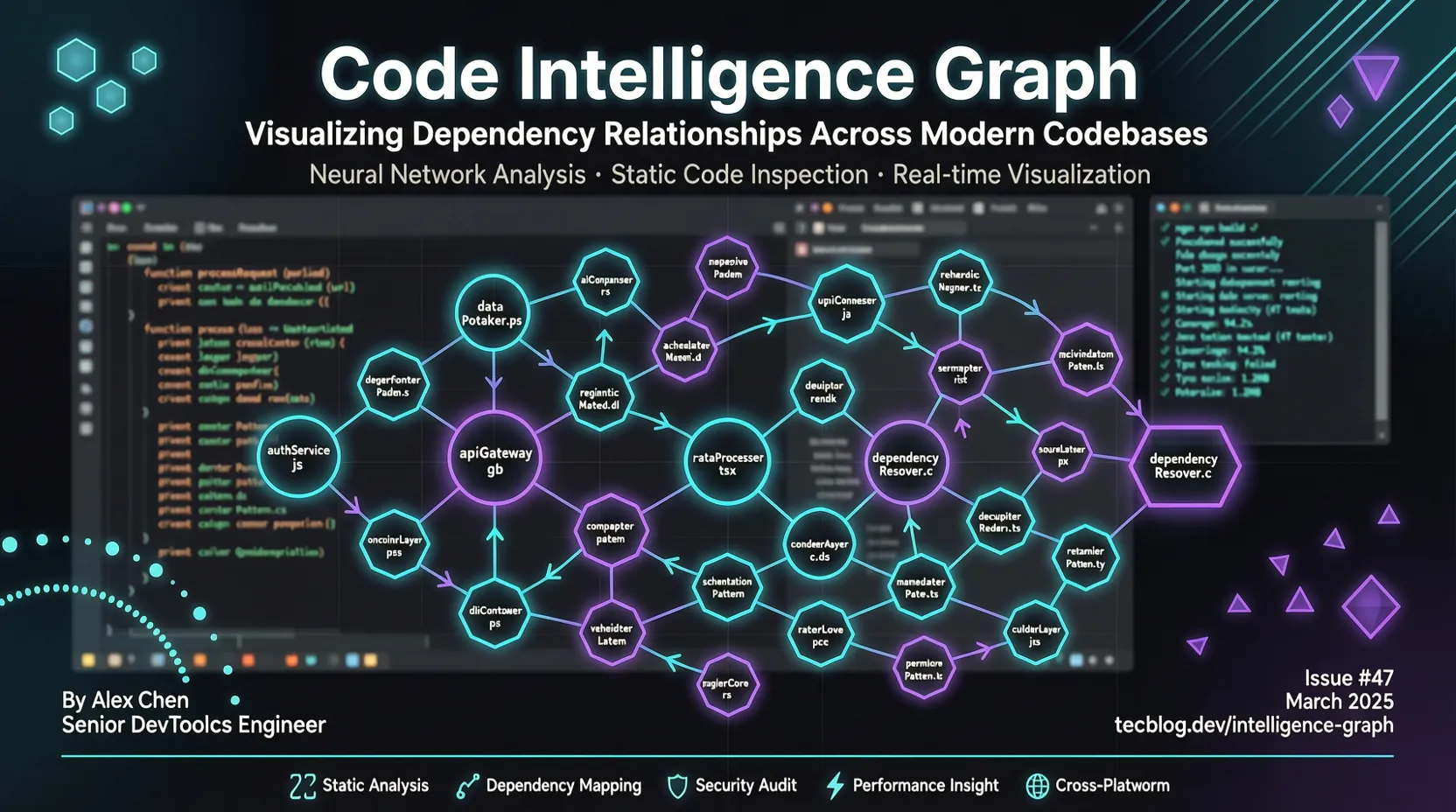
Code Review Graph: Spare 82-mal Token bei KI-Codierungstools mit Code-Graphen
TL;DR: KI-Codierungstools (Claude Code, Cursor, Copilot) lesen beim Code-Review die gesamte Codebasis erneut – das verschwendet massiv Token. code-review-graph nutzt Tree-sitter, um einen strukturellen Code-Graphen aufzubauen und liefert über das MCP-Protokoll präzisen Kontext an KI-Tools. Im Test wurde der Token-Verbrauch um das 82-fache reduziert.
Was ist dieses Projekt?
code-review-graph ist ein lokal priorisiertes Code-Intelligenz-Graph-Tool. Heute (2026-07-21) hat es Platz 1 auf GitHub Trending erreicht – 1.876 neue Sterne in 24 Stunden, insgesamt über 22.900 Sterne.
Das Kernproblem: Wenn du Claude Code oder Cursor für Code-Reviews verwendest, liest die KI massenhaft Codedateien erneut – selbst wenn nur eine Funktion geändert wurde. Bei großen Projekten bedeutet das zehntausende oder sogar hunderttausende Token pro Review.
Die Lösung: code-review-graph parst Code mit Tree-sitter in ASTs (abstrakte Syntaxbäume) und baut einen Graphen aus Funktionen, Klassen, Imports und Aufrufbeziehungen auf. Bei Dateiänderungen verfolgt der Graph alle Aufrufer, Abhängigkeiten und betroffenen Tests. Er berechnet den „Explosionsradius" – die KI muss nur diese relevanten Dateien lesen, nicht die gesamte Codebasis.
Testergebnisse: - Median Token-Reduktion: 82-fach (getestet in 6 Open-Source-Projekten) - Bester Fall: FastAPI-Projekt mit 528-facher Reduktion (950.000 Token → 2.169 Token) - Inkrementelles Update: 2.900-Dateien-Projekt in unter 2 Sekunden neu indiziert
Installation und Konfiguration
Systemanforderungen
- Python 3.10+
- Git- oder SVN-Repository
- Empfohlen: uv installieren (schnellerer Paketmanager)
One-Click-Installation
# code-review-graph installieren
pip install code-review-graph
# oder mit pipx
pipx install code-review-graph

# Automatisch alle unterstützten KI-Codierungstools erkennen und konfigurieren
code-review-graph install

# Code-Graphen aufbauen (erster Lauf ca. 10 Sek./500 Dateien)
code-review-graph build
Der install-Befehl erkennt automatisch, welche KI-Codierungstools installiert sind (Claude Code, Cursor, Copilot, Gemini CLI, Codex, Kiro usw.), schreibt für jedes Tool die korrekte MCP-Konfiguration, installiert plattformnative Hooks/Skills und injiziert graphenbewusste Anweisungen.
Plattformspezifische Konfiguration
Wenn du nur ein bestimmtes Tool konfigurieren möchtest:
# Nur Claude Code konfigurieren
code-review-graph install --platform claude-code

# Nur Cursor konfigurieren
code-review-graph install --platform cursor

# Nur GitHub Copilot konfigurieren
code-review-graph install --platform copilot

# Nur Gemini CLI konfigurieren
code-review-graph install --platform gemini-cli
Nach der Installation starte deinen Editor oder dein KI-Tool neu.
Schnellstart
Schritt 1: Graphen aufbauen
Wechsle ins Stammverzeichnis deines Projekts und führe aus:
cd /path/to/your/project
code-review-graph build
Beim ersten Aufbau werden alle Codedateien geparst – Funktionen, Klassen, Imports und Aufrufbeziehungen werden extrahiert und als Graph-Datenbank gespeichert. Ein 500-Dateien-Projekt dauert etwa 10 Sekunden.
Schritt 2: KI-Tool verwenden
Öffne dein KI-Codierungstool (Claude Code, Cursor usw.) und frage direkt:
Build the code review graph for this project
Die KI queried den Graphen über das MCP-Protokoll und erhält präzisen Code-Kontext.
Schritt 3: Code-Review
Wenn du ein PR-Review durchführst, macht dein KI-Tool automatisch folgendes: 1. Geänderte Dateien erkennen 2. Graph abfragen – alle Aufrufer, Abhängigkeiten und betroffenen Tests finden 3. Nur diese relevanten Dateien lesen (statt der gesamten Codebasis) 4. Präzise Review-Kommentare generieren
Beispielszenario: Du änderst die validate_token()-Funktion in auth.py. Der Graph verfolgt:
- Alle Dateien, die validate_token() aufrufen
- Klassen, die von relevanten Basisklassen erben
- Zugehörige Testdateien
- Andere Module, die von diesen Dateien abhängen
Die KI muss nur diese Dateien lesen (typischerweise 10–20), nicht die gesamte Codebasis (möglicherweise Tausende von Dateien).
Erweiterte Funktionen
MCP-Integration – So funktioniert's
code-review-graph kommuniziert über MCP (Model Context Protocol) mit KI-Tools. MCP ist ein offenes Protokoll, das KI-Modellen den Zugriff auf externe Tools und Datenquellen ermöglicht.
Ablauf: 1. KI-Tool erhält eine Code-Review-Anfrage 2. Ruft über MCP die Tools von code-review-graph auf 3. code-review-graph queried den Graphen und liefert die minimale Dateimenge 4. Die KI liest nur diese Dateien und generiert das Review
Unterstützte MCP-Tools (30+):
- get_review_context: Review-Kontext abrufen
- get_blast_radius: Änderungsauswirkungen ermitteln
- get_callers: Funktionsaufrufer finden
- get_dependencies: Datei-Abhängigkeiten abrufen
- get_test_coverage: Testabdeckung prüfen
- ...
GitHub Action-Integration
code-review-graph bietet eine offizielle GitHub Action, die automatisch Code-Review-Kommentare auf PRs generiert.
# .github/workflows/code-review-graph.yml
name: Code Review Graph
on:
  pull_request:

permissions:
  contents: read
  pull-requests: write

jobs:
  review:
    runs-on: ubuntu-latest
    steps:
      - uses: actions/checkout@v7
      - uses: tirth8205/code-review-graph@v2.3.6
        with:
          github-token: ${{ secrets.GITHUB_TOKEN }}
Funktionen:
- Jeder PR erhält automatisch einen Sticky-Kommentar
- Enthält risikobewertete Funktionen, betroffene Ausführungsflüsse und Testlücken
- Kommentar wird bei jedem Push automatisch aktualisiert
- Optionaler fail-on-risk-Input, um Review als Merge-Gate zu nutzen
Lokal priorisiert: Der Wissensgraph wird vollständig auf dem CI-Runner aufgebaut und abgefragt – der Quellcode wird an keinen externen Dienst gesendet.
Inkrementelle Updates und Watch-Modus
Mit aktivierten Hooks oder Watch-Modus lösen Datei-Speicherungen und Commit-Hooks inkrementelle Updates aus:
# Watch-Modus aktivieren (automatisches Update beim Speichern)
code-review-graph watch

# Pre-Commit-Hook aktivieren
code-review-graph install --hooks
Ablauf inkrementeller Updates: 1. Geänderte Dateien erkennen 2. Per SHA-256-Hash prüfen, welche Abhängigkeiten betroffen sind 3. Nur geänderte Dateien erneut parsen 4. Graph-Datenbank aktualisieren
Bei einem 2.900-Dateien-Projekt dauert das inkrementelle Update unter 2 Sekunden.
Benutzerdefinierte Sprachunterstützung
code-review-graph unterstützt 40+ Programmiersprachen (Python, JavaScript/TypeScript, Go, Rust, Java, C/C++, C#, Ruby, Kotlin, Swift usw.).
Wenn dein Projekt eine nicht unterstützte Sprache verwendet, kannst du sie in .code-review-graph/languages.toml selbst definieren:
[languages.erlang]
extensions = [".erl"]
grammar = "erlang"
function_node_types = ["function_clause"]
class_node_types = ["record_decl"]
import_node_types = ["import_attribute"]
call_node_types = ["call"]
Tree-sitter-Parser kümmern sich automatisch um die Extraktion – keine Code-Änderungen nötig. Details unter docs/CUSTOM_LANGUAGES.md.
Deinstallation
# Deinstallation im Vorschaumodus
code-review-graph uninstall --dry-run

# Bestätigen und deinstallieren
code-review-graph uninstall

# Bestätigung überspringen
code-review-graph uninstall --yes

# Alle Repositories bereinigen
code-review-graph uninstall --all-repos

# Graph-Datenbank behalten
code-review-graph uninstall --keep-data
Die Deinstallation entfernt nur code-review-graph-spezifische Dateien und Konfigurationen – andere MCP-Server oder Tools bleiben unberührt.
Leistungsdaten
code-review-graph wurde in 6 echten Open-Source-Projekten getestet (13 Commits):
| Projekt | Codebasis-Token | Graph-Query-Token | Reduktion |
|---|---|---|---|
| FastAPI | 951.071 | 2.169 | 528,4x |
| code-review-graph | 208.821 | 2.495 | 93,0x |
| Gin | 166.868 | 1.990 | 91,8x |
| Flask | 125.022 | 1.986 | 71,4x |
| Express | 135.955 | 3.465 | 40,6x |
| httpx | 89.492 | 2.438 | 38,0x |
Median: 82-fache Reduktion
Hinweis: Die 528-fache Reduktion ist der Best-Case (FastAPI, größte Codebasis), nicht das typische Ergebnis. Die tatsächliche Reduktion hängt von Projektgröße und Query-Typ ab.
Vergleichsbasis: Die „gesamte Codebasis" oben ist ein theoretisches Maximum – in der Praxis würden KI-Tools nach Identifiern greppen und nur die passendsten Dateien lesen. Der Vorteil von code-review-graph: - Präzise Abhängigkeitsverfolgung (nicht nur Text-Matching) - Inklusive Aufrufketten, Vererbungsbeziehungen, Testabdeckung - Inkrementelle Updates, kein wiederholtes Parsen
Einsatzszenarien
Gut geeignet für
- Große Codebasen: Projekte mit 1000+ Dateien, wo Token-Verschwendung am stärksten ins Gewicht fällt
- Häufige Code-Reviews: Teams mit mehreren PRs pro Tag
- Monorepos: Riesenprojekte mit 27.700+ Dateien
- CI/CD-Integration: Automatisierte Code-Review-Gates
- Mehrsprachige Projekte: 40+ unterstützte Sprachen
Weniger geeignet für
- Kleine Projekte: Unter 100 Dateien – der Token-Verbrauch ist ohnehin gering
- Reine Frontend-Projekte: Ohne komplexe Abhängigkeiten ist der Nutzen begrenzt
- Non-Git/SVN-Projekte: Derzeit nur Git und SVN unterstützt
Fazit
code-review-graph löst einen zentralen Schmerzpunkt von KI-Codierungstools: Token-Verschwendung. Durch den Aufbau eines Code-Strukturgraphen können KI-Tools präzise Kontextinformationen erhalten, statt die gesamte Codebasis erneut zu lesen.
Kernvorteile: - ✅ Token sparen: Median 82-fache Reduktion, niedrigere API-Kosten - ✅ Präzise Reviews: Abhängigkeitsverfolgung, keine übersehenen Auswirkungen - ✅ Lokal priorisiert: Code verlässt nicht den lokalen Rechner, sicher und konform - ✅ Inkrementelle Updates: Großprojekte in unter 2 Sekunden neu indiziert - ✅ Breite Integration: Claude Code, Cursor, Copilot, Gemini CLI und mehr - ✅ GitHub Action: Automatisiertes PR-Review
Nächste Schritte: 1. Installiere code-review-graph in deinem Projekt 2. Baue den Graphen auf und erlebe die Token-Ersparnis 3. Integriere in CI/CD für automatisierte Code-Reviews 4. Lies die offizielle Dokumentation für erweiterte Anwendungsfälle
Projektlinks: - GitHub: tirth8205/code-review-graph - Website: code-review-graph.com - Discord: Community beitreten
Weiterführende Artikel: - Claude Code mit DeepSeek V4 verbinden – KI-Programmieranleitung im Terminal - Terminal-Emulatoren im Vergleich 2026: Ghostty vs Tabby vs Alacritty vs Kitty - OpenCode: Open-Source Terminal AI Coding Agent – Komplette Anleitung