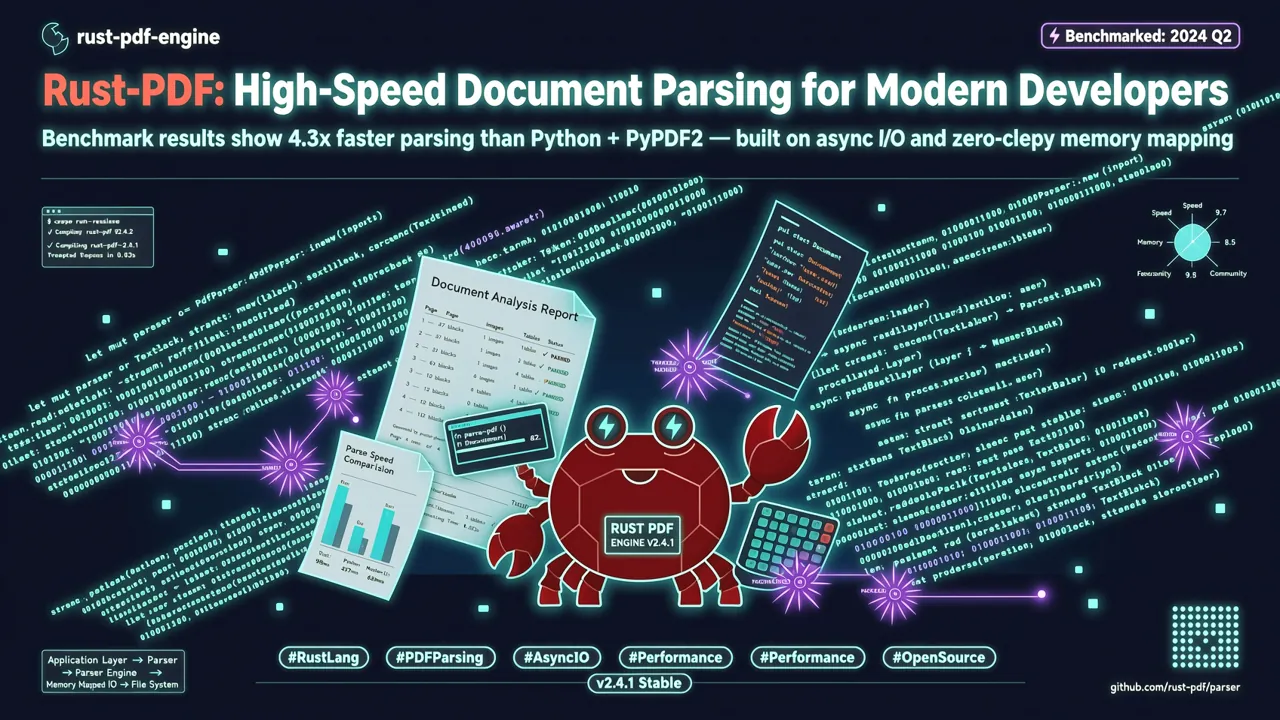
Introduction : les défis de l'analyse PDF
En tant que développeur, traiter des documents PDF est une nécessité incontournable — analyse de factures, extraction de contrats, scraping d'articles de recherche, archivage de données, presque chaque projet backend y est confronté. Mais l'analyse PDF reste depuis longtemps un casse-tête :
- Les services OCR sont coûteux : les API cloud OCR coûtent quelques centimes par page, et les coûts explosent à grande échelle
- Les solutions open source sont lentes : PyMuPDF4LLM met 17 secondes pour traiter 200 documents, MarkItDown en met 16
- Perte de formatage : les outils d'extraction traditionnels ne renvoient que du texte brut — hiérarchie des titres, structure des tableaux, blocs de code, tout disparaît
- Absence de routage intelligent : impossible de distinguer automatiquement les PDF scannés des PDF texte natifs, ce qui conduit à passer par l'OCR même pour les documents qui n'en ont pas besoin
En juillet 2026, la célèbre plateforme de scraping web Firecrawl a open sourcé une bibliothèque d'analyse PDF écrite en Rust : pdf-inspector. En seulement quelques semaines, elle a cumulé plus de 7 900 Stars, figurant parmi les trois premiers du classement quotidien GitHub Trending. Elle promet une classification et une extraction de texte PDF locales en moins de 200 ms, avec une sortie Markdown structurée — sans OCR, sans service externe.
Voyons en détail ce projet et comprenons comment il parvient à surpasser les solutions existantes en termes de performances.
Qu'est-ce que pdf-inspector ?
pdf-inspector est une bibliothèque de classification et d'extraction de texte PDF écrite en Rust par l'équipe Firecrawl. Ses capacités principales incluent :
- Classification intelligente — Détection du type de PDF en 10 à 50 ms : texte natif (TextBased), scan (Scanned), image (ImageBased) ou mixte (Mixed), avec niveau de confiance et recommandations de routage OCR page par page
- Extraction de texte — Extraction avec conscience de la position, incluant les informations de police, les coordonnées X/Y, et l'ordre de lecture multi-colonnes automatique
- Conversion Markdown — Détection automatique des titres H1-H4, des listes, des blocs de code (détection de police à largeur fixe), des tableaux, du gras/italique, des liens URL et des sauts de page
- Détection de tableaux — Double mode de détection (détection rectangulaire basée sur les opérations de dessin PDF + détection heuristique basée sur l'alignement du texte), pour traiter parfaitement les rapports financiers et les tableaux multi-pages
- Support des polices CID — Décodage ToUnicode CMap, support des polices Type0/Identity-H, encodages UTF-16BE, UTF-8 et Latin-1
- Bindings multi-langages — Disponibles en Python, Node.js et WebAssembly pour navigateur
Pourquoi Rust ? Les abstractions à coût zéro et la sécurité mémoire de Rust permettent à pdf-inspector d'atteindre des vitesses d'analyse extrêmes sans dépendre de modèles ML ni de services externes. La bibliothèque n'a qu'une seule dépendance externe : lopdf (bibliothèque d'analyse PDF en Rust).
Comparaison de performances
Selon les benchmarks officiels sur Apple M4 Pro (200 documents, corpus opendataloader-bench) :
| Moteur | Score global | Ordre de lecture | Reconnaissance de tableaux | Reconnaissance de titres | Temps pour 200 documents |
|---|---|---|---|---|---|
| pdf-inspector | 0,875 | 0,915 | 0,814 | 0,788 | 0,470 s |
| LiteParse | 0,873 | 0,913 | 0,693 | 0,811 | 0,750 s |
| OpenDataLoader | 0,831 | 0,902 | 0,489 | 0,739 | 2,569 s |
| PyMuPDF4LLM | 0,735 | 0,886 | 0,401 | 0,424 | 17,169 s |
| MarkItDown | 0,589 | 0,844 | 0,273 | 0,000 | 16,117 s |
pdf-inspector domine en score global, ordre de lecture, reconnaissance de tableaux et vitesse — il est 36 fois plus rapide que PyMuPDF4LLM et 34 fois plus rapide que MarkItDown.
Installation
pdf-inspector prend en charge plusieurs méthodes d'installation, couvrant Rust, Python, Node.js et les environnements navigateur.
Rust (natif)
Ajoutez la dépendance dans votre Cargo.toml :
[dependencies]
pdf-inspector = "0.2"
Ou installez via la ligne de commande cargo :
cargo add pdf-inspector
Python
pdf-inspector fournit des bindings Python via maturin :
pip install maturin
git clone https://github.com/firecrawl/pdf-inspector.git
cd pdf-inspector
maturin develop --release
💡 Remarque : pdf-inspector n'est pas encore publié sur PyPI. L'installation doit se faire par compilation depuis les sources. L'équipe Firecrawl prévoit de publier un paquet PyPI une fois la version stable atteinte.
Node.js
npm install @firecrawl/pdf-inspector
WebAssembly pour navigateur
npm install @firecrawl/pdf-inspector-wasm
La version Wasm intègre l'analyseur Rust complet dans le navigateur et peut s'exécuter dans un Web Worker, sans aller-retour serveur.
Prise en main rapide
Exemple Python
Après l'installation, l'utilisation est très simple — un seul appel de fonction suffit :
import pdf_inspector

# Traiter un fichier PDF
result = pdf_inspector.process_pdf("document.pdf")

# Afficher la classification du type de PDF
print(f"Type de PDF : {result.pdf_type}")
# Sortie : "text_based", "scanned", "image_based", ou "mixed"

# Obtenir la sortie Markdown
if result.markdown:
    print(result.markdown)
C'est aussi simple que ça. Une seule ligne de code pour la classification + l'extraction + la conversion Markdown.
Exemple Node.js
const { processPdf } = require('@firecrawl/pdf-inspector');
const fs = require('fs');

async function analyzePdf(filePath) {
  const pdfBuffer = fs.readFileSync(filePath);
  const result = await processPdf(pdfBuffer);

  console.log('Type de PDF :', result.pdfType);
  console.log('Confiance :', result.confidence);
  console.log('--- Sortie Markdown ---');
  console.log(result.markdown);
}

analyzePdf('report.pdf');
Exemple Rust natif
use pdf_inspector::{PdfInspector, ProcessPdfResult};

fn main() -> Result<(), Box<dyn std::error::Error>> {
    let inspector = PdfInspector::new();
    let result: ProcessPdfResult = inspector.process_pdf_path("document.pdf")?;

    println!("Type de PDF : {:?}", result.pdf_type);
    println!("Confiance : {:.2}", result.confidence);

    if let Some(markdown) = result.markdown {
        println!("Markdown :\n{}", markdown);
    }

    Ok(())
}
Fonctionnalités principales en détail
1. Classification intelligente : éviter les coûts OCR inutiles
L'une des fonctionnalités les plus pratiques de pdf-inspector est la classification automatique. En échantillonnant les flux de contenu du PDF, il détermine le type de document en 10 à 50 ms :
| Type | Description | Stratégie recommandée |
|---|---|---|
text_based |
PDF texte natif, avec des flux de texte extractibles | Extraire directement avec pdf-inspector, ignorer l'OCR |
scanned |
Document numérisé (pages images) | Nécessite un service OCR |
image_based |
PDF principalement composé d'images (ex. : collections de captures d'écran) | Nécessite OCR ou traitement d'image |
mixed |
Type mixte (certaines pages ont du texte, d'autres sont scannées) | Décider page par page : extraire directement les pages texte, appeler l'OCR pour les pages scannées |
Scénario pratique : construire un pipeline de traitement PDF intelligent
import pdf_inspector
# Supposons que vous ayez votre propre fonction OCR
def smart_pdf_pipeline(pdf_path, ocr_function):
    result = pdf_inspector.process_pdf(pdf_path)

    if result.pdf_type == "text_based":
        # Texte natif, extraction directe — rapide, gratuit, précis
        print("✅ PDF texte natif, extraction directe")
        return result.markdown

    elif result.pdf_type == "scanned":
        # Document scanné, appel à l'OCR
        print("🔍 PDF scanné, appel OCR")
        return ocr_function(pdf_path)

    elif result.pdf_type == "mixed":
        # Type mixte — traitement page par page
        print("📄 PDF mixte, routage page par page")
        pages = []
        for page_info in result.page_results:
            if page_info.needs_ocr:
                pages.append(ocr_function_for_page(pdf_path, page_info.page_number))
            else:
                pages.append(page_info.markdown)
        return "\n\n".join(pages)

    else:
        # Purement image, extraction de texte impossible
        print("❌ PDF image, extraction de texte impossible")
        return None
Ce pipeline permet de sauter entièrement l'OCR pour environ 54 % des PDF (type texte natif), réduisant considérablement les coûts et la latence de traitement.
2. Conversion Markdown : préserver la structure du document
La sortie Markdown de pdf-inspector n'est pas du simple texte brut — elle identifie intelligemment et conserve la structure du document :
- Hiérarchie des titres (H1-H4) : déduite automatiquement par les ratios de taille de police
- Listes : détection automatique des listes à puces, numérotées et alphabétiques
- Blocs de code : marqués automatiquement grâce à la détection des polices à largeur fixe
- Tableaux : support de la détection rectangulaire et heuristique, pour les rapports financiers et les tableaux multi-pages
- Gras/italique : conservation du formatage
- Liens URL : identification et conversion automatiques en liens Markdown
- Sauts de page : séparés par
---entre les pages
Voyons le résultat concret avec un article académique PDF :
# Deep Learning Approaches for Natural Language Processing

## 1. Introduction

Natural language processing (NLP) has seen remarkable progress in recent years...

### 1.1 Background

The transformer architecture, introduced by Vaswani et al., has become...

## 2. Methodology

| Model | BLEU Score | Training Time |
|-------|-----------|---------------|
| Transformer | 38.2 | 12 hours |
| BERT | 41.0 | 24 hours |
| GPT-4 | 45.7 | 72 hours |

## 3. Results

The experimental results demonstrate...

> **Note :** All experiments were conducted on...
Hiérarchie des titres, tableaux, blocs de citation — tout est conservé intégralement, ce qui est bien supérieur aux outils d'extraction PDF traditionnels qui ne produisent que du texte brut.
3. Détection multi-colonnes et ordre de lecture
De nombreux PDF (articles, journaux, magazines) utilisent une mise en page multi-colonnes. pdf-inspector détecte automatiquement la structure en colonnes et extrait dans le bon ordre de lecture :
result = pdf_inspector.process_pdf("newspaper.pdf")

# pdf-inspector détecte automatiquement les mises en page deux/trois colonnes
# et produit la sortie dans le bon ordre : de haut en bas, de gauche à droite
print(result.markdown)
Il prend également en charge les textes RTL (de droite à gauche), adaptés aux documents en arabe, hébreu, etc.
4. Polices CID et détection des problèmes d'encodage
Lors du traitement de PDF en chinois, japonais ou coréen, les encodages de polices posent souvent problème. pdf-inspector prend en charge le décodage ToUnicode CMap et gère correctement :
- Les polices Type0 / Identity-H
- Les encodages UTF-16BE, UTF-8 et Latin-1
- Le marquage automatique des encodages de polices corrompus
Cela signifie que lors du traitement de PDF en langues CJK, il peut vous indiquer quelles pages risquent d'avoir des caractères illisibles, vous permettant de décider à l'avance si un repli vers l'OCR est nécessaire.
Cas pratiques avancés : construire un service de traitement PDF
Construisons un microservice complet de traitement PDF intégrant la classification intelligente de pdf-inspector.
Scénario : système d'archivage de documents
Imaginons que vous mettiez en place un système interne d'archivage de documents en entreprise, traitant chaque jour des centaines de PDF (contrats, factures, rapports, etc.) :
# pdf_service.py
import os
import json
from datetime import datetime
import pdf_inspector

class PdfProcessingService:
    def __init__(self, output_dir="./processed"):
        self.output_dir = output_dir
        os.makedirs(output_dir, exist_ok=True)

    def process_batch(self, pdf_files):
        """Traiter un lot de fichiers PDF"""
        results = []
        for pdf_path in pdf_files:
            result = self.process_single(pdf_path)
            results.append(result)
        return results

    def process_single(self, pdf_path):
        """Traiter un fichier PDF individuel"""
        filename = os.path.basename(pdf_path)
        pdf_result = pdf_inspector.process_pdf(pdf_path)

        # Extraire les métadonnées
        metadata = {
            "filename": filename,
            "pdf_type": pdf_result.pdf_type,
            "confidence": pdf_result.confidence,
            "processed_at": datetime.now().isoformat(),
            "pages_count": len(pdf_result.page_results) if hasattr(pdf_result, 'page_results') else 0,
            "needs_ocr": pdf_result.pdf_type in ("scanned", "image_based"),
        }

        # Sauvegarder la sortie Markdown
        if pdf_result.markdown:
            md_filename = filename.replace(".pdf", ".md")
            md_path = os.path.join(self.output_dir, md_filename)
            with open(md_path, "w", encoding="utf-8") as f:
                f.write(pdf_result.markdown)
            metadata["markdown_path"] = md_path

        # Sauvegarder les métadonnées
        meta_path = os.path.join(
            self.output_dir,
            filename.replace(".pdf", ".meta.json")
        )
        with open(meta_path, "w", encoding="utf-8") as f:
            json.dump(metadata, f, ensure_ascii=False, indent=2)

        return metadata

# Exemple d'utilisation
service = PdfProcessingService(output_dir="./output")

# Traitement par lot
pdf_files = [
    "contracts/contract_2026_001.pdf",
    "invoices/invoice_aug_2026.pdf",
    "reports/q2_financial_report.pdf",
]

results = service.process_batch(pdf_files)
for r in results:
    status = "OCR requis" if r["needs_ocr"] else "Extraction directe"
    print(f"{r['filename']} : {r['pdf_type']} ({status})")
Scénario : intégration avec un pipeline d'analyse de documents par LLM
Le Markdown de haute qualité produit par pdf-inspector peut être directement envoyé à un LLM pour analyse :
import pdf_inspector
# Supposons que vous utilisiez une API compatible OpenAI
from openai import OpenAI

def analyze_pdf_with_llm(pdf_path, prompt="Résumez le contenu principal de ce document"):
    """Analyser le contenu d'un PDF avec un LLM"""
    # 1. Extraire le Markdown avec pdf-inspector
    result = pdf_inspector.process_pdf(pdf_path)

    if not result.markdown:
        return "Impossible d'extraire le contenu texte, OCR probablement nécessaire"

    # 2. Si le document est trop long, tronquer aux 8 000 premiers caractères
    markdown_content = result.markdown[:8000]

    # 3. Appeler le LLM pour l'analyse
    client = OpenAI(api_key="VOTRE_CLE_API")
    response = client.chat.completions.create(
        model="gpt-4o",
        messages=[
            {"role": "system", "content": "Vous êtes un assistant d'analyse de documents."},
            {"role": "user", "content": f"Veuillez {prompt} en vous basant sur le contenu suivant :\n\n{markdown_content}"}
        ]
    )

    return response.choices[0].message.content

# Utilisation
summary = analyze_pdf_with_llm("annual_report.pdf", "extrayez les indicateurs financiers clés")
print(summary)
Ce type de pipeline est particulièrement utile dans les systèmes RAG (Retrieval-Augmented Generation) — on extrait d'abord le texte structuré rapidement avec pdf-inspector, puis on le vectorise pour le stocker dans une base de connaissances.
Comparaison avec d'autres solutions
pdf-inspector vs PyMuPDF4LLM
| Critère | pdf-inspector | PyMuPDF4LLM |
|---|---|---|
| Langage | Rust | Python (bindings C) |
| Score global | 0,875 | 0,735 |
| Reconnaissance de tableaux | 0,814 | 0,401 |
| Vitesse (200 documents) | 0,47 s | 17,169 s |
| Structure Markdown | ✅ Conservée intégralement | ⚠️ Partiellement perdue |
| Classification intelligente | ✅ Intégrée | ❌ Absente |
| Wasm navigateur | ✅ Supporté | ❌ Non supporté |
pdf-inspector vs MarkItDown (Microsoft)
| Critère | pdf-inspector | MarkItDown |
|---|---|---|
| Score global | 0,875 | 0,589 |
| Reconnaissance de titres | 0,788 | 0,000 |
| Vitesse (200 documents) | 0,47 s | 16,117 s |
| Bindings multi-langages | Python/Node/Wasm | Python |
| Spécialisation | Analyse PDF dédiée | Conversion de documents générique |
Quand utiliser pdf-inspector, et quand utiliser l'OCR ?
- Utilisez pdf-inspector : pour les PDF texte natifs, rapports, articles de recherche, contrats, factures — tout document avec des flux de texte extractibles
- Utilisez l'OCR : pour les documents scannés, PDF purement images, documents manuscrits
- Utilisation mixte : classez d'abord avec pdf-inspector, extrayez directement les
text_based, passez par l'OCR pour lesscanned/image_based— c'est exactement la stratégie de routage conçue par pdf-inspector
Informations sur le projet et communauté
- GitHub : firecrawl/pdf-inspector
- Stars : 7 900+ (lancé en juillet 2026, croissance soutenue)
- Licence : Apache-2.0 (compatible usage commercial)
- Langage : Rust
- Écosystème : Produit Firecrawl (plateforme de scraping web renommée, également à l'origine du moteur de爬虫 open source firecrawl)
Canaux d'installation
| Plateforme | Méthode d'installation |
|---|---|
| Rust | crates.io/crates/pdf-inspector |
| Python | Compilation depuis les sources (maturin develop --release) |
| Node.js | npm install @firecrawl/pdf-inspector |
| Navigateur | npm install @firecrawl/pdf-inspector-wasm |
Conclusion
pdf-inspector comble un vide important — une solution d'analyse PDF légère, rapide et locale. Elle ne nécessite aucun modèle ML, aucun service externe, est implémentée en Rust pur, et atteint des vitesses largement supérieures aux outils comparables tout en maintenant une haute précision.
Résumé des avantages clés :
- 🚀 Vitesse extrême — Analyse en ~200 ms, 36 fois plus rapide que PyMuPDF4LLM
- 🧠 Classification intelligente — Distinction automatique des PDF texte/scan/image, optimisation du routage OCR
- 📐 Préservation de la structure — Titres, tableaux, blocs de code, listes conservés intégralement en Markdown
- 🔒 100 % local — Aucune dépendance externe, aucun appel API, les données ne quittent jamais la machine
- 🌐 Multi-plateforme — Couverture complète Rust/Python/Node.js/Wasm navigateur
Si vous construisez un pipeline de traitement de documents, un système RAG ou toute application nécessitant l'analyse de PDF, pdf-inspector mérite sa place dans votre stack technique. En particulier pour les scénarios dominés par les PDF texte natifs, il vous évitera des coûts et une latence OCR considérables.
🔗 Liens utiles - GitHub : firecrawl/pdf-inspector - Documentation Python : docs/python.md - Benchmarks : opendataloader-bench - Firecrawl : firecrawl.dev