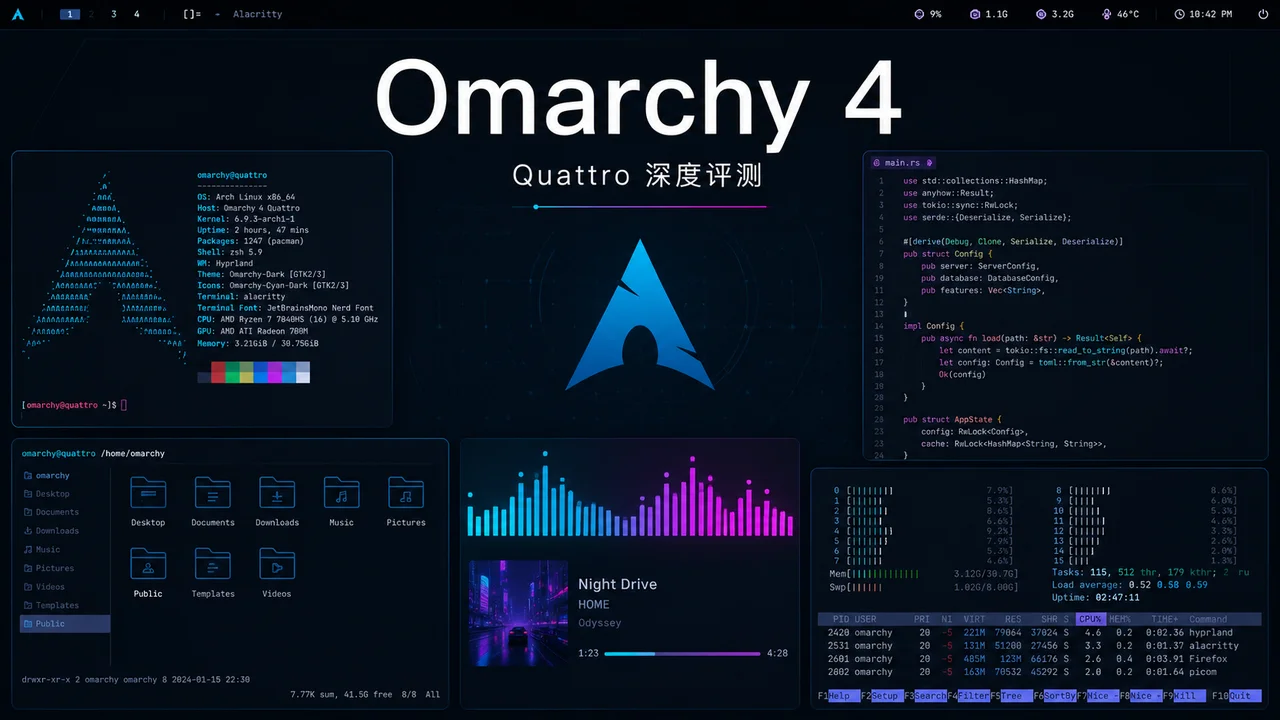
1. Omarchy란? Rails 교주의 리눅스 이상향
Ruby on Rails나 Basecamp에 관심이 있다면 DHH(David Heinemeier Hansson)를 반드시 알고 있을 것이다. 소프트웨어계의 '록 스타'인 그는 웹 개발 업계 전체에 영향을 미친 Rails 프레임워크를 만들었을 뿐만 아니라, 열렬한 리눅스 데스크톱 유저이자 생산성 도구 애호가이기도 하다. 2025년 6월, DHH는 GitHub에 Omarchy를 공개했다. Arch Linux 기반의 데스크톱 배포판으로, 슬로건은 "Beautiful, Modern & Opinionated Linux"다.
2026년 8월 현재, Omarchy는 GitHub에서 26,300개 이상의 Star, 2,681개의 Fork, 900개 이상의 Open Issue를 기록하고 있다. 매우 활발한 커뮤니티 프로젝트다.
DHH는 왜 Omarchy를 만들었나?
DHH는 여러 팟캐스트와 블로그 글에서 자신의 동기를 설명한 바 있다. 오랜 Mac 유저인 그는 Apple 생태계의 폐쇄적 흐름에 점점 더 불만을 품게 되었다. 동시에, 주류 리눅스 데스크톱 경험은 너무 파편화되었거나(순수 Arch) 너무 보수적(Ubuntu/Fedora)이며, "설치 직후부터 바로 쓸 수 있고, 미적으로 뛰어나며, 개발자 친화적인" 선택지가 부족하다고 생각했다.
Omarchy라는 이름은 일본어 '오마카세(おまかせ)'에서 유래했으며, "셰프에게 맡긴다"는 뜻이다. 이는 디자인 철학을 완벽하게体现한다: 시스템을 구성하는 데 수십 시간을 쓸 필요가 없다. DHH가 이미 최적의 조합을 골라두었다.
Cloudflare 후원과 커뮤니티 열기
Omarchy의 출시는 Hacker News에서 큰 화제를 불러일으켰다. Cloudflare가 후원한 글은 776포인트를, 또 다른 "Omarchy Is Out" 글은 215포인트를 기록했다. 커뮤니티는 DHH가 직접 리눅스 배포판을 만든다는 사실에 흥분과 호기심을 동시에 보였다. 웹 프레임워크 창시자가 운영체제를 만든다는 것 자체가 매우 극적인 일이기 때문이다.
포지셔닝: 모두를 위한 리눅스가 아니다
Omarchy는 자신의 포지셔닝을 명확히 했다:
- Beautiful: 테마부터 애니메이션까지, 모든 디테일이 연마되어 있다
- Modern: Wayland + Hyprland 기반, X11의 유물이 아니다
- Opinionated: DHH가 모든 선택을 대신해 주며, 당신은 받아들이거나 떠나거나 둘 중 하나
이것은 Ubuntu처럼 모든 사람을 만족시키려는 범용 배포판이 아니라, "안목을 갖춘 기술인"을 위한 전용 도구다.
Omarchy 기술 스택 한눈에 보기
Omarchy의 기반 기술 선택은 매우 현대적이다:
| 구성 요소 | 선택 | 설명 |
|---|---|---|
| 기반 배포판 | Arch Linux | 롤링 업데이트, AUR 생태계 |
| 디스플레이 프로토콜 | Wayland | 오래된 X11 대체 |
| 윈도우 매니저 | Hyprland | 애니메이션이 풍부한 타일링 매니저 |
| 데스크톱 쉘 | Quickshell | Quattro에서 추가된 통합 쉘 |
| 터미널 | Foot | 경량 Wayland 터미널 |
| 에디터 | Neovim | 터미널 에디터 |
| 브라우저 | Chromium | 오픈소스 Chrome |
| 파일 매니저 | Thunar | 경량 GTK 파일 매니저 |
| 패키지 매니저 | pacman + yay | Arch 공식 + AUR |
| 초기화 시스템 | systemd | 리눅스 표준 |
이 조합은 Omarchy가 기술적으로 항상 최전선에 서 있도록 보장한다. Wayland가 X11을 대체하고, Hyprland이 전통적 데스크톱을 대체하며, Quickshell이 데스크톱 쉘을 통합한다. 모든 선택은 DHH의 '현대성'에 대한 집착을 보여준다.
2. Omarchy 4 (Quattro) 신규 기능: 역대 최대 업데이트
2026년 8월 14일, Omarchy 4(코드명 Quattro)가 정식 출시되었다. DHH는 릴리스 노트에서 "프로젝트 시작 이후 가장 큰 업데이트"라고 밝혔다. 이번 업데이트의 핵심은 Quickshell로 데스크톱 쉘 전체를 재작성한 것이다.
2.1 Quickshell: 통합 데스크톱 쉘
v3 시대에는 Omarchy가 Waybar(상태 바), Walker(런처), Mako(알림), SwayOSD(화면 표시), hyprlock(잠금 화면) 등 여러 독립 도구를 사용했다. 이 조합은 유연하지만, 테마 일관성이 부족하고 IPC 통신이 복잡했다.
Quattro는 이 모든 것을 Quickshell로 대체했다. 상주 프로세스 하나로 플러그인 아키텍처를 통해 통합 관리한다:
- 상태 바(모든 화면 가장자리로 드래그 가능)
- 런처(퍼지 매칭 + 이니셜 약어)
- 알림 센터(히스토리 재생 지원)
- 잠금 화면(지문 인식 지원)
- 컨트롤 패널(오디오, 블루투스, 네트워크, 디스플레이, 전원)
- Polkit 인증 에이전트
즉, 데스크톱 쉘 전체가 이제 일관되고, 테마 적용 가능하며, IPC 스크립팅이 가능한 시스템이 되었다.
사용자에게 어떤 의미인가?
v3 시대에는 상태 바 스타일을 수정하려면 Waybar의 CSS를 편집해야 했고, 알림 팝업의 외관을 바꾸려면 Mako 설정 파일을 구성해야 했으며, 런처 테마를 변경하려면 Walker 설정을 조정해야 했다. 세 개의 도구, 세 가지 설정, 스타일을 통일하기도 어려웠다.
Quattro는 이 문제를 완전히 해결했다. 모든 시각적 요소가 Quickshell 내부에 있으며, 동일한 테마 변수를 공유한다. 테마를 전환하면 상태 바, 알림, 잠금 화면, 메뉴가 동시에 변경되고, 색상, 폰트, 모서리 둥글기가 완전히 일치한다. 이런 일관성은 이전의 어떤 리눅스 데스크톱 솔루션도 달성하기 어려웠던 것이다.
또한 Quickshell의 이벤트 드리븐 아키텍처는 눈에 띄는 성능 향상을 가져왔다. v3에서는 Waybar가 시스템 상태(배터리, 네트워크, 볼륨)를 폴링해야 해서, 데스크톱이 유휴 상태일 때도 CPU를 소모했다. Quattro는 시그널 드리븐 방식으로 변경되어, 상태가 실제로 변할 때만 UI를 업데이트하고 유휴 시 CPU 사용률이 거의 0에 가깝다.
2.2 성능 및 설치 최적화
- ISO 크기 1GB 이상 축소: 이제 6GB 미만
- 설치 속도 30% 향상: 고속 머신에서 1분 이내 설치 가능
- Hyprland 설정을 Lua로 마이그레이션: Hyprland 0.56+ 완전 호환
2.3 테마 시스템 업그레이드
- 색상 시스템을 8색에서 24색으로 확장: Neovim, VS Code, btop 테마 자동 생성 가능
- 시각적 테마 전환기:
SUPER + SHIFT + CTRL + SPACE로 미리보기가 있는 테마 캐러셀 열기 - 새 테마 추가: Last Horizon, Solitude, Lupine
2.4 기본 앱 업데이트
| 기존 앱 | 새 앱 | 설명 |
|---|---|---|
| Typora | Omawrite | DHH가 직접 만든 Markdown 에디터 |
| GNOME Calculator | Omacalc | 미니멀 계산기 |
| Satty | Tensaku | 이미지 주석 도구 |
| - | Omacut | 비디오 클리핑 도구 (ffmpeg 기반) |
| - | Foot | 더 가벼운 터미널 에뮬레이터 |
2.5 프로그래밍 에이전트 통합
Omarchy 4는 설정 가능한 기본 프로그래밍 에이전트를 도입했다:
- Claude Code, Codex, OpenCode, Pi, Gemini, Grok, Copilot 등 지원
SUPER + SHIFT + CTRL + A원클릭 실행~/Work디렉토리에서 시작되어 신뢰 관계가 올바르게 설정됨- 상태 바에 Claude/Codex 사용량 통계 표시
2.6 기타 하이라이트
- 듀얼 부팅 설치: 사용 가능한 공간이 있을 때 자동 듀얼 부팅 구성 (BitLocker 해제 필요)
- OEM 설치 모드: 다른 사람을 위해 시스템을 사전 설치하고, 첫 부팅 시 사용자 정보 구성
- 공장 초기화:
Setup > Reset Computer로 설치 시 스냅샷 상태로 복원 - 플러그인 시스템:
omarchy plugin add <git-url>로 서드파티 플러그인 설치 - 네트워크 패널 강화: 내장 ping, 실시간 트래픽 통계, 속도 테스트, DNS 선택
- 노트북 최적화: 개선된 덮개 처리, 외부 모니터 밝기 제어 (DDC/CI)
3. 설치 및 구성 실전
3.1 다운로드 및 준비
Omarchy 4 설치 ISO는 공식 웹사이트에서 다운로드할 수 있다:
# 다운로드 주소
https://iso.omarchy.org/omarchy-4.0.0.iso

# SHA256 체크섬
9224fab3720560f771969a99a499e5f7e0f8e2d6a0681d872d52f05fb5003da4
부팅 디스크 제작 권장 도구: - macOS/Windows: balenaEtcher - Linux: caligula
# Linux에서 caligula 사용
caligula omarchy-4.0.0.iso
중요 안내: 1. BIOS에서 Secure Boot과 TPM을 반드시 비활성화해야 한다 (Omarchy는 자체 보안 방식을 사용) 2. 유선 또는 2.4GHz 무선 키보드를 사용해야 한다 (블루투스 키보드는 암호화 비밀번호 입력 단계에서 사용 불가) 3. 전체 디스크 설치는 하드 디스크 전체를 지우므로 미리 백업해야 한다
3.2 설치 절차
부팅 후 Omarchy 설치 마법사가 다음 단계를 안내한다:
- 키보드 레이아웃 선택 (Ctrl+C로 OEM 모드 진입 가능)
- 언어 선택
- 시간대 구성
- 호스트명 설정
- 사용자 계정 및 비밀번호 생성
- 설치 대상 디스크 선택
- 설치 확인 (전체 디스크 암호화가 기본 활성화됨)
설치 과정은 보통 1~5분 내에 완료된다. 설치 완료 후 재부팅하고 암호화 비밀번호를 입력하면 시스템에 진입할 수 있다.
3.3 첫 부팅 구성
첫 로그인 후, Omarchy는 단축키 가이드를 표시한다. 먼저 다음 핵심 단축키를 익히는 것이 좋다:
| 단축키 | 기능 |
|---|---|
SUPER + SPACE |
Omarchy 메뉴 열기 (런처 + 명령 팔레트) |
SUPER + ALT + SPACE |
앱 런처만 |
SUPER + SHIFT + CTRL + SPACE |
테마 전환기 |
SUPER + CTRL + SPACE |
배경 전환기 |
SUPER + SHIFT + CTRL + A |
프로그래밍 에이전트 실행 |
SUPER + CTRL + A/B/W/D/P |
컨트롤 패널 열기 |
3.4 일반 소프트웨어 설치
Omarchy는 Arch Linux 기반이며, pacman과 yay(AUR 도우미)로 소프트웨어를 관리한다:
# 시스템 업데이트 (Omarchy 메뉴의 Update > Omarchy 권장)
omarchy update

# 소프트웨어 설치
sudo pacman -S firefox
yay -S visual-studio-code-bin

# 또는 Omarchy의 Install 메뉴 사용
# Setup > Install > 카테고리 선택
Omarchy 4는 Signal, Spotify, 1Password 등을 필요시 설치 방식으로 변경했으며, 기본적으로 핵심 도구만 유지하여 시스템 비대짐을 줄였다.
3.5 듀얼 부팅 설치 가이드
Omarchy 4는 듀얼 부팅 설치 지원을 추가했다. 하드 디스크에 미할당 공간이 있으면 설치 프로그램이 자동으로 감지하고 듀얼 부팅 옵션을 제공한다:
# 사전 조건
# 1. Windows에서 BitLocker 암호화 해제
# 2. 디스크 관리에서 볼륨을 축소하여 최소 50GB의 미할당 공간 확보
# 3. BIOS에서 Secure Boot 비활성화
설치 프로그램이 자동으로 GRUB 부팅 메뉴를 구성하며, 부팅 시 Windows와 Omarchy 중 선택할 수 있다.
3.6 v3에서 v4로 업그레이드
이미 Omarchy 3.x를 사용하고 있다면 다음 단계로 Quattro로 업그레이드할 수 있다:
# 단계 1: 먼저 최신 v3로 업데이트
# Omarchy 메뉴: Update > Omarchy

# 단계 2: Quattro 업그레이드 실행
# Omarchy 메뉴: Update > Omarchy to Quattro

# 업그레이드 완료 후 재부팅 필요
업그레이드 과정에서 구성이 자동으로 백업되고, Hyprland 설정이 Lua 형식으로 마이그레이션된다. 업그레이드에 문제가 발생하면 Snapper 스냅샷으로 롤백할 수 있다:
# 사용 가능한 스냅샷 확인
snapper list

# 지정된 스냅샷으로 롤백
sudo snapper rollback <스냅샷 번호>
4. Hyprland 타일링 윈도우 매니저: 효율성의 궁극적 형태
4.1 타일링 윈도우 매니저란?
전통적 데스크톱(Windows, macOS, GNOME)은 '부동 창' 모드를 사용한다. 창을 자유롭게 드래그하고, 겹치고, 크기를 조절할 수 있다. 직관적이지만 효율적이지 않다. 마우스로 끊임없이 창을 정리해야 하기 때문이다.
타일링 윈도우 매니저(Tiling Window Manager) 는 완전히 다른 접근 방식을 취한다. 창이 자동으로 배열되고, 겹치지 않으며, 화면 전체를 채운다. 키보드 단축키로 창을 전환, 분할, 이동하며,双手가 키보드를 떠날 일이 없다.
4.2 왜 Hyprland인가?
Hyprland는 현재 가장 활발한 Wayland 타일링 윈도우 매니저 중 하나다. 선배인 i3와 sway와 비교하면 뚜렷한 장점이 있다:
| 특성 | i3 | sway | Hyprland |
|---|---|---|---|
| 디스플레이 프로토콜 | X11 | Wayland | Wayland |
| 애니메이션 효과 | 없음 | 없음 | 풍부한 애니메이션과 전환 |
| 모서리 둥글기/블러 | 미지원 | 제한적 | 네이티브 지원 |
| 설정 언어 | 자체 형식 | 자체 형식 | Lua (Omarchy 4) |
| GPU 가속 | 아니오 | 아니오 | 예 |
| 활발한 유지보수 | 유지보수 모드 | 유지보수 모드 | 적극적 개발 |
Hyprland의 시각적 경험은 i3/sway를 훨씬 능가한다. 창 전환에 부드러운 애니메이션이 있고, 투명 블러 효과로 인터페이스가 더 현대적이며, 모서리 둥글기로 전체적으로 더 부드럽다. 미적 감각을 추구하는 사용자에게, 이것은 타일링 매니저가 처음으로 '예뻐진' 순간이다.
4.3 Omarchy 4의 Hyprland 설정
Omarchy 4는 Hyprland 설정을 Lua로 마이그레이션하여 코드가 더 간결하고 읽기 쉬워졌다:
-- 예시: Omarchy 4의 Lua 설정
o.bind("SUPER + SHIFT + W", "Omawrite", { launch = "omawrite" })
o.bind("SUPER + RETURN", "terminal")
o.bind("SUPER + Q", "close")
Omarchy는 실용적인 윈도우 관리 기능도 미리 제공한다:
SUPER + ALT + HOME: 현재 창 레이아웃 저장SUPER + HOME: 창 레이아웃 복원SUPER + ALT + [/]: 미리보기 창 크기 조절- 세밀한 창 조절 (±25px)과 대략적 조절 (±100px)
4.4 실제 사용 경험
일주일간 사용한 결과, Omarchy 4에서 Hyprland의 경험은 매우 원활했다:
장점: - 애니메이션이 부드럽고 버벅임이 없다 - 다중 워크스페이스 관리가 효율적 (기본 10개 워크스페이스) - Quickshell과 깊이 통합되어 상태 바 응답이 매우 빠르다 - 이벤트 드리븐 아키텍처로 유휴 시 CPU를 소모하지 않는다
학습 곡선: - 처음 2일은 단축키를 자주 찾아봐야 한다 - 3일째부터 근육 기억이 형성되기 시작한다 - 7일째면 이미 타일링 모드를 떠날 수 없게 된다
이전에 i3나 sway를 사용해 본 적이 있다면 Hyprland로의 마이그레이션은 거의 제로 코스트다. 타일링 매니저를 처음 접한다면, 오후 시간을 내어 Omarchy의 단축키 매뉴얼(SUPER + ALT + K로 열기)을 살펴보는 것을 권장한다.
5. 주류 배포판과의 비교
5.1 Omarchy vs Fedora Workstation
| 항목 | Omarchy 4 | Fedora 40 Workstation |
|---|---|---|
| 기반 | Arch Linux | Fedora (RPM) |
| 데스크톱 환경 | Hyprland (타일링) | GNOME (부동) |
| 소프트웨어 관리 | pacman + AUR | dnf |
| 업데이트 빈도 | 롤링 업데이트 | 6개월마다 메이저 버전 |
| 설치 직후 | 개발자 도구 완비 | 범용 도구 완비 |
| 학습 곡선 | 가파름 | 완만 |
| 안정성 | 간혹 파괴적 업데이트 | 매우 안정적 |
| 대상 사용자 | 고급 개발자 | 일반 사용자/개발자 |
선택 조언: 최신 패키지와 높은 커스터마이징을 추구한다면 Omarchy를 선택하고, 안정적인 프로덕션 환경이 필요하다면 Fedora를 선택하라.
5.2 Omarchy vs Ubuntu
| 항목 | Omarchy 4 | Ubuntu 24.04 LTS |
|---|---|---|
| 기반 | Arch Linux | Debian |
| 데스크톱 환경 | Hyprland | GNOME |
| 지원 기간 | 커뮤니티 지원 | 5년 LTS 지원 |
| 소프트웨어 생태계 | 방대한 AUR | Snap + deb |
| 게임 지원 | 보통 | 양호 (Steam 공식 지원) |
| 기업 지원 | 없음 | Canonical 상업 지원 |
| 미적 경험 | 우수 | 보통 |
선택 조언: Ubuntu는 상업적 지원과 게임 사용자에게 적합하며, Omarchy는 미적 감각과 효율성을 추구하는 개발자에게 적합하다.
5.3 Omarchy vs 순수 Arch Linux
| 항목 | Omarchy 4 | 순수 Arch Linux |
|---|---|---|
| 설치 난이도 | ISO 원클릭 설치 | 수동 명령줄 설치 |
| 데스크톱 구성 | DHH 프리셋 | 직접 구축 필요 |
| 테마 시스템 | 통합 테마 | 수동 구성 필요 |
| 업데이트 안전성 | ALPM 가드 + Snapper 스냅샷 | 보호 없음 |
| 커뮤니티 지원 | Discord 커뮤니티 | Arch Wiki + 포럼 |
선택 조언: Arch의 소프트웨어 관리를 좋아하지만 데스크톱 구성에 10시간을 쓰고 싶지 않다면, Omarchy가 최적의 선택이다. Arch의 핵심 장점(AUR, 롤링 업데이트)을 유지하면서 설치 후 바로 쓸 수 있는 데스크톱 경험을 제공한다.
5.4 종합 비교 요약
| 특성 | Omarchy 4 | Fedora 40 | Ubuntu 24.04 | 순수 Arch |
|---|---|---|---|---|
| 설치 난이도 | 쉬움 | 쉬움 | 쉬움 | 어려움 |
| 데스크톱 미적 감각 | 우수 | 보통 | 보통 | 수동 구성 필요 |
| 개발 경험 | 우수 | 양호 | 양호 | 우수 |
| 시스템 안정성 | 보통 | 우수 | 우수 | 보통 |
| 소프트웨어 최신성 | 최신 | 비교적 최신 | 비교적 오래됨 | 최신 |
| 커뮤니티 지원 | 활발 | 활발 | 가장 활발 | 가장 활발 |
| 기업 지원 | 없음 | Red Hat | Canonical | 없음 |
| 게임 지원 | 보통 | 양호 | 우수 | 보통 |
| 학습 곡선 | 가파름 | 완만 | 완만 | 가파름 |
최종 선택 조언: - Omarchy 선택: 개발자이며, 미적 감각과 효율성을 추구하며, 단축키 학습을 기꺼이 하고, 최신 소프트웨어를 선호 - Fedora 선택: 안정적이고 신뢰할 수 있는 개발 환경이 필요하며, 가끔 게임도 플레이 - Ubuntu 선택: 상업적 지원이 필요하거나, 주로 게임과 사무용 - 순수 Arch 선택: 시스템을 완전히 통제하고, 구성의 즐거움을 누리고 싶음
6. 어떤 사람에게 적합한가?
6.1 대상 사용자 프로필
강력 추천: - 매일 터미널에서 8시간 이상 일하는 개발자 - 데스크톱 미적 감각에 요구가 있는 프로그래머 - 이미 i3/sway를 사용해 본 적이 있고 Hyprland를 시도해보고 싶은 사용자 - Arch Linux 사용자지만 데스크톱 구성에 지친 경우 - Ruby/Rails 개발자 (DHH 팬 보너스)
고려해볼 만한 경우: - macOS에서 Linux로 이전하려는 고급 사용자 - 타일링 윈도우 매니저에 호기심이 있는 개발자 - 높은 수준의 커스터마이징이 가능한 작업공간이 필요한 생산성 극客
6.2 적합하지 않은人群
비추천: - 일반 사무 사용자 (Word, Excel 헤비 유저) - 게이머 (Hyprland의 게임 지원은 제한적) - 안정적인 LTS가 필요한 기업 사용자 - 단축키를 배우고 싶지 않은 사용자 - 특정 상용 소프트웨어에 의존하는 사용자 (Adobe, Office 365)
6.3 학습 곡선 평가
| 배경 | 적응 시간 | 숙련 시간 |
|---|---|---|
| 순수 Arch 사용자 | 1일 | 1주 |
| i3/sway 사용자 | 2일 | 1주 |
| GNOME/KDE 사용자 | 1주 | 1개월 |
| Windows/macOS 사용자 | 2주 | 2~3개월 |
Omarchy 4의 Quickshell은 학습 곡선을 대폭 낮췄다. 시각적 테마 전환, 드래그 가능한 상태 바, 통합 메뉴 모두 초보자가 더 쉽게 시작할 수 있도록 도와준다. 하지만 타일링 윈도우 매니저의 핵심 철학은 여전히 적응에 시간이 필요하다.
7. 보안 논란
7.1 Framework 커뮤니티의 의문
Omarchy 출시 후, Framework 커뮤니티(유명 Linux 노트북 제조사)는 보안에 대한 의문을 제기했다:
- Secure Boot 비활성화: Omarchy는 Secure Boot를 끄도록 요구하며, 이는 보안 위험으로 간주된다
- 사용자 정의 암호화 방식: 표준 systemd-cryptsetup 절차를 사용하지 않는다
- sudo 설정: 초기 버전의 sudoers 설정이 지나치게 관대했다
7.2 공식 응답
DHH와 Omarchy 팀은 여러 버전에서 지속적으로 보안 문제를 수정했다:
- v4.0.0 수정: 악성 테마 3개가 악용할 수 있는 코드 실행 경로를 차단
- pkexec/polkit: Quattro는 sudo 대신 pkexec를 사용하며, 인증 시 구체적인 명령어를 표시
- ALPM 가드: 시스템 업데이트는 반드시
omarchy update를 통해야 하며, 실수로 시스템을 파괴하는 것을 방지 - Snapper 스냅샷: 업데이트 전에 자동으로 스냅샷을 생성하여 롤백 가능
7.3 객관적 평가
Omarchy의 보안 모델은 확실히 주류 배포판과 다르다:
위험 요소: - Secure Boot 비활성화는 부팅 체인 신뢰를 저하시킨다 - 롤링 업데이트는 파괴적 변경을 가져올 수 있다 - 커뮤니티 프로젝트는 기업 수준의 보안 감사가 부족하다
완화 조치: - 전체 디스크 암호화는 정적 데이터를 보호한다 - Snapper 스냅샷은 롤백 기능을 제공한다 - 활발한 보안 수정 대응
권장 사항: 보안에 민감한 사용자(금융, 의료 데이터)라면 Fedora 또는 Ubuntu를 사용하는 것이 좋다. 위험을 이해하고 간혹 필요한 유지보수를 받아들일 수 있다면, Omarchy의 보안은 개인 개발 용도로 충분하다.
7.4 보안 모범 사례
Omarchy를 사용하기로 결정했다면, 다음 보안 실천 사항이 위험을 줄이는 데 도움이 된다:
1. 전체 디스크 암호화 활성화 Omarchy는 기본적으로 LUKS 전체 디스크 암호화를 활성화한다. 이는 정적 데이터를 보호하는 가장 중요한 조치다. 하드 디스크가 유실되더라도 공격자가 직접 데이터를 읽을 수 없다.
2. 시스템 정기 업데이트
# Omarchy 메뉴를 통한 업데이트 권장
# Update > Omarchy

# 또는 명령줄 업데이트
omarchy update
롤링 업데이트는 문제를 일으킬 수 있지만, 업데이트하지 않는 위험이 더 크다. Omarchy의 Snapper 스냅샷은 업데이트 실패 시 빠르게 롤백할 수 있다.
3. AUR 패키지 주의 설치 AUR은 커뮤니티가 유지보수하는 소프트웨어 저장소로, 품질이 들쑥날쑥하다. 설치 전 반드시 PKGBUILD 파일을 확인하여 악성 코드를 피해야 한다:
# AUR 패키지의 빌드 스크립트 확인
yay -G <패키지명>
cd <패키지명>
cat PKGBUILD
4. 방화벽 구성 Omarchy는 기본적으로 ufw 방화벽을 활성화하지만, 규칙을 확인하는 것이 좋다:
# 방화벽 상태 확인
sudo ufw status verbose

# 방화벽 활성화 (비활성화된 경우)
sudo ufw enable
5. 중요 데이터 백업 어떤 시스템을 사용하든 정기 백업은 필수다. Timeshift 또는 BorgBackup을 권장한다:
# Timeshift 설치
sudo pacman -S timeshift

# 또는 Omarchy 내장 Snapper 사용
snapper list
8. 요약 및 권장 사항
8.1 총평
| 항목 | 점수 | 설명 |
|---|---|---|
| 미적 경험 | 9.5/10 | 현재 가장 아름다운 리눅스 데스크톱 |
| 개발 경험 | 9/10 | 도구 체인이 완성되어 있고, 에이전트 통합이 우수 |
| 사용 편의성 | 7/10 | Quickshell이 대폭 개선했지만 여전히 학습 곡선 존재 |
| 안정성 | 7.5/10 | 롤링 업데이트의 고유한 위험 |
| 보안성 | 7/10 | 지속적으로 개선 중이나 주류와 격차 존재 |
| 커뮤니티 활발도 | 9/10 | 26k+ Star, Discord 활발 |
| 종합 점수 | 8.2/10 | 개발자의利器, 그러나 범용 솔루션은 아님 |
8.2 권장 시나리오
강력히推荐使用 시나리오: - 개인 개발 워크스테이션 - 오픈소스 프로젝트 개발 환경 - 리눅스 데스크톱 고급 구성 학습 - 미적 감각과 효율성을 추구하는 기술인
비권장 시나리오: - 프로덕션 서버 - 기업 데스크톱 배포 - 게임용 메인 머신 - 비기술 사용자의 일상 컴퓨터
8.3 향후 전망
Omarchy 4는 기념비적인 버전이다. Quickshell의 통합 아키텍처는 향후 확장의 기반을 닦았다. 최근 Git 커밋 기록을 보면, DHH 팀은 이미 Omarchy Server Edition 개발을 시작했으며, 백업 서비스도 계획 중이다. Omarchy가 데스크톱 배포판에서 더 완전한 컴퓨팅 플랫폼으로 진화하고 있음을 의미하며, 향후 상상 공간이 매우 크다.
중국어 사용자의 경우, Omarchy의 국제화 지원은 아직 개선의 여지가 있다. 현재 주로 영어 인터페이스이며, 중국어 입력기 구성은 수동으로 조정해야 한다. 하지만 커뮤니티의 활발함을 고려하면, 이러한 문제들은 이후 버전에서 개선될 것으로 예상된다.
최종 조언: 개발자이고, 리눅스 데스크톱에 미적 감각을 추구하며, 일주일의 학습 시간을 투자할 의향이 있다면, Omarchy 4는 확실히 시도해볼 만하다. Ubuntu나 Fedora를 대체하기 위한 것이 아니라, 특정 집단을 위한 더 우아한 선택지를 제공하는 것이다.
8.4 관련 자료
Omarchy나 관련 리눅스 기술에 대해 더 깊이 알고 싶다면, 다음 자료들을 살펴볼 만하다:
- Omarchy 공식 웹사이트 - ISO 다운로드 및 문서 확인
- Omarchy GitHub - 소스 코드 및 Issue 추적
- Omarchy Manual - 공식 매뉴얼
- Omarchy Discord - 커뮤니티 교류
- Hyprland Wiki - Hyprland 구성 문서
- Quickshell 문서 - Quattro 데스크톱 쉘
리눅스 데스크톱과 개발 도구에 관심이 있다면, 다음 글들도 추천한다:
- OpenWrt 2026 완전 가이드: 나만의 공유지 구축하기 - 또 다른 손이 많이 가는 리눅스 프로젝트
- 2026년 필수 CLI 개발 도구 7선 - 터미널 효율을 높여주는 도구 추천
- 필수 오픈소스 개발 도구 5선 (2026년판) - 개발자 도구 상자 보충
FAQ
Q1: Omarchy는 리눅스 초보자에게 적합한가?
A: 별로 적합하지 않다. Omarchy는 Arch Linux 기반이며, 타일링 윈도우 매니저를 사용하여 일정 수준의 리눅스 기초와 단축키 학습 능력이 필요하다. 리눅스를 처음 접한다면 Ubuntu나 Linux Mint부터 시작하는 것을 권장한다.
Q2: Omarchy 4는 v3에서 업그레이드할 수 있는가?
A: 가능하다. v3 시스템에서 먼저 Update > Omarchy를 실행한 후, Update > Omarchy to Quattro를 실행하면 v4로 업그레이드된다. 중요 데이터를 미리 백업하는 것을 권장한다.
Q3: Omarchy는 중국어를 지원하는가?
A: 지원한다. Omarchy는 Arch Linux 기반이므로, 중국어 입력기(예: fcitx5)와 중국어 폰트를 설치할 수 있다. 하지만 인터페이스는 기본적으로 영어이며, 일부 문서는 아직 중국어로 번역되지 않았다.
Q4: Omarchy와 순수 Arch Linux의 차이점은?
A: Omarchy는 Arch Linux의 '프리미엄 에디션'이다. 기반은 Arch이지만, Hyprland 데스크톱, 테마 시스템, 개발 도구 체인이 미리 구성되어 있다. 시스템을 구성하는 데 10시간을 쓸 필요가 없고, 설치 후 바로 사용할 수 있다.
Q5: Omarchy의 롤링 업데이트가 시스템을 파괴할 수 있는가?
A: 가능성은 있지만, Omarchy 4는 다중 보호 장치를 도입했다: ALPM 가드가 직접 pacman 업데이트를 방지하고, Snapper 스냅샷이 롤백을 지원하며, 업데이트 전에 디스크 공간을 자동으로 확인한다. 순수 Arch에 비해 보안이 크게 향상되었다.