Introduction: Why Do AI Agents Need "Team Memory"?
If you've used AI coding tools like Claude Code, Cursor, or OpenCode, you've probably hit these pain points:
"Every time I start a new session, the Agent has to relearn the project context. All those dozens of turns spent building up understanding—gone with a single refresh."
"Five people on the team, five different Agent sessions. Everyone has to explain the same thing over and over."
That's exactly what TencentDB Agent Memory, open-sourced by Tencent Cloud, is built to solve. The project has already surpassed 10,800 Stars on GitHub, growing at 600+ per day—making it one of the fastest-growing AI Agent infrastructure projects in the open-source community.
What Problem Does It Solve?
Traditional RAG (Retrieval-Augmented Generation) answers "what can be found." TencentDB Agent Memory goes further:
- Who can use this memory? (Access control)
- Which version is still valid? (Version management)
- Which Agent should receive this memory? (Precise distribution)
In short, it lets AI Agent teams build up "experience" the way human teams do—work that's been done doesn't need to be redone, and mistakes don't need to be repeated.
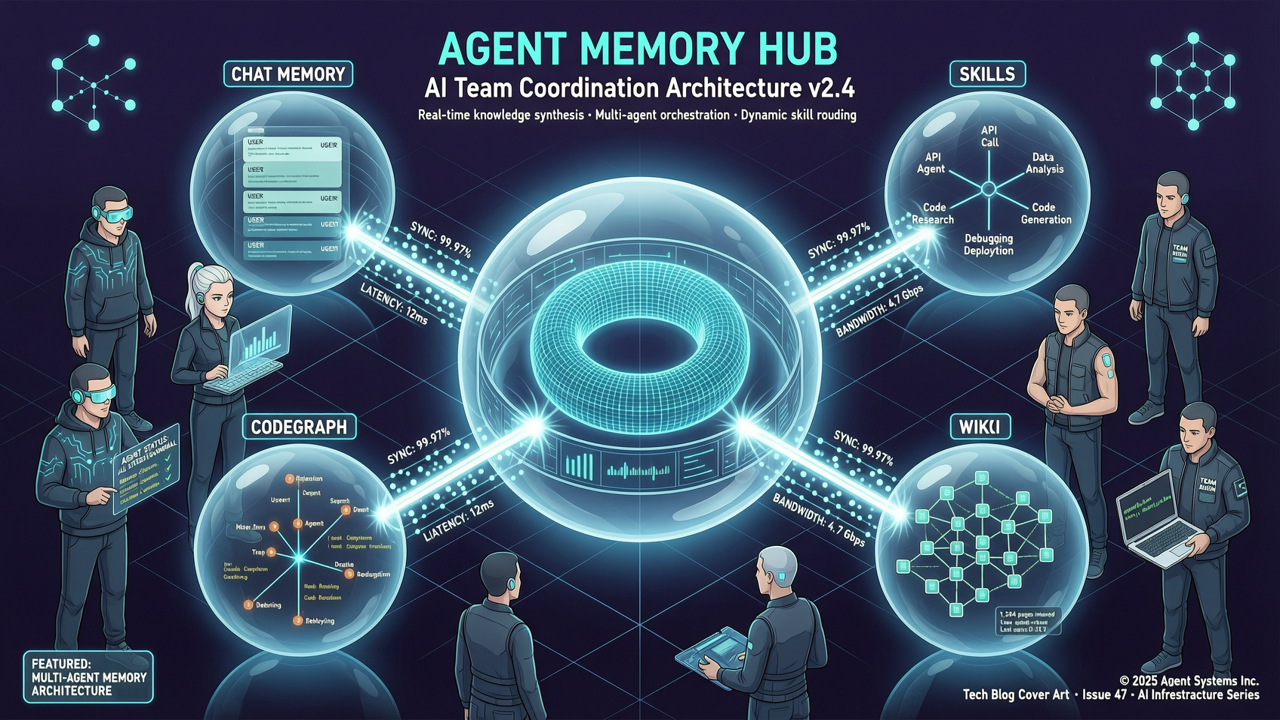
Core Concepts: Four Memory Assets
TencentDB Agent Memory transforms information into four types of reusable memory assets:
1. Chat Memory
Preserves user preferences, facts, decisions, and interaction history. This isn't just a chat log archive—it's structured memory refined through four layers:
| Layer | Stored Content | Purpose |
|---|---|---|
| L0 Conversation | Raw, full conversation | Verify originals, timestamps, sources |
| L1 Atom | Facts, preferences, constraints extracted from conversation | Precisely recall actionable information |
| L2 Scenario | Knowledge blocks organized by project/scenario | Quickly restore work context |
| L3 Persona | Long-term profiles, stable patterns | Help Agents quickly enter team context |
2. Skill
Reusable skills extracted by Agents during complex work—not just prompt snippets, but complete workflows with versioning, resource files, trigger boundaries, execution steps, and validation rules.
- Personal Skills are private by default; they can be shared with the team after review
- Think "troubleshooting procedures," "code review checklists," "release checklists"—once one person figures it out, the whole team can use it
3. Wiki (Knowledge Base)
Transforms product documentation, design specs, and operations manuals into structured pages, with link-graph drill-down capability (inspired by Karpathy's LLM knowledge base).
- Agents don't need to re-read entire file lists every time they work
- Supports hybrid retrieval with BM25 + vector search + RRF
4. CodeGraph
Indexes code symbols, files, call relationships, and impact paths.
- Agents can search, read, and inspect callers/callees
- Impact analysis before modifying code: "changing this affects that"
- It doesn't just tell you "where the code is"—it tells you "what changing it will affect"
Installation & Deployment
System Requirements
- Linux / macOS
- Docker + Docker Compose
- At least 8GB RAM
- Two sets of LLM API keys (Memory group and Proxy group)
Quick Start (One-Step)
# 1. Clone the repository
git clone https://github.com/TencentCloud/TencentDB-Agent-Memory.git
cd TencentDB-Agent-Memory/deploy/global-images

# 2. Configure environment variables
cp .env.example .env
# Edit .env and fill in two sets of LLM parameters:
# - Memory group: for memory extraction and layering
# - Proxy group: for Agent proxy requests

# 3. Start all services with one command (memory-core + memory-hub + proxy)
./start-all.sh
Once startup completes, the script outputs a ready-to-paste configuration command for Claude Code.
Access the Control Panel
# Open in your browser
http://localhost:8125
From the panel you can: - Create teams and Agents - Browse, search, review, and manage memory assets - Bind different memory assets to different Agents
Stop Services
./stop-all.sh
Hands-On: Building Your Agent Team
Let's say you have a small dev team. Here's how you might set it up:
Tiny Inc.
├── 👤 You          — Set goals / Make decisions
├── 🔭 Scout        — Research / Find opportunities
├── 🛠 Builder       — Write code / Build products
├── 🧪 Reviewer      — Test / Find issues
└── 🧠 Agent Memory  — Preserve team experience
Step 1: Create Team and Agents
Create your team in the Memory Hub panel, then create an Agent for each role.
Step 2: Import Existing Assets
# Import an existing codebase → CodeGraph auto-indexes
# Import document files → Wiki auto-generates structured pages
# Import conversation history → Skills and Chat Memory auto-extract
Step 3: Assign Memory Assets to Different Agents
Different roles, different toolkits:
🔭 Scout
 ├── User Interview Chat Memory
 ├── Market Research Wiki
 └── Competitive Analysis Skill

🛠 Builder
 ├── Product Wiki
 ├── Project CodeGraph
 └── Feature Delivery Skill

🧪 Reviewer
 ├── Historical Events Chat Memory
 ├── Project CodeGraph
 └── Release Check Skill
Each Agent gets only the memory it needs to do its job—less noise, more signal.
Advanced: Integrating Into Your Workflow via API
TencentDB Agent Memory provides a RESTful API that integrates with Agent frameworks like Claude Code, OpenCode, Cursor, and more.
List Available Tools
# View memory tools available to your Agent
curl http://localhost:8125/v3/tools/list
Example response:
{
  "tools": [
    {
      "name": "search_memory",
      "description": "Search memory assets, return matching results"
    },
    {
      "name": "read_wiki",
      "description": "Read Wiki page content"
    },
    {
      "name": "inspect_codegraph",
      "description": "Inspect code call relationships and impact paths"
    }
  ]
}
Call Memory Search
curl -X POST http://localhost:8125/v3/tools/call \
  -H "Content-Type: application/json" \
  -d '{
    "tool": "search_memory",
    "query": "auth module mobile compatibility",
    "limit": 5
  }'
Integration with Claude Code
After start-all.sh finishes, it outputs a Claude Code configuration command, roughly:
claude --permission-prompt-yolo \
  --tools memory-search,memory-read \
  --memory-endpoint http://localhost:8125
Now Claude Code can automatically access the project's Wiki and CodeGraph while coding—no need to re-explain project context every time.
Permissions & Privacy Model
TencentDB Agent Memory has a granular permission design to ensure memory assets don't leak:
| Visibility | Meaning |
|---|---|
private |
Only visible to Owner—not even team admins |
team |
Team members can read; Owner/Admin can manage |
restricted |
Precisely authorized via User / Role / Agent ACL |
agent |
Targeted provisioning for specific Agents within the team |
Newly created Chat Memory and Skills default to private. Sharing is an explicit action, not a default leak.
Comparison with Traditional RAG
| Capability | Standard RAG | TencentDB Agent Memory |
|---|---|---|
| Cross-session user understanding | △ | ✅ Chat Memory |
| Extract actionable experience | — | ✅ Skill |
| Document structure relationships | △ Chunk search | ✅ Wiki + Link Graph |
| Code call graph & impact scope | △ Text matching | ✅ CodeGraph |
| Ownership / versioning / status | — | ✅ |
| Team sharing & Agent provisioning | — | ✅ |
| Private / team / ACL permissions | △ | ✅ |
RAG solves "retrieval from massive data." Agent Memory solves "capturing valuable experience and delivering it precisely to the people and Agents who need it."
FAQ
Q: What LLM API keys do I need?
Two sets of LLM parameters: - Memory group: For conversation layering/refinement, Skill extraction, Wiki generation - Proxy group: For Agent proxy request forwarding
Supports major LLM providers (OpenAI, Anthropic, DeepSeek, etc.).
Q: Can I migrate data from older versions?
Yes. The project provides migration tools:
# v2 → v3 data migration
# See MemoryCore/scripts/migrate-v2-to-v3/README.md
Q: Which languages does CodeGraph support?
Currently prioritizes mainstream programming languages, indexed via HTTPS repositories. Local repository support is under development.
Q: Will memory assets consume a large context window?
No. Retrieval results are constrained by count, character budget, and timeout limits to prevent memory from flooding the context window. L2/L3 layers provide fast context guidance; L1/L0 are only pulled back when specific facts are needed.
Summary
The core philosophy behind TencentDB Agent Memory is simple but powerful:
"The cost of learning project context shouldn't be paid again by every new Agent."
It's not another RAG tool, and it's not just a conversation history log. It tackles the most practical pain point in AI Agent collaboration—how experience gets passed on.
- Valuable interactions are preserved in Chat Memory
- Proven workflows are distilled into Skills
- Documentation and code changes are continuously updated through Wiki and CodeGraph
The project is open-sourced under the MIT License, suitable for both individual developers and teams. If you're using multiple AI Agents to collaborate on projects, this tool could significantly boost your productivity.
🔗 Related Links: - GitHub: TencentCloud/TencentDB-Agent-Memory - Installation Docs: INSTALL.md - Chinese Installation Docs: INSTALL_CN.md